

Buying guide
Indoor Humidity Levels and the Best Hygrometers to Measure Them
What a hygrometer measures, EPA's 30 to 50% indoor humidity range, and four hygrometers and air monitors compared on stated accuracy, logging and placement.
By thisHUSH EditorialUpdated November 2, 202612 min read1 picks
thisHUSH covers comfort, quiet and air-quality gear, not health. Nothing on this site is medical advice: for sleep, breathing or hearing concerns, talk to a doctor.
Our picks at a glance
- See on Amazon1
Best whole-home dashboard
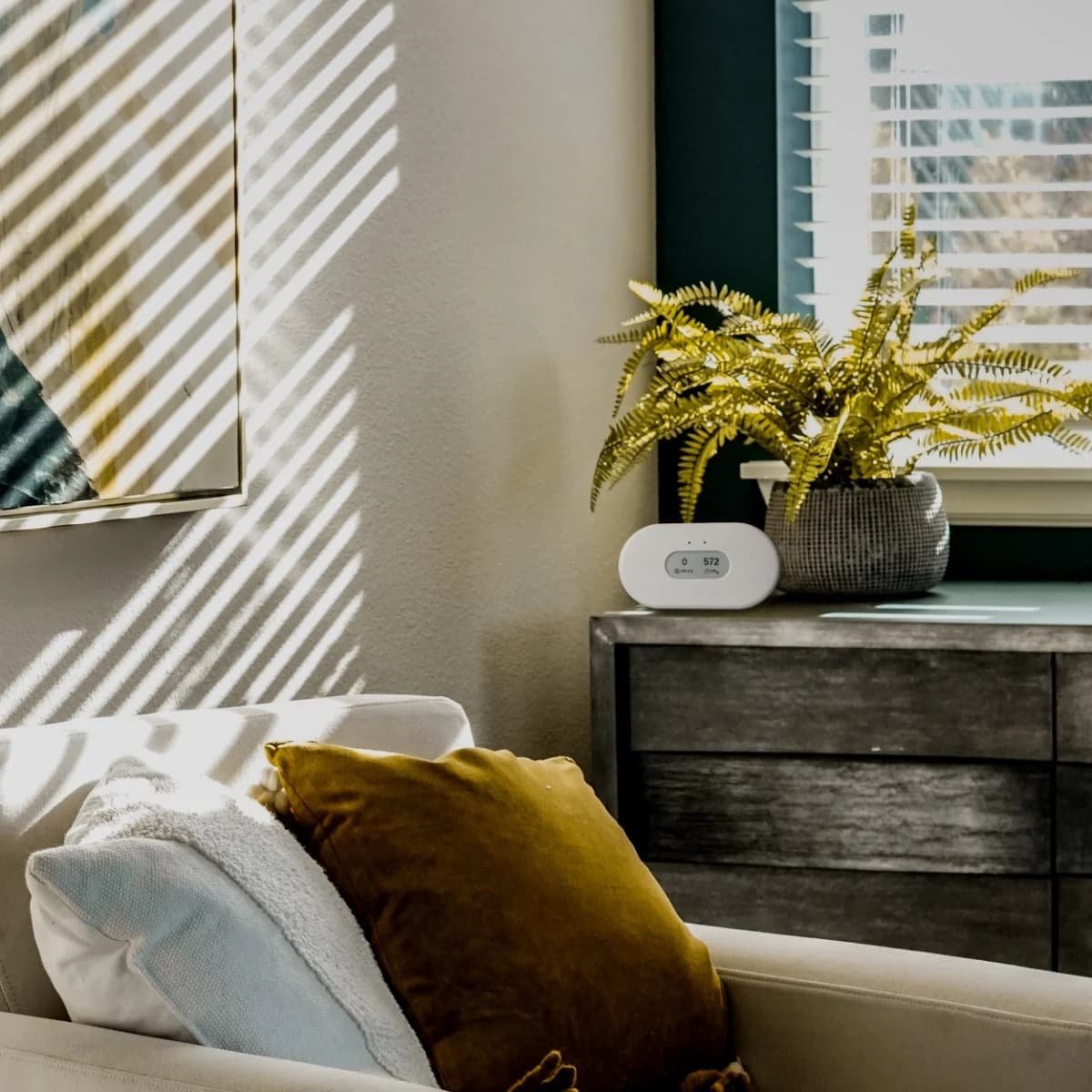
Airthings View Plus Radon and Air Quality MonitorRadon, PM2.5, CO2 (NDIR), VOC, temperature, humidity, air pressure
A hygrometer is "an instrument which measures the humidity of the air," in the National Weather Service's definition, and what home models show is relative humidity: how much moisture is in the air compared with the most it could hold at that temperature. EPA's target for a home is below 60 percent, ideally between 30 and 50 percent. To measure it, the TempPro TP50 is the simple pick, and the Aranet4 HOME is the one to get if you want history on your phone.
Readings depend on where you put the hygrometer and how accurate its sensor is, and every maker states that accuracy differently. Specs and guidance checked November 1, 2026.
- 30 to 50%EPA's ideal range for indoor relative humidity
- 60%The level EPA says to stay below
- 75%Relative humidity over saturated table salt at room temperature (NIST)
What the number means
The National Weather Service defines relative humidity as "a dimensionless ratio, expressed in percent, of the amount of atmospheric moisture present relative to the amount that would be present if the air were saturated." It adds the part that trips people up: because the amount of moisture air can hold depends on temperature, "relative humidity is a function of both moisture content and temperature." The same air reads differently beside a warm radiator and beside a cold window, so where you put a hygrometer matters as much as which one you buy.
Tap a label to explore. You can also hover or use your keyboard.
Relative humidityRH: moisture relative to saturation
Relative humidity is the amount of atmospheric moisture present relative to the amount present at saturation, expressed as a percent.
Sources: 1: The National Weather Service defines relative humidity as a percentage ratio of actual moisture to the amount present at saturation.Moisture and temperatureBoth affect the RH reading
Relative humidity depends on both moisture content and temperature.
Sources: 2: Relative humidity depends on both moisture content and temperature.Place at breathing heightAirthings View Plus example
Airthings recommends placing View Plus at breathing height.
Sources: 3: Airthings recommends placing View Plus at breathing height and at least three feet from vents, fans, windows or doors.Leave 3 feet clearFrom vents, fans, windows or doors
Place View Plus at least 3 feet from vents, fans, windows or doors. The distance is Airthings’ instruction for this monitor.
Sources: 3: Airthings recommends placing View Plus at breathing height and at least three feet from vents, fans, windows or doors.Airthings View Plus placement example; schematic locations. Follow the placement instructions for your own monitor.
Source notes3 references
The National Weather Service defines relative humidity as a percentage ratio of actual moisture to the amount present at saturation.
forecast.weather.gov — source for The National Weather Service defines relative humidity as a percentage ratio of actual moisture to the amount present at saturation.A dimensionless ratio, expressed in percent, of the amount of atmospheric moisture present relative to the amount that would be present if the air were saturated.
Relative humidity depends on both moisture content and temperature.
forecast.weather.gov — source for Relative humidity depends on both moisture content and temperature.Since the latter amount is dependent on temperature, relative humidity is a function of both moisture content and temperature.
Airthings recommends placing View Plus at breathing height and at least three feet from vents, fans, windows or doors.
www.airthings.com — source for Airthings recommends placing View Plus at breathing height and at least three feet from vents, fans, windows or doors.At breathing height, at least 3 feet from vents, fans, windows, or doors.
EPA's guidance gives the targets. Its moisture guide says to keep indoor humidity "below 60 percent (ideally between 30 and 50 percent) relative humidity," and its humidifier fact sheet says "Do not humidify to indoor relative humidity levels exceeding 50 percent." EPA also gives the visual check: "If water condenses on windows, walls, or pictures, relocate the humidifier, lower its humidistat setting, or reduce its use."
Tap a label to explore. You can also hover or use your keyboard.
Measure the roomUse a hygrometer
A hygrometer measures humidity levels. Also check surfaces for condensation.
Sources: 4: EPA says hygrometers can measure humidity levels., 3: If water condenses on windows, walls or pictures, EPA advises relocation, a lower humidistat setting or reduced humidifier use.Condensation on surfaces?Windows, walls or pictures
If water condenses on these surfaces, EPA advises adjusting the humidifier’s placement, setting or use.
Sources: 3: If water condenses on windows, walls or pictures, EPA advises relocation, a lower humidistat setting or reduced humidifier use.Adjust humidifier useRelocate it, lower setting or reduce use
Relocate the humidifier, lower its humidistat setting or reduce its use when water condenses on windows, walls or pictures.
Outcome
Sources: 3: If water condenses on windows, walls or pictures, EPA advises relocation, a lower humidistat setting or reduced humidifier use.Aim for EPA’s ideal30 to 50 percent RH
EPA’s ideal indoor relative-humidity range is between 30 and 50 percent.
Sources: 1: EPA recommends indoor relative humidity below sixty percent, ideally between thirty and fifty percent.Do not exceed 50percent RH while humidifying
Do not humidify to indoor relative-humidity levels above 50 percent.
Sources: 2: EPA says not to humidify above fifty percent indoor relative humidity.Keep below 60 percentGeneral indoor guidance
EPA advises keeping indoor humidity below 60 percent if possible. This is an upper limit; the ideal band remains 30 to 50 percent.
Outcome
Sources: 1: EPA recommends indoor relative humidity below sixty percent, ideally between thirty and fifty percent.EPA ideal: 30 to 50 percent relative humidity. The general advice to keep below 60 percent does not extend the humidifying limit above 50 percent.
Source notes4 references
EPA recommends indoor relative humidity below sixty percent, ideally between thirty and fifty percent.
www.epa.gov — source for EPA recommends indoor relative humidity below sixty percent, ideally between thirty and fifty percent.If possible, keep indoor humidity below 60 percent (ideally between 30 and 50 percent) relative humidity.
EPA says not to humidify above fifty percent indoor relative humidity.
www.epa.gov — source for EPA says not to humidify above fifty percent indoor relative humidity.Do not humidify to indoor relative humidity levels exceeding 50 percent.
If water condenses on windows, walls or pictures, EPA advises relocation, a lower humidistat setting or reduced humidifier use.
www.epa.gov — source for If water condenses on windows, walls or pictures, EPA advises relocation, a lower humidistat setting or reduced humidifier use.If water condenses on windows, walls, or pictures, relocate the humidifier, lower its humidistat setting, or reduce its use.
EPA says hygrometers can measure humidity levels.
www.epa.gov — source for EPA says hygrometers can measure humidity levels.Hygrometers, available at local hardware stores, may be used to measure humidity levels.
Quick picks
| Pick | Best for | Humidity accuracy (maker) | Display and data | Power |
|---|---|---|---|---|
| TempPro TP50 | A basic battery-powered hygrometer | ±2% at 30 to 80% RH, ±3% outside | LCD with high and low records | 1 AAA battery |
| Aranet4 HOME | History on your phone, plus CO2 | ±3% | E-ink; up to 90 days in the app (15 days on the monitor at the default interval) | 2 AA batteries |
| Airthings View Plus | A whole-home air dashboard | Within 3% | E-ink; Wi-Fi and app | 6 AA batteries or USB-C |
| AirGradient ONE | Local, open-source monitoring | ±2% (Sensirion SHT40) | Small OLED and LED bar; Wi-Fi | USB-C (plug not included) |
Best basic hygrometer: TempPro TP50
The TP50 does one job: temperature and humidity on an LCD, refreshed every 10 seconds, with the day's highs and lows and a Dry, Comfortable or Wet indicator. TempPro lists its humidity tolerance as ±2% between 30% and 80% and ±3% outside that band, across a 10 to 99% range. It's calibratable, runs on one AAA battery, and can stand on a table, stick on with its magnetic back or hang. At 3 1/8 x 2 5/8 x 1 in, it also fits in a stocking.
Two things to know. TempPro's product title says "Large Backlit," but its own spec table says there's no backlight, so plan on reading it with the lights on. And its Dry, Comfortable and Wet icon uses TempPro's own bands, so read the number against EPA's 30 to 50% rather than trusting the face. ThermoPro's TP50 page now redirects to TempPro's, so listings may use either name. Registering it extends the warranty to 3 years.
Best for history on your phone: Aranet4 HOME
The Aranet4 HOME is a CO2 monitor first, with a true NDIR sensor, but it's also a careful hygrometer. Aranet's datasheet lists relative humidity at ±3% accuracy over 0 to 85%, with a long-term drift of 0.5% a year, and temperature at ±0.3 °C. The e-ink screen shows CO2, temperature and humidity at a glance, and the Aranet4 app connects over Bluetooth to show history (Aranet's manual says the app stores up to 90 days, with CSV export; the monitor itself keeps 15 days at the default 5-minute interval, per the datasheet).
It runs on two AA batteries, and Aranet's datasheet estimates about 2.8 years at the default 5-minute interval with Bluetooth on. The trade-offs: its radio is Bluetooth (Aranet's datasheet lists no Wi-Fi), it measures CO2, temperature, humidity and pressure but not particles, and it isn't for damp rooms: its operating range stops at 85% relative humidity, non-condensing.
Best whole-home dashboard: Airthings View Plus
The View Plus is the pick if humidity is one of several things you want to watch. It has seven sensors (radon, PM2.5, CO2, VOCs, temperature, humidity and pressure), and Airthings' product sheet lists humidity accuracy "Within 3%." Readings show on an e-ink screen and sync over Wi-Fi to the Airthings app, and it runs on six AA batteries or USB-C.
Airthings
Airthings View Plus Radon and Air Quality Monitor
A seven-sensor home monitor (radon, PM2.5, NDIR CO2, VOCs, temperature, humidity and pressure) with an e-ink display, Wi-Fi, and either battery or USB-C power.
Comes in 4 versions: see which to buy
- Radon, PM2.5, CO2 (NDIR), VOC, temperature, humidity, air pressure
Airthings also publishes placement rules worth using for any monitor: put it at breathing height, at least 3 feet from vents, fans, windows and doors, and never outdoors or anywhere above 85% humidity. The trade-offs: it's large for a nightstand at 17 cm wide, and it doesn't support Apple HomeKit.
Best for local, open-source monitoring: AirGradient ONE
The AirGradient ONE measures temperature and humidity with a Sensirion SHT40, which AirGradient lists at ±2% relative humidity and ±0.2 °C, alongside CO2, particles and VOC and NOx indexes. It has a small OLED display and an LED bar you can switch off, connects over Wi-Fi, and works locally with Home Assistant (version 2024.6 or later, with current firmware) and Homey, so the cloud is optional. AirGradient says it's fully open source.
The trade-offs: it runs on USB power, and the 5 V plug of more than 2 A it needs isn't in the box, and AirGradient's page describes its online dashboard both as "subscription free" and as "12 months data platform / dashboard and API access," so check the current terms.
See the AirGradient ONE at AirGradient
How to check a hygrometer's reading
You don't need a lab, only a known humidity. NIST's reference tables for saturated salt solutions give one you can make at home: air in a closed space over saturated sodium chloride (table salt) settles at 75.47% relative humidity at 20 °C and 75.29% at 25 °C.
Make the reference
Put a small dish of table salt in a container that seals, and add just enough water to make it damp; some salt should stay undissolved.
Seal it in
Place the hygrometer beside the dish, not touching it, and close the lid. Keep it out of sun and away from heat.
Wait
Leave it until the reading stops changing. The air inside has to settle before the number means anything.
Read the offset
The difference from about 75% is the error at that level. Correct it if your hygrometer is calibratable, like the TP50, or note it.
One check isn't the whole story. TempPro's own tolerance shows that accuracy can change across the range (±2% between 30 and 80%, ±3% outside), so a hygrometer that reads true at 75% can still be a little off at 40%. NIST's tables list magnesium chloride at about 33% if you want a second point. Aranet's 0.5% a year drift figure is also a reason to repeat the check now and then.
Buying guide
Accuracy is a tolerance, not a promise. Compare each maker's stated figure: ±2% (TP50 within 30 to 80%, AirGradient), ±3% (Aranet) or within 3% (Airthings). Two hygrometers a couple of points apart can both be within spec.
Decide whether you need history. A high and low record (TP50) shows what happened overnight. An app with stored data (Aranet4, Airthings, AirGradient) shows patterns across days and rooms, which helps if you're running a humidifier or a dehumidifier.
Place it like it matters. Keep it away from heat, sun and the humidifier's own output, and follow Airthings' rule of breathing height and 3 feet from vents, windows and doors. Because relative humidity depends on temperature, a hygrometer on a windowsill isn't measuring the room.
Tap a label to explore. You can also hover or use your keyboard.
Relative humidityRH: moisture relative to saturation
Relative humidity is the amount of atmospheric moisture present relative to the amount present at saturation, expressed as a percent.
Sources: 1: The National Weather Service defines relative humidity as a percentage ratio of actual moisture to the amount present at saturation.Moisture and temperatureBoth affect the RH reading
Relative humidity depends on both moisture content and temperature.
Sources: 2: Relative humidity depends on both moisture content and temperature.Place at breathing heightAirthings View Plus example
Airthings recommends placing View Plus at breathing height.
Sources: 3: Airthings recommends placing View Plus at breathing height and at least three feet from vents, fans, windows or doors.Leave 3 feet clearFrom vents, fans, windows or doors
Place View Plus at least 3 feet from vents, fans, windows or doors. The distance is Airthings’ instruction for this monitor.
Sources: 3: Airthings recommends placing View Plus at breathing height and at least three feet from vents, fans, windows or doors.Airthings View Plus placement example; schematic locations. Follow the placement instructions for your own monitor.
Source notes3 references
The National Weather Service defines relative humidity as a percentage ratio of actual moisture to the amount present at saturation.
forecast.weather.gov — source for The National Weather Service defines relative humidity as a percentage ratio of actual moisture to the amount present at saturation.A dimensionless ratio, expressed in percent, of the amount of atmospheric moisture present relative to the amount that would be present if the air were saturated.
Relative humidity depends on both moisture content and temperature.
forecast.weather.gov — source for Relative humidity depends on both moisture content and temperature.Since the latter amount is dependent on temperature, relative humidity is a function of both moisture content and temperature.
Airthings recommends placing View Plus at breathing height and at least three feet from vents, fans, windows or doors.
www.airthings.com — source for Airthings recommends placing View Plus at breathing height and at least three feet from vents, fans, windows or doors.At breathing height, at least 3 feet from vents, fans, windows, or doors.
How we choose
We haven't lab-tested these hygrometers. Every pick comes from research:
- Stated accuracy. Humidity and temperature tolerances come from each maker's product page, datasheet or product sheet, quoted as the maker gives them.
- Data and power. Display, logging, app, connectivity and batteries from the same official pages and manuals.
- Reference values. Definitions come from the National Weather Service, targets from EPA, and the salt-check humidity from NIST's published tables.
- No health claims. We report what a hygrometer measures, not what a humidity level does for your body.
Our full method is on How we choose.
Verdict
Aim for EPA's 30 to 50% and measure before you adjust. The TempPro TP50 is the simple, calibratable hygrometer for one room, and the Aranet4 HOME adds phone history and an NDIR CO2 sensor on two AA batteries. For a whole-home dashboard, the Airthings View Plus adds radon and particles, and the AirGradient ONE suits people who want local, open-source data. Whichever you buy, a salt check against NIST's 75% tells you how far to trust it.
Sources
Specs and guidance checked November 1, 2026:
- National Weather Service glossary: hygrometer and relative humidity
- EPA: A brief guide to mold, moisture and your home and Use and care of home humidifiers
- NIST: Greenspan, Humidity Fixed Points of Binary Saturated Aqueous Solutions, Journal of Research of the National Bureau of Standards, 1977
- TempPro: TP50
- Aranet: Aranet4 HOME datasheet (PDF) and user manual (PDF)
- Airthings: View Plus, its specifications and product sheet (PDF)
- AirGradient: ONE indoor monitor and its spec sheet (PDF)
Frequently asked questions
What is a good indoor humidity level?
EPA's guidance is to keep indoor relative humidity below 60 percent, ideally between 30 and 50 percent, and its humidifier fact sheet says not to humidify above 50 percent. Water condensing on windows, walls or pictures is EPA's sign that a humidifier is set too high or should be moved. A hygrometer tells you where your room actually is.
How accurate are home hygrometers?
Check the maker's tolerance, not just the display. TempPro lists the TP50 at plus or minus 2% between 30 and 80% relative humidity and 3% outside that band; Aranet lists the Aranet4 HOME at 3%, Airthings the View Plus within 3%, and AirGradient the ONE's Sensirion sensor at 2%. Two good hygrometers in the same room can still differ by a few points.
How do I check if my hygrometer is accurate?
Use a reference humidity. NIST's tables show that air in a closed space over a saturated solution of sodium chloride (table salt) settles at about 75% relative humidity: 75.47% at 20 °C and 75.29% at 25 °C. Seal the hygrometer in a container with a small dish of damp salt that hasn't fully dissolved, and wait until the reading stops changing. The difference from about 75% is its error at that level.