

Buying guide
Ozlo Sleepbuds and Sleepbuds 2
Models, Modes and Alternatives
Choose the right Ozlo Sleepbuds generation. Compare streaming, phone-free modes and battery claims, trace the audio path, and find ANC or headband alternatives.
By thisHUSH EditorialUpdated November 2, 20268 min read1 pick
Our recommendation: Ozlo Sleepbuds 2
Best for streaming then masking
Limit: Those are useful starting points for a fit decision, not a promise about pressure against your pillow.
On this page · Our picks at a glance
Our picks at a glance
- 1
Choose for: Best for streaming then masking
Limit: Those are useful starting points for a fit decision, not a promise about pressure against your pillow.
- Battery life (maker)
- 14 h
About this guide
thisHUSH covers comfort, quiet and air-quality gear, not health. Nothing on this site is medical advice: for sleep, breathing or hearing concerns, talk to a doctor.
Choose Ozlo Sleepbuds 2 for streaming podcasts or music followed by stored masking sounds: this is the model on Ozlo's current product page, with a Smart Case button and a claim of up to 14 hours from Ozlo's playback tests at 50% volume. The original Ozlo Sleepbuds are rated for up to 10 hours; Bose Sleepbuds II are a separate, discontinued product that cannot stream music. Choose Soundcore Sleep A30 when ANC is essential, or SleepPhones Wireless when you want a fabric headband with speakers.
Official documentation and purchase options checked November 2, 2026; all battery figures below are manufacturer claims.
- Up to 14 hoursSleepbuds 2 playback; Ozlo's test used 50% volume
- Up to 10 hoursOriginal Ozlo Sleepbuds per-charge rating
Quick picks and model comparison
- Streaming then masking: Ozlo Sleepbuds 2, with stored Sleep Sounds and a case playback button.
- ANC required: Soundcore Sleep A30, with active cancellation, passive isolation and adaptive masking.
- Headband preferred: SleepPhones Wireless, with Bluetooth audio and removable speakers.
Ozlo Sleepbuds 2
- Your music or podcasts
- Bluetooth via Smart Case
- Noise handling
- Passive seal + masking; no ANC
- Maker's playback claim per charge
- Up to 14 hours; streaming and Sleep Sounds tested at 50% volume
Original Ozlo Sleepbuds — reference only
- Your music or podcasts
- Bluetooth via Smart Case
- Noise handling
- Passive seal + masking
- Maker's playback claim per charge
- Up to 10 hours; no mode split in cited rating
Bose Sleepbuds II — archive only
- Your music or podcasts
- No music streaming; Bose library files
- Noise handling
- Masking; no ANC
- Maker's playback claim per charge
- 10 hours of run time in Bose's launch documentation
Soundcore Sleep A30
- Your music or podcasts
- Bluetooth; local library sound also available
- Noise handling
- ANC + passive isolation + masking
- Maker's playback claim per charge
- 8–10 hours with switching; about 6 hours Bluetooth + ANC at high volume; up to 16 hours local + ANC off at 50%
SleepPhones Wireless
- Your music or podcasts
- Bluetooth source
- Noise handling
- Audio masking; no noise cancellation
- Maker's playback claim per charge
- 24 hours; conditions not specified in cited spec
Full comparison table
Swipe to compare. Row labels stay visible.
| Exact model | Your music or podcasts | Noise handling | Maker's playback claim per charge |
|---|---|---|---|
| Ozlo Sleepbuds 2 | Bluetooth via Smart Case | Passive seal + masking; no ANC | Up to 14 hours; streaming and Sleep Sounds tested at 50% volume |
| Original Ozlo Sleepbuds — reference only | Bluetooth via Smart Case | Passive seal + masking | Up to 10 hours; no mode split in cited rating |
| Bose Sleepbuds II — archive only | No music streaming; Bose library files | Masking; no ANC | 10 hours of run time in Bose's launch documentation |
| Soundcore Sleep A30 | Bluetooth; local library sound also available | ANC + passive isolation + masking | 8–10 hours with switching; about 6 hours Bluetooth + ANC at high volume; up to 16 hours local + ANC off at 50% |
| SleepPhones Wireless | Bluetooth source | Audio masking; no noise cancellation | 24 hours; conditions not specified in cited spec |
| Exact model | Your music or podcasts | Noise handling | Maker's playback claim per charge |
|---|---|---|---|
| Ozlo Sleepbuds 2 | Bluetooth via Smart Case | Passive seal + masking; no ANC | Up to 14 hours; streaming and Sleep Sounds tested at 50% volume |
| Original Ozlo Sleepbuds — reference only | Bluetooth via Smart Case | Passive seal + masking | Up to 10 hours; no mode split in cited rating |
| Bose Sleepbuds II — archive only | No music streaming; Bose library files | Masking; no ANC | 10 hours of run time in Bose's launch documentation |
| Soundcore Sleep A30 | Bluetooth; local library sound also available | ANC + passive isolation + masking | 8–10 hours with switching; about 6 hours Bluetooth + ANC at high volume; up to 16 hours local + ANC off at 50% |
| SleepPhones Wireless | Bluetooth source | Audio masking; no noise cancellation | 24 hours; conditions not specified in cited spec |
These are different playback routines, not a battery endurance ranking. Match the mode you will actually use before comparing the numbers.
Original Ozlo, Sleepbuds 2 and Bose: separate histories
Original Ozlo Sleepbuds already supported Smart Case streaming and configured phone-free Sleep Sounds. Sleepbuds 2 add the case playback button; phone-free playback itself is not new.
Bose's own launch documentation describes Sleepbuds II as library-sound devices without music streaming, calls or ANC. Ozlo's historical comparison says Bose Sleepbuds II have been discontinued. They are context for existing owners, not a buy pick here. A listing saying only “Sleepbuds” does not identify the generation: match the brand and full model name.
Best for streaming then masking: Ozlo Sleepbuds 2
Ozlo
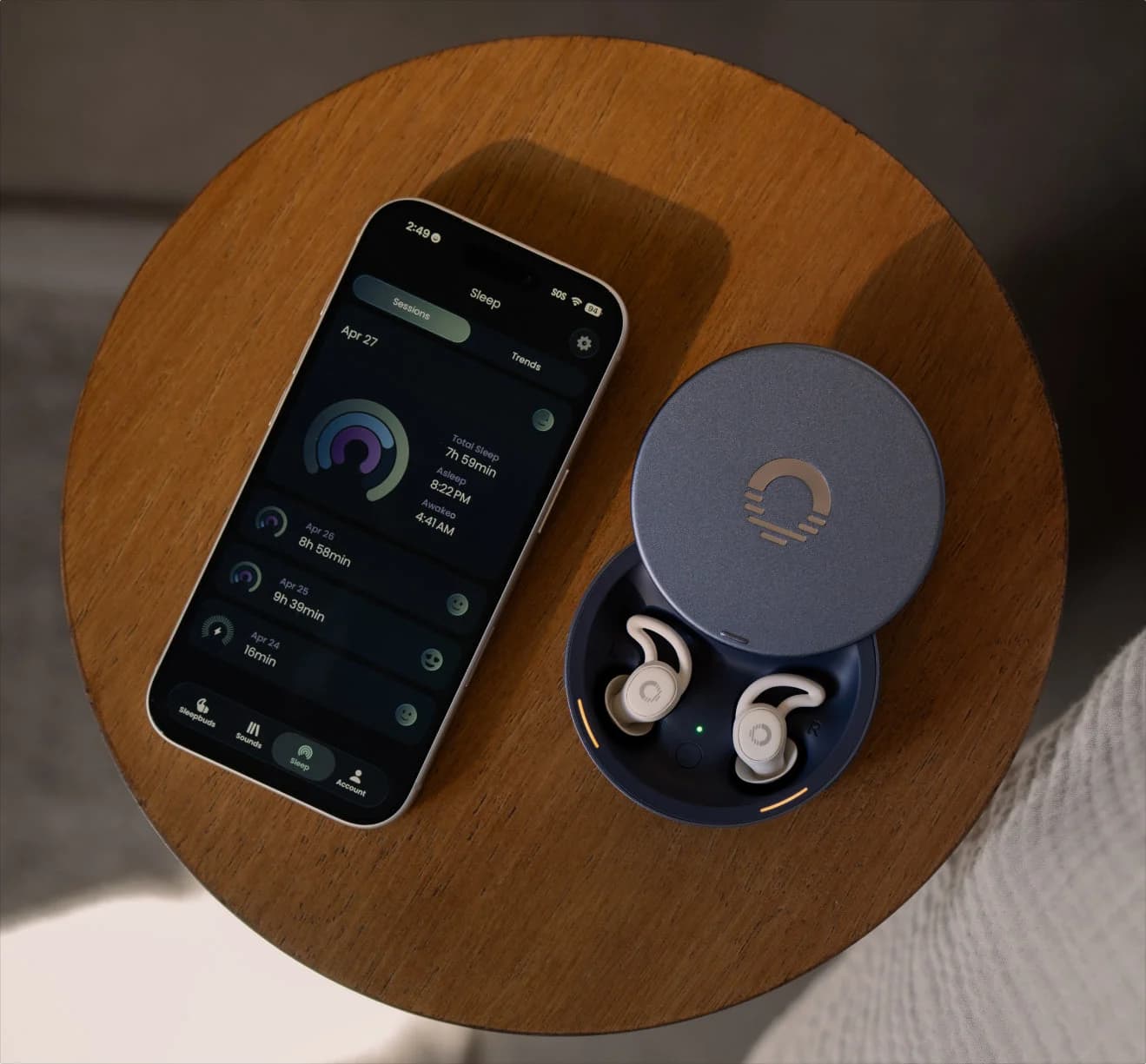
Small sleep earbuds from a company founded by former Bose Sleepbuds staff: they seal passively with silicone tips, play noise-masking sounds or stream over Bluetooth, and have an in-ear alarm.
Check package and model options
- 14 h battery
Sleepbuds 2 stream from Bluetooth sources and can switch to your selected masking sound when they detect sleep. The buds weigh 1.6 g each, and four silicone-tip sizes are included. Those are useful starting points for a fit decision, not a promise about pressure against your pillow.
The Smart Case button pauses playing audio, starts a Sleep Sound when nothing is playing, and snoozes a sounding alarm. The earbuds have no microphone for calls. Only official Ozlo masking sounds can be saved locally; your own podcasts and audiobooks remain Bluetooth content.
Signal path: phone → Smart Case → Sleepbuds
Ozlo says initial setup and streaming need a phone connection, and the Sleepbuds 2 Smart Case remains the communication hub. Simple Mode instead plays a Sleep Sound from memory on the buds and turns Bluetooth streaming off.
Tap a label to explore. You can also hover or use your keyboard.
Phone or source deviceYour streaming audio
Initial setup needs a phone and Bluetooth. Streaming your own audio needs the connected source to remain available.
Sources: 1: A phone connection is required for initial setup and streaming; configured built-in Sleep Sounds can play without it.- Bluetooth from source
Smart CaseCommunication hub
The case remains part of the streaming system. Ozlo recommends keeping it nearby, such as on the nightstand.
Sources: 2: The Smart Case is the Sleepbuds 2 communication hub; Ozlo recommends keeping it nearby when streaming. - Audio relayed by case
SleepbudsStreamed audio OR saved Sleep Sound
Streaming arrives through the case. In Simple Mode, a Sleep Sound instead plays from memory on the buds, with Bluetooth streaming off; after setup, that saved sound does not need the phone.
Sources: 1: A phone connection is required for initial setup and streaming; configured built-in Sleep Sounds can play without it., 2: The Smart Case is the Sleepbuds 2 communication hub; Ozlo recommends keeping it nearby when streaming., 3: Simple Mode uses a Sleep Sound stored on the buds and turns Bluetooth streaming off.
Source notes3 references
A phone connection is required for initial setup and streaming; configured built-in Sleep Sounds can play without it.
ozlosleep.com — source for A phone connection is required for initial setup and streaming; configured built-in Sleep Sounds can play without it.While a phone and an active bluetooth connection are necessary to initially set up and to stream audio, your Sleepbuds® can be configured to automatically play your built-in Sleep Sound as soon as you take them out of the case. No phone or bluetooth connection required.
The Smart Case is the Sleepbuds 2 communication hub; Ozlo recommends keeping it nearby when streaming.
ozlo-sleepbuds-2.gorgias.help — source for The Smart Case is the Sleepbuds 2 communication hub; Ozlo recommends keeping it nearby when streaming.For the best possible streaming experience, we still recommend keeping the Smart Case nearby, such as on your nightstand while you sleep. The Smart Case acts as the communication hub for Sleepbuds, helping maintain a stable connection and ensuring the most reliable streaming performance throughout the night.
Simple Mode uses a Sleep Sound stored on the buds and turns Bluetooth streaming off.
ozlo-sleepbuds-2.gorgias.help — source for Simple Mode uses a Sleep Sound stored on the buds and turns Bluetooth streaming off.Your Sleep Sound plays immediately from memory stored directly on your Sleepbuds. Bluetooth streaming turns off for a simpler, lower-power sleep experience.
Range conflict: the product-page spec block says case within 10 ft and phone within 30 ft, but its FAQ gives up to 10 ft for each link and warns that obstructions or interference reduce range. For bedside use, follow the shorter FAQ figure and keep the case and phone nearby.
Modes: when the phone is required
Set your sounds, volume, alarms and settings in the app first. Simple Mode was previously named Bluetooth Disabled Mode.
Simple
- What starts the saved Sleep Sound
- Immediately, from bud memory; streaming off
- Phone requirement
- No phone for the configured sound after setup
Auto
- What starts the saved Sleep Sound
- When Bluetooth streaming stops
- Phone requirement
- Phone for streaming; saved sound can play without it
Sensing
- What starts the saved Sleep Sound
- On sleep detection, switching from streaming
- Phone requirement
- Phone for the streamed portion; saved sound can play without it
Time Delay
- What starts the saved Sleep Sound
- When the timer ends
- Phone requirement
- Configure in app; phone-disconnection behavior during countdown is not specified in the cited mode description
Manual
- What starts the saved Sleep Sound
- Start it in the app or with the case button
- Phone requirement
- App control needs phone; case button offers limited control
Full comparison table
Swipe to compare. Row labels stay visible.
| Sleepbuds 2 mode | What starts the saved Sleep Sound | Phone requirement |
|---|---|---|
| Simple | Immediately, from bud memory; streaming off | No phone for the configured sound after setup |
| Auto | When Bluetooth streaming stops | Phone for streaming; saved sound can play without it |
| Sensing | On sleep detection, switching from streaming | Phone for the streamed portion; saved sound can play without it |
| Time Delay | When the timer ends | Configure in app; phone-disconnection behavior during countdown is not specified in the cited mode description |
| Manual | Start it in the app or with the case button | App control needs phone; case button offers limited control |
| Sleepbuds 2 mode | What starts the saved Sleep Sound | Phone requirement |
|---|---|---|
| Simple | Immediately, from bud memory; streaming off | No phone for the configured sound after setup |
| Auto | When Bluetooth streaming stops | Phone for streaming; saved sound can play without it |
| Sensing | On sleep detection, switching from streaming | Phone for the streamed portion; saved sound can play without it |
| Time Delay | When the timer ends | Configure in app; phone-disconnection behavior during countdown is not specified in the cited mode description |
| Manual | Start it in the app or with the case button | App control needs phone; case button offers limited control |
With Auto Mode enabled and Sleep Shield off, starting streamed audio pauses the Sleep Sound, and stopping streaming resumes it. With Sleep Shield on, pause the Sleep Sound using the case button or app before starting your stream.
Battery claims: keep the mode attached
Ozlo's Sleepbuds 2 streaming FAQ explicitly claims up to 14 hours of continuous playback; its product-page test footnote specifies streaming audio and Sleep Sounds at 50% volume. The Smart Case holds another 2–3 charges. Case reserves are recharges between sessions, not extra uninterrupted listening time.
Choose when ANC is essential: Soundcore Sleep A30
Soundcore
Soundcore Sleep A30 Noise-Cancelling Sleep Earbuds (Moonlit White)
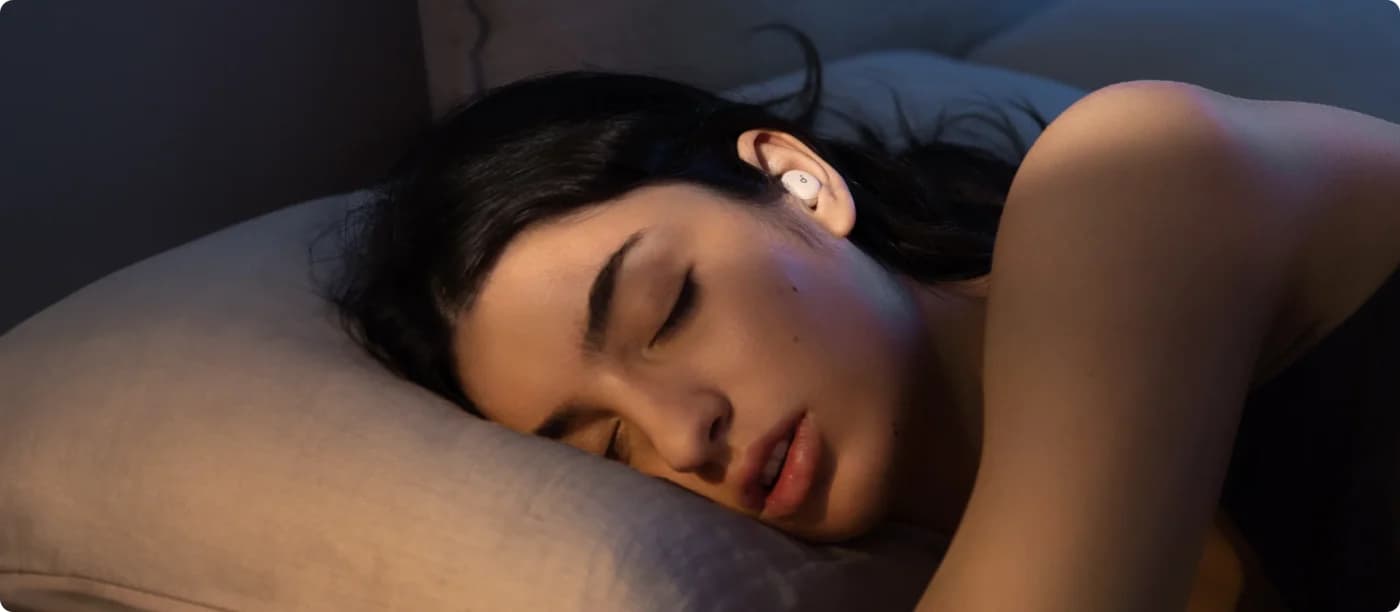
Anker's Soundcore sleep earbuds that combine active noise cancelling with a passive seal and snore-masking audio, with Calm sleep stories and a white-noise library in the app.
Check package and model options
- 10 h battery
Soundcore describes the A30's ANC as targeting low-frequency traffic and appliance hum; snoring is covered by adaptive masking audio, rather than cancelled by ANC. Its 8–10-hour default routine switches from Bluetooth to local audio. The support page instead gives about 6 hours for Bluetooth with ANC at high volume, or up to 16 hours for local audio with ANC off at 50% volume. The longest number therefore does not describe all-night podcast streaming with cancellation enabled.
Our pick is Sleep A30, Moonlit White; Mist Green is also A30, while Lunar White and Mist Lilac are Special. The current US product page says both editions now share features and specifications, but the same page's Specs table still lists A30 as 9H/45H and Special as 8–10H/up to 5 nights. That conflict remains unresolved; confirm the exact edition and listening mode before ordering.
Choose for a headband: SleepPhones Wireless
SleepPhones
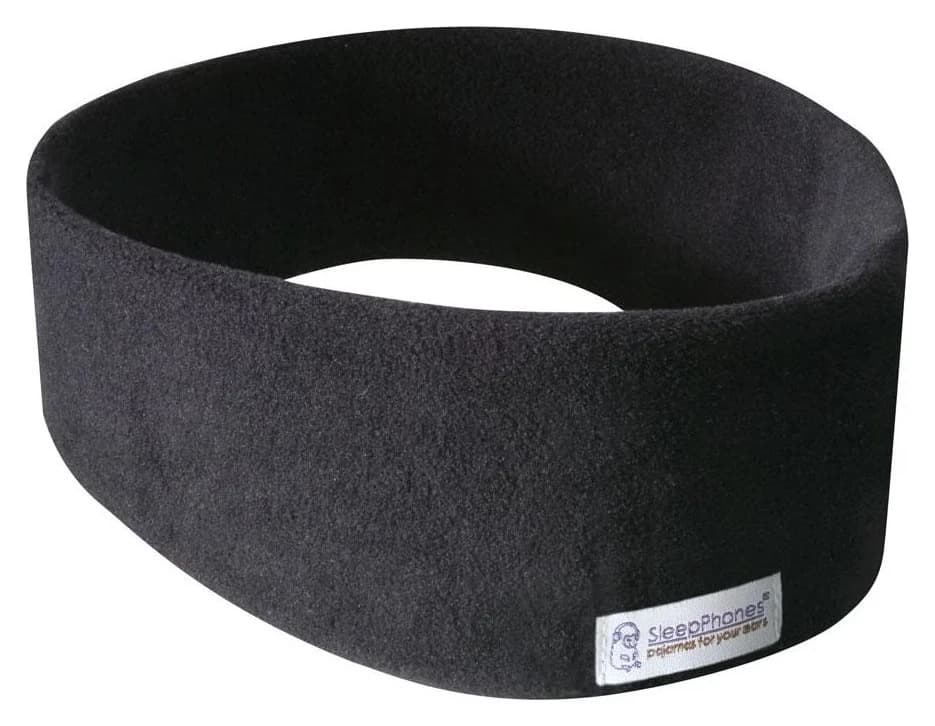
Thin, removable Bluetooth speakers in a soft, washable fabric headband from AcousticSheep, for people who can't sleep with anything in their ears.
Check package and model options
- 24 h battery
SleepPhones Wireless puts removable speakers in a washable fabric band, with volume and play/pause on the Bluetooth module. The maker rates a full charge for 24 hours and describes its headphones as noise masking, not noise cancelling. Choose it for the headband format rather than an ANC requirement.
Our pick is Midnight Black fleece, Medium; Pitch Black uses breathable, moisture-wicking Breeze fabric. Choose Small, Medium or Large deliberately. Connector conflict: the main Wireless page says micro-USB charging, while the official shop says USB-C; both give a four-hour charge time. Check the connector and included cable on the exact unit.
Before checkout and first use
Phone compatibility conflict: Ozlo's product page says iOS 17 or later; its dedicated requirements article says iOS 18 or later. Both specify Android 12 or later. Check the app's compatibility screen on your actual phone before buying.
The Ozlo set includes the charging/storage case, silicone tips and cable. Check the contents of any bundle rather than assuming its extra carrying accessories change the generation.
For first use, Ozlo requires plugging the Smart Case into power and pairing directly through the Ozlo app.
Read the full name
Match Ozlo Sleepbuds 2, original Ozlo Sleepbuds or Bose Sleepbuds II before comparing claims.
Check the phone
Resolve the published iOS 17 versus iOS 18 requirements against the app on your device; both pages specify Android 12 or later.
Inspect the included kit
The Ozlo set already includes its charging/storage case, silicone tips and cable.
Prepare first use
Power the Smart Case and pair through the Ozlo app before relying on your chosen settings.
For more shapes and fits, see our best sleep earbuds and headphones. Our white vs pink vs brown noise guide explains sound choices beyond a model name.
How we choose
Picks are based on manufacturer documentation. We matched generations, traced audio connections, separated playback modes and checked official purchase pages. We cannot judge pillow pressure, connection reliability in your room or real battery endurance from a spec sheet. Published conflicts are flagged beside the relevant buying decision. See How we choose for the site's method.
Verdict
Ozlo Sleepbuds 2 is our pick for streaming followed by stored masking sounds, with the case button adding convenient playback control. Choose Soundcore Sleep A30 for ANC, or SleepPhones Wireless for a fabric headband. Match the generation, phone requirements and actual playback mode before checkout.
Sources
Official documentation checked November 2, 2026:
- Ozlo: current Sleepbuds 2 product page, generation comparison, streaming hub, streaming battery, case button, Sleep Shield behavior, local-file limits, app requirements and setup.
- Original Ozlo: battery documentation, Bluetooth relay and phone-free mode.
- Bose: archived Sleepbuds II launch documentation; Ozlo's historical Bose comparison identifies discontinuation.
- Soundcore: current US product page and mode-specific battery support.
- SleepPhones: Wireless specifications, official shop and compatibility and masking.
Frequently asked questions
Are Ozlo Sleepbuds 2 the same as Bose Sleepbuds II?
No: these are different brands and products, and the original Ozlo Sleepbuds are another generation again. Ozlo Sleepbuds 2 stream your audio and play stored masking sounds, with a rating of up to 14 hours. Bose Sleepbuds II do not stream music, and Ozlo's historical comparison identifies them as discontinued.
Do Ozlo Sleepbuds need a phone all night?
A phone and Bluetooth are needed for initial setup and streaming your own audio. After setup, saved Sleep Sounds can start without the phone; Simple Mode turns Bluetooth streaming off. Ozlo also says its configured in-ear alarm works without the phone connected. Sleepbuds 2 add limited playback and alarm-snooze control through the Smart Case button.
Do Ozlo Sleepbuds have active noise cancellation?
No. Sleepbuds 2 use the silicone tips' passive seal plus masking audio. Sleep Shield blocks phone audio from interrupting a Sleep Sound; it is a playback setting. Choose Soundcore Sleep A30 if you specifically require ANC for low-frequency traffic or appliance hum, alongside passive isolation and masking.
Can I load my own podcasts onto Ozlo Sleepbuds for phone-free playback?
No. Ozlo says Sleepbuds 2 cannot store personal audio files; only official Ozlo masking sounds can be saved locally. Your podcasts, music and audiobooks need Bluetooth streaming from a connected source. For that routine, keep the Smart Case nearby because it remains the communication hub for the earbuds.
Related guides
Sleep Masks With Headphones: Speaker Fit, Eye Cups and Washing Explained
Choose a sleep mask with headphones: compare Manta SOUND and SnoozeBand variants, phone-free sounds, eye clearance, removable electronics and washing rules.
Updated November 2, 2026Read
Best Sleep Earbuds and Headphones for Side Sleepers
Sleep earbuds, a headband and a Bluetooth sleep mask compared on bud size, masking vs noise cancelling, battery per night, alarms and what each can't do.
Updated November 2, 2026Read