

Best picks
Best Smart Alarm Clocks for Bedside
Apps, Voice and Offline Alarms
Choose a bedside smart alarm clock by its controls, phone setup, subscriptions and outage behavior, with clear Loftie, Hatch Restore 3 and Echo Spot guidance.
By thisHUSH EditorialUpdated November 3, 20268 min read2 picks
Our recommendation: Loftie Clock
Best for local bedside controls
Limit: No sunrise light: pair it with a wake-up light if you want one
On this page · Our picks at a glance
Our picks at a glance
- 1
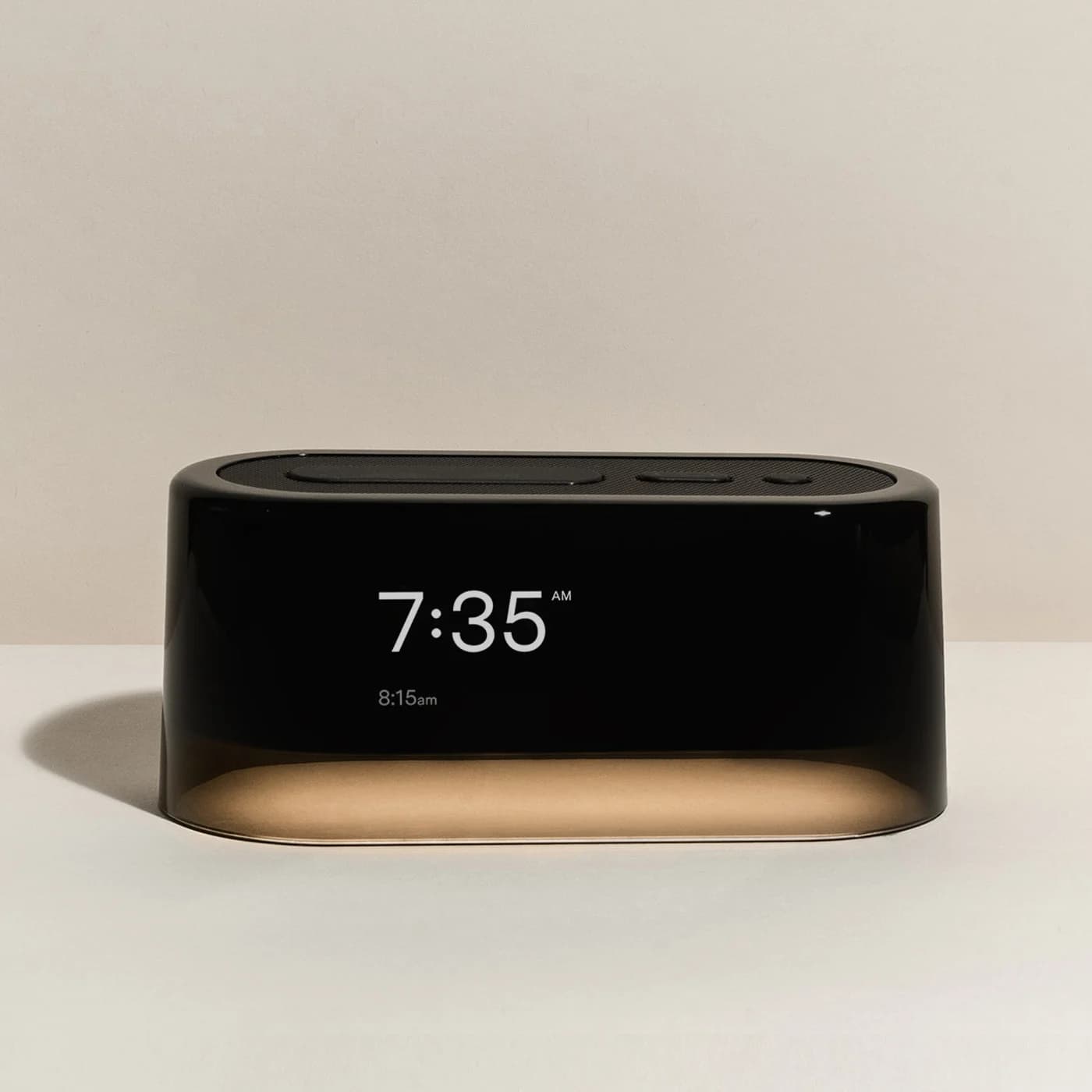
Choose for: Best for local bedside controls
Check before buying: No sunrise light: pair it with a wake-up light if you want one
- 2
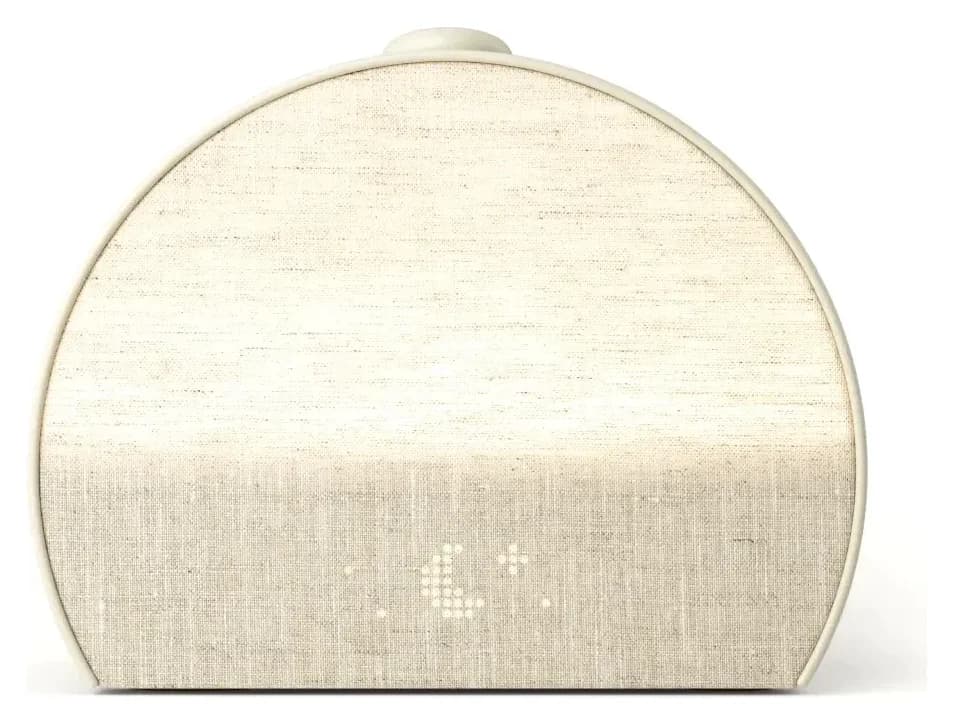
Choose for: Best for app-configured sunrise routines
Check before buying: Support requires a Hatch+ setup trial despite the product FAQ calling activation optional; cancel before renewal to avoid a charge. Basic use remains after cancellation.
About this guide
thisHUSH covers comfort, quiet and air-quality gear, not health. Nothing on this site is medical advice: for sleep, breathing or hearing concerns, talk to a doctor.
For a smart alarm clock you can operate at the bedside, choose Loftie Clock: it has an on-clock alarm menu and a documented Offline Mode after setup. Choose Hatch Restore 3 if you want a sunrise light and routines configured in an app, then started with physical controls. We leave Echo Spot (2024) unranked because its current US complete-unit package and outage checks remain incomplete.
The useful distinction is what you can do after putting your phone away—and what remains documented when the connection or electricity disappears. This guide compares those requirements, rather than ranking clocks by their sound libraries. Official documentation checked November 2, 2026; unknown behavior stays unknown.
Quick picks
- Yes: Local alarm controls after connected setup: Loftie Clock
- Yes: App-configured routines with a sunrise light: Hatch Restore 3
- Partly: Voice control: Echo Spot (2024), a candidate with unresolved buying checks
- No: Want no connected setup: use the Lumie reference below instead
If light-based waking is your main requirement, start with our best sunrise alarm clocks. If your problem is missing a quiet alarm, use the separate alarm clocks for heavy sleepers guide. Here, the decision is about controls, accounts and fallback behavior.
Compare setup, offline alarms and power loss
Read the internet-loss row as already configured, still powered. It does not describe unplugging, resetting or restarting a clock without internet. “Not verified” identifies a documentation gap, rather than a confirmed failure.
Initial setup
- Loftie Clock
- Loftie app; 2.4 GHz Wi-Fi
- Hatch Restore 3
- Hatch Sleep app and registration; 2.4 GHz Wi-Fi
- Lumie Shine 300, non-connected reference
- Local time/day settings; no connected setup in the manual
Bedside operation
- Loftie Clock
- Set/edit alarms with buttons
- Hatch Restore 3
- Start routines, adjust volume and snooze with the big button
- Lumie Shine 300, non-connected reference
- Front-panel alarm settings
Internet or Wi-Fi lost, power stays on
- Loftie Clock
- Offline Mode documented after setup/time sync
- Hatch Restore 3
- Saved-alarm behavior not verified
- Lumie Shine 300, non-connected reference
- No network connection in documented operation
Wall power lost
- Loftie Clock
- Backup battery; runtime figures conflict below; outage alarm firing not separately verified in saved material
- Hatch Restore 3
- Alarm operation and backup not verified
- Lumie Shine 300, non-connected reference
- Time retained for 30 minutes; other settings saved; outage alarm operation not established
Subscription boundary
- Loftie Clock
- Core clock/audio included; older manual describes optional Loftie Rest
- Hatch Restore 3
- Basic features/core content remain; premium Hatch+ optional
- Lumie Shine 300, non-connected reference
- No subscription step in documented local operation
Full comparison table
Swipe to compare. Row labels stay visible.
| Requirement | Loftie Clock | Hatch Restore 3 | Lumie Shine 300, non-connected reference |
|---|---|---|---|
| Initial setup | Loftie app; 2.4 GHz Wi-Fi | Hatch Sleep app and registration; 2.4 GHz Wi-Fi | Local time/day settings; no connected setup in the manual |
| Bedside operation | Set/edit alarms with buttons | Start routines, adjust volume and snooze with the big button | Front-panel alarm settings |
| Internet or Wi-Fi lost, power stays on | Offline Mode documented after setup/time sync | Saved-alarm behavior not verified | No network connection in documented operation |
| Wall power lost | Backup battery; runtime figures conflict below; outage alarm firing not separately verified in saved material | Alarm operation and backup not verified | Time retained for 30 minutes; other settings saved; outage alarm operation not established |
| Subscription boundary | Core clock/audio included; older manual describes optional Loftie Rest | Basic features/core content remain; premium Hatch+ optional | No subscription step in documented local operation |
Scroll horizontally to see every column
| Requirement | Loftie Clock | Hatch Restore 3 | Lumie Shine 300, non-connected reference |
|---|---|---|---|
| Initial setup | Loftie app; 2.4 GHz Wi-Fi | Hatch Sleep app and registration; 2.4 GHz Wi-Fi | Local time/day settings; no connected setup in the manual |
| Bedside operation | Set/edit alarms with buttons | Start routines, adjust volume and snooze with the big button | Front-panel alarm settings |
| Internet or Wi-Fi lost, power stays on | Offline Mode documented after setup/time sync | Saved-alarm behavior not verified | No network connection in documented operation |
| Wall power lost | Backup battery; runtime figures conflict below; outage alarm firing not separately verified in saved material | Alarm operation and backup not verified | Time retained for 30 minutes; other settings saved; outage alarm operation not established |
| Subscription boundary | Core clock/audio included; older manual describes optional Loftie Rest | Basic features/core content remain; premium Hatch+ optional | No subscription step in documented local operation |
Sources: Loftie product FAQ and current manual; Restore 3; Lumie's US manual. Echo is excluded from this matrix until a current US unit is established.
Best for local bedside controls: Loftie Clock
Buy Loftie for changing the alarm without reaching for your phone. Its current manual puts alarm editing, tone and volume settings on the clock. The snooze button also operates the nightlight and blackout mode. Setup still needs the app and a 2.4 GHz network; this is a clock you can use offline afterward, not a clock you can install without connected setup.
Loftie
A bedside alarm clock with a two-phase alarm, 100+ built-in sounds, a night light and a backup battery, with no subscription or sunrise light.
Check package and model options
- Adjustable night light (can switch on with the alarm); not a sunrise lamp
After setup and time synchronization, enable Offline Mode in Settings, as the current manual instructs. It includes over a hundred audio tracks without a required clock subscription. That makes it our preferred workflow for keeping the phone elsewhere. The trade-off: Loftie explicitly says the Clock is not a sunrise alarm; the separate Loftie Lamp supplies that option.
Read the conflicting documentation before planning around its battery. The product feature list says five hours, its FAQ says five to seven hours, and the current manual says three to seven hours depending on use. Plan around short-duration backup, with no single guaranteed runtime established here. We have not independently established alarm firing during a power cut from these saved documents.
The older manual also describes Wi-Fi as necessary for intended operation and an optional Loftie Rest membership. The current manual explicitly adds Offline Mode and says the Clock and app need no subscription. Those are different instructions: update during setup, and confirm any legacy membership on your account rather than assuming the latest wording cancels it.
Variant check: our linked record is the Black Clock. Buying the Lamp or a Clock-and-Lamp bundle changes the hardware you receive; do not confuse the Clock's nightlight with a sunrise lamp.
Best for app-configured sunrise routines: Hatch Restore 3
Buy Restore 3 for a light-and-audio routine you configure once, then start at the bedside. Hatch documents a sunrise alarm, a dimmable clock and most controls on the device. Its big button starts the routine, changes volume and snoozes. Setup and routine customization use the Hatch Sleep app; a 2.4 GHz Wi-Fi connection is required.
Hatch
A bedside sunrise alarm, light and sound machine with app setup and conflicting trial guidance: support requires activation, the product FAQ calls it optional, and basic use remains after cancellation.
Check package and model options
- Sunrise alarm (red to orange to white light) plus a bedside light
Hatch+ is optional, but its trial needs attention. Hatch's product FAQ says basic features and core content remain without membership. Restore includes a 30-day trial; under Hatch's terms, an activated trial becomes a billed subscription unless cancelled before it ends. Decide whether the additional content matters before activating it.
The limitation for this comparison is documentation: phone-free controls do not establish internet-loss alarms or power-cut operation, and we could not verify either from the saved Restore 3 sources. Choose it for its routine workflow rather than an assumed outage fallback. Our linked record is a single Putty Restore 3; check the generation as well as the color. Use our Restore 3 features and setup guide for the longer walkthrough.
Why Echo Spot (2024) is not a ranked pick
There is no fully verified voice-control recommendation in this guide. Echo Spot (2024) was the candidate for that role, but current US standalone availability and the exact regional package remain unverified. We also could not complete a US-specific check of power-loss alarms and recovery after a restart. A launch announcement would not resolve those questions.
If speaking to the clock is essential, hold off choosing from our ranked picks until you can confirm the exact model's setup, microphone controls, camera status and current service terms. Ask separately about an already-set alarm losing internet, a music alarm losing its stream, and a device restarting while the router remains offline. An answer about one situation should not substitute for the others.
Package check: match the release year, complete clock and US power supply. Avoid substituting an accessory, a user guide or an unspecified bundle for a verified full unit. We provide no Echo purchase link while that check is incomplete. Choose Loftie or Restore 3 only if their documented local or app workflows meet your needs; neither recommendation here depends on an assumed voice feature.
Non-connected fallback: Lumie Bodyclock Shine 300
Choose the Lumie reference if avoiding app setup matters more than connectivity. Its US manual uses front-panel controls for the day, time and alarm. The product combines a sunrise/sunset, fifteen sounds and FM radio. It is included as an alternative to the connected picks, with no claim of Alexa or app control.
The important power distinction is unusually clear: the US manual says it keeps time for 30 minutes without power, while other settings remain saved permanently. That statement does not establish an audible alarm or illuminated sunrise during the interruption. Recheck the time after a longer interruption before relying on the next alarm.
Variant check: the US product data identifies NBCSA-1000. Match the US package and supplied plug; the Shine 300 name alone is insufficient for an imported listing. Our existing US record has no verified Amazon identifier, so use the maker's page.
How we choose
These recommendations are based on manufacturer documentation, not physical product trials. We prioritize documented alarm controls, setup requirements, membership boundaries and what each source actually says about connection or power loss. Official support replies are identified as such; other forum users' experiences are not evidence for our specifications.
Documentation was checked November 2, 2026. We retained the existing Loftie and Restore 3 records, kept Lumie as a non-connected reference, and withheld a ranked Echo recommendation where US availability and support checks remain incomplete. Conflicting manuals and runtime figures stay visible. Our general editorial method is on How we choose.
Buying guide: decide what must work without your phone
Choose the action you want to perform at night. Set a new alarm with physical buttons? Loftie documents that. Start a prepared light-and-audio routine? Restore 3 fits. Speak a request? Investigate the Echo candidate's limits first. “Smart” alone tells you too little about those different jobs.
Separate setup from everyday use. Loftie's Offline Mode still comes after app setup and time synchronization. Hatch likewise requires app registration before phone-free control. For a recipient who will not install an app, the local-control Lumie is the more appropriate reference. Do not give a connected clock assuming its buttons eliminate setup.
Check display and microphone preferences. Loftie documents blackout mode; Restore 3 lists a dimmable clock. If the household requires no microphone or camera, request exact-model confirmation rather than inferring their absence from photographs or a short feature list. Being comfortable with an app is a separate decision from accepting microphones or cameras beside the bed.
Make a gift ready to use. Confirm the recipient can complete account and network setup, whether they want optional content, and who will handle it. Avoid activating a renewing trial on someone else's behalf. Our sleep gifts guide covers other bedside options if those requirements are a poor fit.
Match the package
Confirm the complete clock, generation, region and power supply before ordering.
Let the recipient register
Use their account and network; leave optional memberships for them to choose.
Check the morning routine
Set a near-term alarm, learn snooze and dismissal, and arrange a separate backup if needed.
Verdict
Loftie Clock is our pick for local alarm controls after connected setup. Choose Hatch Restore 3 for an app-configured sunrise routine. Keep Echo Spot (2024) outside the ranked picks until its US package and outage checks are complete; choose the Lumie Shine 300 reference when avoiding connected setup matters most. For every option, match your required fallback to documented behavior rather than assuming that saved settings mean a powered alarm.
Frequently asked questions
What is the best smart alarm clock for a phone-free bedside?
Our pick is Loftie Clock if you want to set or edit alarms on the clock itself. Its current manual documents Offline Mode after setup, although initial setup needs the Loftie app and 2.4 GHz Wi-Fi. Choose Hatch Restore 3 instead if you want a sunrise light and app-configured routines. Phone-free operation and operation without internet are separate requirements; check both before choosing.
Will a smart alarm clock work without Wi-Fi?
It depends on the exact device and what you mean by work. Loftie's current instructions explicitly document Offline Mode after setup and time synchronization. Hatch documents phone-free controls, but we could not verify Restore 3's internet-loss alarm behavior from the saved official sources. Lumie's documented operation uses local controls. For any model, a network interruption while powered and a restart during a power cut require separate checks.
Does Hatch Restore 3 need a subscription?
Hatch says Restore still works with basic features and core content without a subscription. Hatch+ adds premium content, and Restore includes a 30-day trial. Activation is offered during setup; Hatch's terms say an activated trial becomes a billed monthly or annual subscription unless cancelled before it ends. For a gift, let the recipient decide whether to activate the trial and whose account will manage it.
Can I give a smart alarm clock to someone who avoids phone apps?
Check whether they avoid everyday phone use or will refuse app setup altogether. Loftie needs the app initially, then supports on-clock alarm controls and Offline Mode. Hatch Restore 3 also needs the Hatch Sleep app for setup and registration before phone-free control. If any connected setup is unwelcome, the Lumie reference uses local controls. Leave optional subscriptions and trial activation to the recipient.
Is Lumie Bodyclock Shine 300 a smart alarm clock?
We include it only as a non-connected alternative. The US model has local controls, a sunrise and sunset, fifteen sounds and FM radio; its documented setup uses the front panel rather than an app. Its manual says it retains time for 30 minutes without power and saves other settings permanently. That is a time-retention specification, not confirmation that its light or audible alarm operates during an outage.
Loftie Clock
AmazonRelated guides
Best picks · Sunrise Alarm Clocks
Best OK-to-Wake Clocks: MELLA, Hatch Baby and Model Differences
Choose an OK-to-wake clock by its light cues, nap settings, locks and offline controls. Compare MELLA and Hatch Baby, with Groclock and older Hatch explained.
Buying guide · Sunrise Alarm Clocks
Hatch Restore 3: Setup, Hatch+ and What Works Without a Membership
See what Hatch Restore 3 keeps without Hatch+, how its required setup trial and cancellation work, and when Lumie, Loftie or Philips is a better fit for you.
Best picks · Sunrise Alarm Clocks
Alarm Clocks for Heavy Sleepers: Loud, Bed-Shaker and Get-Up-to-Stop Picks
Choose an alarm clock for heavy sleepers by what you miss: sound, vibration or getting out of bed. Compare Sonic Bomb, Clocky, travel and sunrise options.