

Buying guide
Hatch Restore 3: Setup, Hatch+ and What Works Without a Membership
See what Hatch Restore 3 keeps without Hatch+, how its required setup trial and cancellation work, and when Lumie, Loftie or Philips is a better fit for you.
By thisHUSH EditorialUpdated November 2, 20268 min read3 picks
Our recommendation: Hatch Restore 3 Sunrise Alarm Clock and Sound Machine (Putty)
Sunrise alarms, included sounds and physical routine controls work without keeping a paid Hatch+ membership after setup.
Limit: Setup needs the Hatch Sleep app and 2.4 GHz Wi-Fi
On this page · Our picks at a glance
Our picks at a glance
- 1
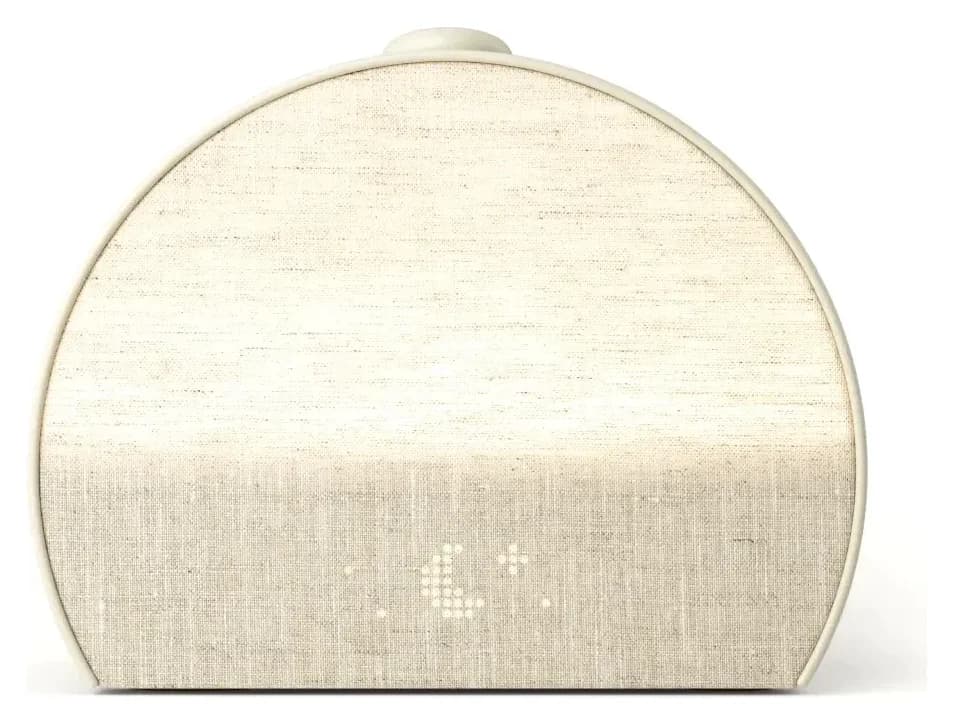
Hatch Restore 3 Sunrise Alarm Clock and Sound Machine (Putty)
Choose for: Sunrise alarms, included sounds and physical routine controls work without keeping a paid Hatch+ membership after setup.
Limit: Setup needs the Hatch Sleep app and 2.4 GHz Wi-Fi
Specifications & conditions
- Light
- Sunrise alarm (red to orange to white light) plus a bedside light
- 2
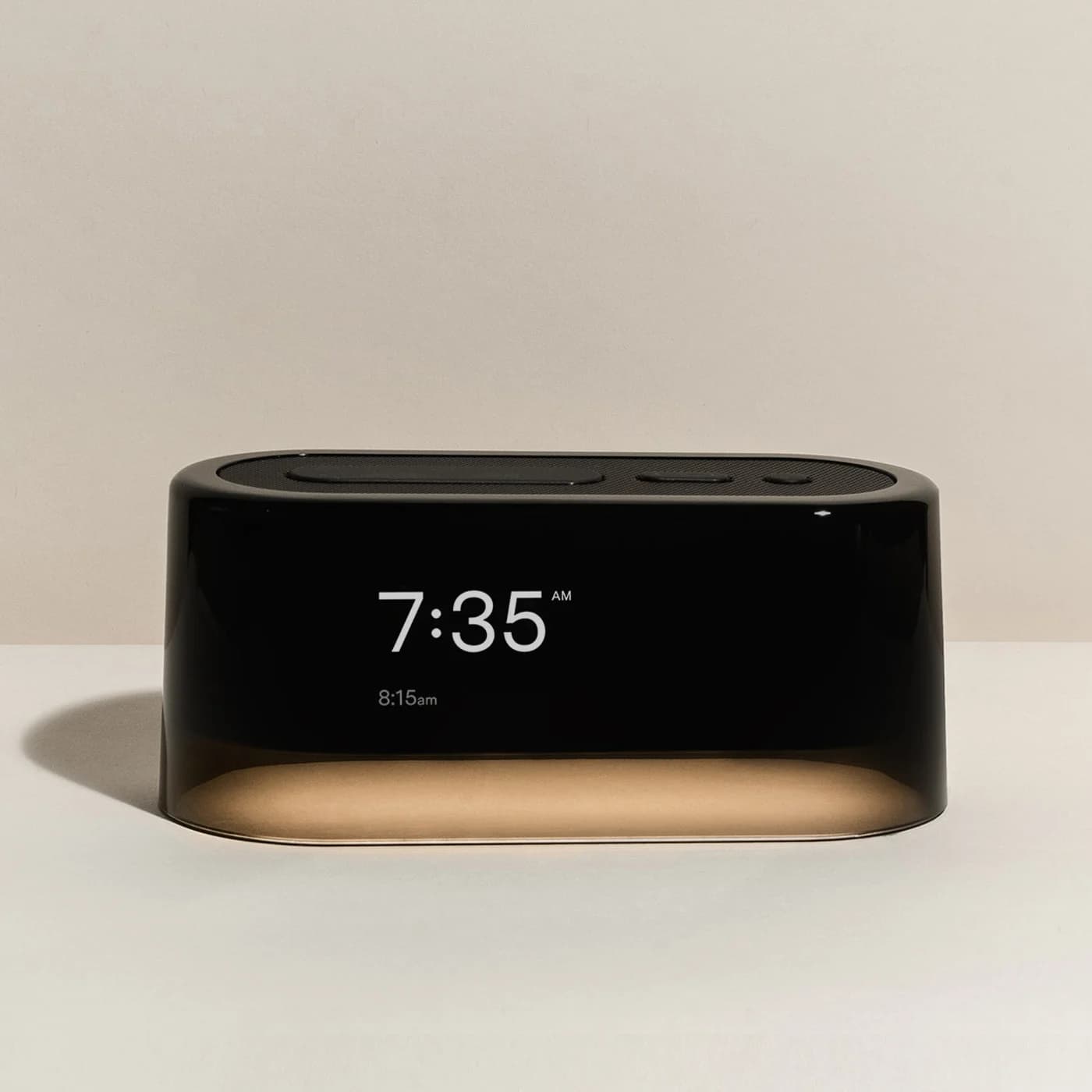
Loftie Clock Two-Phase Alarm Clock (Black)
Choose for: The Loftie Clock includes its sound library and a No Wi-Fi Mode after setup, but its night light is not a sunrise lamp.
Limit: No sunrise light: pair it with a wake-up light if you want one
Specifications & conditions
- Light
- Adjustable night light (can switch on with the alarm); not a sunrise lamp
- 3
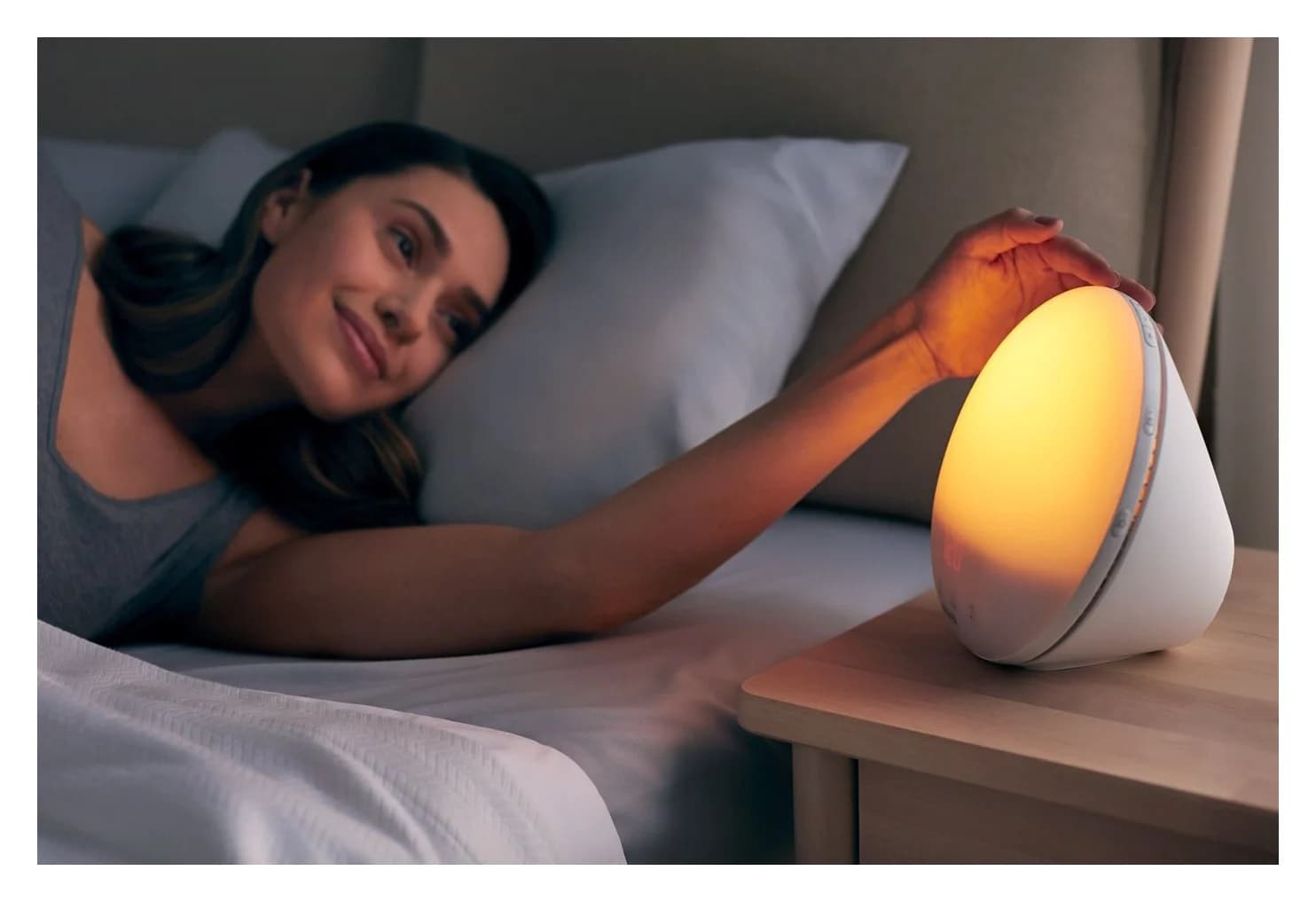
Philips SmartSleep Wake-up Light HF3520
Choose for: The HF3520/60 combines a colored sunrise, five wake-up sounds and FM radio without app control.
Limit: No app, Bluetooth or phone audio
Specifications & conditions
- Light
- Coloured sunrise (red, orange, yellow) up to 300 lux; 20 brightness settings; sunset mode
About this guide
thisHUSH covers comfort, quiet and air-quality gear, not health. Nothing on this site is medical advice: for sleep, breathing or hearing concerns, talk to a doctor.
Choose the Hatch Restore 3 for a sunrise alarm, sound machine and light routines with physical bedside controls. Basic use does not require keeping a paid Hatch+ membership, but Hatch's Restore 3 support says setup requires activating a free trial; cancel before renewal to avoid a charge. If you want a sunrise without app setup, our alternative pick is the Lumie Bodyclock Shine 300; choose the Loftie Clock for included audio if you can forgo a sunrise lamp.
Requirements and feature entitlements checked November 2, 2026. This page focuses on setup and membership; our sunrise alarm clock guide covers the broader category.
Quick picks: which Hatch Restore alternative fits?
Hatch Restore 3
- Best fit
- Sunrise plus Hatch light and sound routines
- Setup
- Hatch Sleep app, account, Bluetooth-enabled device and 2.4 GHz Wi-Fi
- Membership and main limitation
- Setup trial required according to support; basic use remains after cancellation
Lumie Bodyclock Shine 300
- Best fit
- Sunrise and radio configured on the clock
- Setup
- On-device menus
- Membership and main limitation
- No app subscription; a fixed selection of 15 sounds and FM radio
Loftie Clock
- Best fit
- Included audio and an alarm with backup power
- Setup
- App and 2.4 GHz Wi-Fi initially
- Membership and main limitation
- No subscription; No Wi-Fi Mode afterwards, but no sunrise lamp
Philips SmartSleep HF3520/60
- Best fit
- Standalone sunrise with FM radio
- Setup
- On-device controls; no app control
- Membership and main limitation
- No app subscription; five wake-up sounds rather than Hatch's library
Full comparison table
Swipe to compare. Row labels stay visible.
| Choose | Best fit | Setup | Membership and main limitation |
|---|---|---|---|
| Hatch Restore 3 | Sunrise plus Hatch light and sound routines | Hatch Sleep app, account, Bluetooth-enabled device and 2.4 GHz Wi-Fi | Setup trial required according to support; basic use remains after cancellation |
| Lumie Bodyclock Shine 300 | Sunrise and radio configured on the clock | On-device menus | No app subscription; a fixed selection of 15 sounds and FM radio |
| Loftie Clock | Included audio and an alarm with backup power | App and 2.4 GHz Wi-Fi initially | No subscription; No Wi-Fi Mode afterwards, but no sunrise lamp |
| Philips SmartSleep HF3520/60 | Standalone sunrise with FM radio | On-device controls; no app control | No app subscription; five wake-up sounds rather than Hatch's library |
| Choose | Best fit | Setup | Membership and main limitation |
|---|---|---|---|
| Hatch Restore 3 | Sunrise plus Hatch light and sound routines | Hatch Sleep app, account, Bluetooth-enabled device and 2.4 GHz Wi-Fi | Setup trial required according to support; basic use remains after cancellation |
| Lumie Bodyclock Shine 300 | Sunrise and radio configured on the clock | On-device menus | No app subscription; a fixed selection of 15 sounds and FM radio |
| Loftie Clock | Included audio and an alarm with backup power | App and 2.4 GHz Wi-Fi initially | No subscription; No Wi-Fi Mode afterwards, but no sunrise lamp |
| Philips SmartSleep HF3520/60 | Standalone sunrise with FM radio | On-device controls; no app control | No app subscription; five wake-up sounds rather than Hatch's library |
Sources: Hatch requirements, Lumie, Loftie and Philips specifications.
Hatch Restore 3: best for light and sound routines
Hatch
A bedside sunrise alarm, reading light and sound machine with a dimmable clock and on-device controls, set up through the Hatch Sleep app.
Check package and model options
- Sunrise alarm (red to orange to white light) plus a bedside light
Restore 3's sunrise brightens before the alarm sound. Hatch's product FAQ describes red, orange and white light; its alarm guide lets you choose duration, brightness, sound, volume and repeating days in the app. Light and sound can also be switched off separately. Choose a light-only alarm if that is what you want, rather than assuming every sunrise must finish with audio. See the Restore 3 alarm guide.
Check the generation before the color. Hatch currently offers Putty, Greige and Cocoa on its Restore 3 page. Hatch says it no longer manufactures Restore 2, which is an earlier model; an older Restore guide is not sufficient evidence for Restore 3 controls or membership entitlements. Hatch Sleep Clock is also a separate named device. Match the box and product description to Restore 3.
Setup: phone, account, Wi-Fi and the trial
Have a Bluetooth-enabled phone or tablet, the Hatch Sleep app and a 2.4 GHz Wi-Fi connection ready. Hatch's account instructions allow an existing Hatch login or a new account. Its Restore 3 setup guide says to keep the device plugged in. Bluetooth discovers the clock during registration; Hatch says the registered device then uses Wi-Fi, rather than Bluetooth for normal app control.
The product page includes a 30-day Hatch+ trial. Its FAQ says you are given an option to activate a subscription, while Restore 3 support explicitly says starting a trial is required during setup. Hatch's terms say an activated trial becomes a billed monthly or annual subscription unless cancelled before it ends. Plan for trial activation, not an assured skip button.
Connect power
Use the supplied power cord and keep Restore 3 plugged in.
Register in the app
Sign in or create a Hatch account, allow Bluetooth discovery and connect to 2.4 GHz Wi-Fi.
Review the trial
Read the renewal date and identify whether Hatch, Apple or Google hosts the membership.
Save an included routine
Choose included sound and light options, save an alarm and preview your selections.
For a gift, let the recipient register it with their account and home network. Explain the trial before they open it, and choose Lumie or Philips if app registration and subscription administration would be unwelcome. These are buying recommendations based on the documented setup requirements, not promises about every version of the signup screen.
What works without Hatch+: the feature matrix
Use Hatch's current Restore 3 entitlement table, not an undated total of sounds. In that table, unlocked routine content means the selections available without Hatch+.
Sunrise alarm
- Basic use after the trial or membership ends
- Included sunrise lights and alarm sounds
- What Hatch+ adds
- Additional alarm content
Sleep sounds
- Basic use after the trial or membership ends
- Included white, pink and brown noise, Ocean and other listed sounds
- What Hatch+ adds
- Additional fabric, destination and other sounds
Unwind content
- Basic use after the trial or membership ends
- Selected titles, including The Nightly and The Great Gatsby
- What Hatch+ adds
- A wider content library
Routine Swap
- Basic use after the trial or membership ends
- Up to three routines, one unlocked Unwind step per routine
- What Hatch+ adds
- Up to three customizable routines, up to five steps each
Cue to Unwind
- Basic use after the trial or membership ends
- Selected cue sounds and lights listed as included
- What Hatch+ adds
- A larger selection of cue sounds
Bedside light, Pause and Tap for Time
- Basic use after the trial or membership ends
- Included
- What Hatch+ adds
- These controls remain included
Play From Anywhere on iPhone
- Basic use after the trial or membership ends
- Not included
- What Hatch+ adds
- Included
Full comparison table
Swipe to compare. Row labels stay visible.
| Feature | Basic use after the trial or membership ends | What Hatch+ adds |
|---|---|---|
| Sunrise alarm | Included sunrise lights and alarm sounds | Additional alarm content |
| Sleep sounds | Included white, pink and brown noise, Ocean and other listed sounds | Additional fabric, destination and other sounds |
| Unwind content | Selected titles, including The Nightly and The Great Gatsby | A wider content library |
| Routine Swap | Up to three routines, one unlocked Unwind step per routine | Up to three customizable routines, up to five steps each |
| Cue to Unwind | Selected cue sounds and lights listed as included | A larger selection of cue sounds |
| Bedside light, Pause and Tap for Time | Included | These controls remain included |
| Play From Anywhere on iPhone | Not included | Included |
| Feature | Basic use after the trial or membership ends | What Hatch+ adds |
|---|---|---|
| Sunrise alarm | Included sunrise lights and alarm sounds | Additional alarm content |
| Sleep sounds | Included white, pink and brown noise, Ocean and other listed sounds | Additional fabric, destination and other sounds |
| Unwind content | Selected titles, including The Nightly and The Great Gatsby | A wider content library |
| Routine Swap | Up to three routines, one unlocked Unwind step per routine | Up to three customizable routines, up to five steps each |
| Cue to Unwind | Selected cue sounds and lights listed as included | A larger selection of cue sounds |
| Bedside light, Pause and Tap for Time | Included | These controls remain included |
| Play From Anywhere on iPhone | Not included | Included |
The distinction matters: Unwind is the sequence before your overnight Sleep step, not a synonym for every sound the clock plays. Hatch lets a Sleep step use sound with a light, a custom color or no light. Buying Hatch+ merely to obtain the brown or pink noise already listed as included would be unnecessary for that purpose.
After cancellation: check the host and replace premium steps
Hatch says premium content becomes unavailable when your subscription renewal date passes, rather than when you first request cancellation. Before that date, review the sounds, lights and routine steps you selected during the trial. Replace premium selections with included ones, save and preview them; do not assume a trial routine will remain available unchanged.
Cancel in the service that actually bills you, following Hatch's cancellation instructions:
- Hatch.co: open My Hatch, sign in and select Manage.
- Apple: open Settings → your name → Subscriptions → Hatch+ → Cancel Subscription.
- Google Play: open Subscriptions, select Hatch+ and follow Cancel Subscription through to completion.
Check the resulting status and expiry date in that service. Hatch's return policy separately reminds buyers to cancel their trial, so sending the hardware back is not a substitute. The included features in the matrix remain the reason to buy the basic clock; the subscription is for the additional content and entitlements.
Controls, light routines and interruptions
The Big Button starts a routine; another press advances a step, and holding it stops the routine. In the morning, a press snoozes the alarm and a hold stops it. Rotate the button for volume. The separate Pause button pauses audio, while Swap changes the saved Unwind routine. The side alarm slider disables all alarms when red is visible; use the app to disable just one. These are documented in Hatch's controls guide.
A bedside-light button turns on light without interrupting playing audio. Its color and brightness can be customized in the app. Clock-display choices include always on, always off and off at night, with a tap-to-reveal option. Pausing audio leaves the light on, and Hatch says the pause times out after one hour and the device shuts off; pause is not an indefinite hold. See the light, display and routine guides.
- Yes: Physical controls allow phone-free routine playback after setup
- No: Restore 3 cannot serve as a Bluetooth speaker for your own audio
- Partly: Phone-free control does not establish fully offline operation or battery-backed alarms
Power and internet are separate questions. Hatch's setup guide says to keep Restore 3 plugged in, and its Wi-Fi guide requires a connection. Neither instruction promises alarm operation through a power interruption. If that is a deciding factor, prefer a clock with explicitly documented backup behavior or keep a separate backup alarm.
Lumie Bodyclock Shine 300: best alternative without app setup
Choose the Shine 300 when you want to set the clock directly. Its sunrise and sunset each adjust from 15 to 90 minutes, with 15 sounds, FM radio and daily or weekly alarm schedules. The light-sensitive display can dim or switch off at night. Lumie's manual walks through setup using the clock's buttons, without an app or membership activation.
The trade-off is a fixed sound selection rather than Hatch's expanding library. Match the US version to the US product page and check the supplied plug when buying a regional listing. Lumie's manual says time is retained for 30 minutes without power and other settings are permanently saved; that is clock memory, not a promise that the lamp or alarm keeps running unplugged.
See the Shine 300 at Lumie · US user guide
Loftie Clock: best audio alternative without a subscription
Loftie
A phone-free bedside alarm clock with a two-phase alarm, 100+ built-in sounds, a night light and a backup battery, with no subscription.
Check package and model options
- Adjustable night light (can switch on with the alarm); not a sunrise lamp
Loftie includes 100+ sounds and a two-phase alarm without a subscription. Its app and 2.4 GHz Wi-Fi are needed initially; afterwards there is an explicit No Wi-Fi Mode. This is the alternative for someone who values audio and offline use more than sunrise light.
Loftie says plainly that the Clock is not a sunrise alarm; the night light can come on with alarms, and its sunrise Lamp is a separate product. Its backup claims also need context: the product feature list says five hours, while the same page's FAQ says five to seven hours. Both figures are manufacturer estimates.
Loftie specifications and FAQ · Check price on Amazon
Philips HF3520/60: best for standalone sunrise and FM
Philips
Philips SmartSleep Wake-up Light HF3520
Philips's classic sunrise alarm lamp: a coloured 20-40 minute sunrise up to 300 lux, a sunset mode, five wake-up sounds and an FM radio, with no app.
Check package and model options
- Coloured sunrise (red, orange, yellow) up to 300 lux; 20 brightness settings; sunset mode
The HF3520/60 offers a 20–40 minute colored sunrise, sunset dimming, five wake-up sounds and FM radio. Philips explicitly lists no app control or smartphone music playback. Its light reaches up to 300 lux, with 20 brightness settings; these are Philips's specifications, not measurements from thisHUSH.
Choose it for a conventional lamp-and-radio setup. Its four-to-eight-hour time backup retains clock time; do not read that as battery-powered sunrise operation. Confirm the full model suffix and supplied plug rather than substituting a similarly named Philips device.
Philips specification sheet · Check price on Amazon
How we choose
We compare official product pages, manuals and model-specific support articles. For Restore 3, setup requirements and post-cancellation entitlements carry more weight than headline library totals. We read the included and membership columns separately, expose conflicting official wording and distinguish timekeeping memory from powered alarm backup. Recommendations are based on documentation, not physical testing. Our research method explains the approach.
Buying guide: decide what you actually need
Choose app setup only if you want its routine customization enough to administer an account and trial. Choose Hatch+ only after checking whether the particular content you want is included already. For sound without a sunrise, our white noise machine guide offers another starting point; our white, pink and brown noise guide explains the sound choices.
Verdict
Buy Restore 3 for Hatch's light and sound routines if its setup requirements suit you; cancel the trial before renewal if the included features are enough. Pick Lumie Shine 300 for on-device sunrise setup, Loftie Clock for included audio and documented offline operation without sunrise, or Philips HF3520/60 for standalone sunrise and radio. Decide from the features you will keep, not just those available during the trial.
Frequently asked questions
Does Hatch Restore 3 require a subscription?
Keeping a paid membership is optional for basic use, but Hatch's Restore 3 support says a free trial must be activated during setup. Its product FAQ describes activation as optional, so the official wording conflicts. Plan for the trial, check the renewal date and cancel before it renews if you only want included sounds, lights and sunrise alarms. Requirements checked November 2, 2026.
What works on Hatch Restore 3 after cancelling Hatch+?
You keep included Sleep sounds, sunrise alarms, bedside lighting and physical controls. Hatch's current Restore 3 table also lists selected Unwind content, selected Cue options and limited swapping among up to three routines with one unlocked step each. Premium content becomes unavailable when the subscription renewal date passes. Check the included choices and replace premium routine entries before that date.
How do I cancel the Hatch Restore 3 free trial?
Cancel through the service hosting the membership. For Hatch.co billing, sign in at My Hatch and select Manage. For Apple billing, open Settings, your name and Subscriptions, then select Hatch+ and cancel. For Google Play billing, open Subscriptions, choose Hatch+ and follow the cancellation prompts. Check the cancellation status and renewal date in that same service; returning the clock does not replace cancelling the membership.
Can Hatch Restore 3 work without Wi-Fi or a phone?
Hatch describes Restore 3 as requiring Wi-Fi. The Hatch Sleep app and a Bluetooth-enabled phone or tablet are needed for setup; physical buttons then let you start routines, change volume and handle alarms without reaching for the phone. Phone-free bedside control does not establish fully offline operation. Choose a clock configured on the device if avoiding app setup is your priority.
Does Restore 3 have brown noise, and can it play my own music?
Hatch's current Restore 3 comparison lists brown, pink and white noise among included Sleep sounds. You do not need to keep Hatch+ just for those listed options. Restore 3 cannot act as a Bluetooth speaker for your own music or podcasts: Hatch says it plays sounds and content from the Hatch library. Bluetooth used during registration is a separate function.
Best for Hatch light and sound routines
Hatch Restore 3 Sunrise Alarm Clock and Sound Machine (Putty)
Related guides
Best OK-to-Wake Clocks: MELLA, Hatch Baby and Model Differences
Choose an OK-to-wake clock by its light cues, nap settings, locks and offline controls. Compare MELLA and Hatch Baby, with Groclock and older Hatch explained.
Updated November 2, 2026Read
Alarm Clocks for Heavy Sleepers: Loud, Bed-Shaker and Get-Up-to-Stop Picks
Choose an alarm clock for heavy sleepers by what you miss: sound, vibration or getting out of bed. Compare Sonic Bomb, Clocky, travel and sunrise options.
Updated November 2, 2026Read
Best Sunrise Alarm Clocks: Hatch Restore 3 vs Loftie vs Philips vs Lumie
Sunrise alarm clocks compared on what you'll live with: sunrise length, light, sounds, radio, power-cut backup, and whether you need an app or a subscription.
Updated November 2, 2026Read