

Comparison
Philips HF3520 vs Lumie Bodyclock Shine 300
Which to Buy?
Compare Philips HF3520 and Lumie Shine 300 wake-up lights on weekly alarms, sunrise timing, display blackout, snooze and power cuts. Choose the right US model.
By thisHUSH EditorialUpdated November 3, 20268 min read1 pick
On this page · Our picks at a glance
Our picks at a glance
- 1
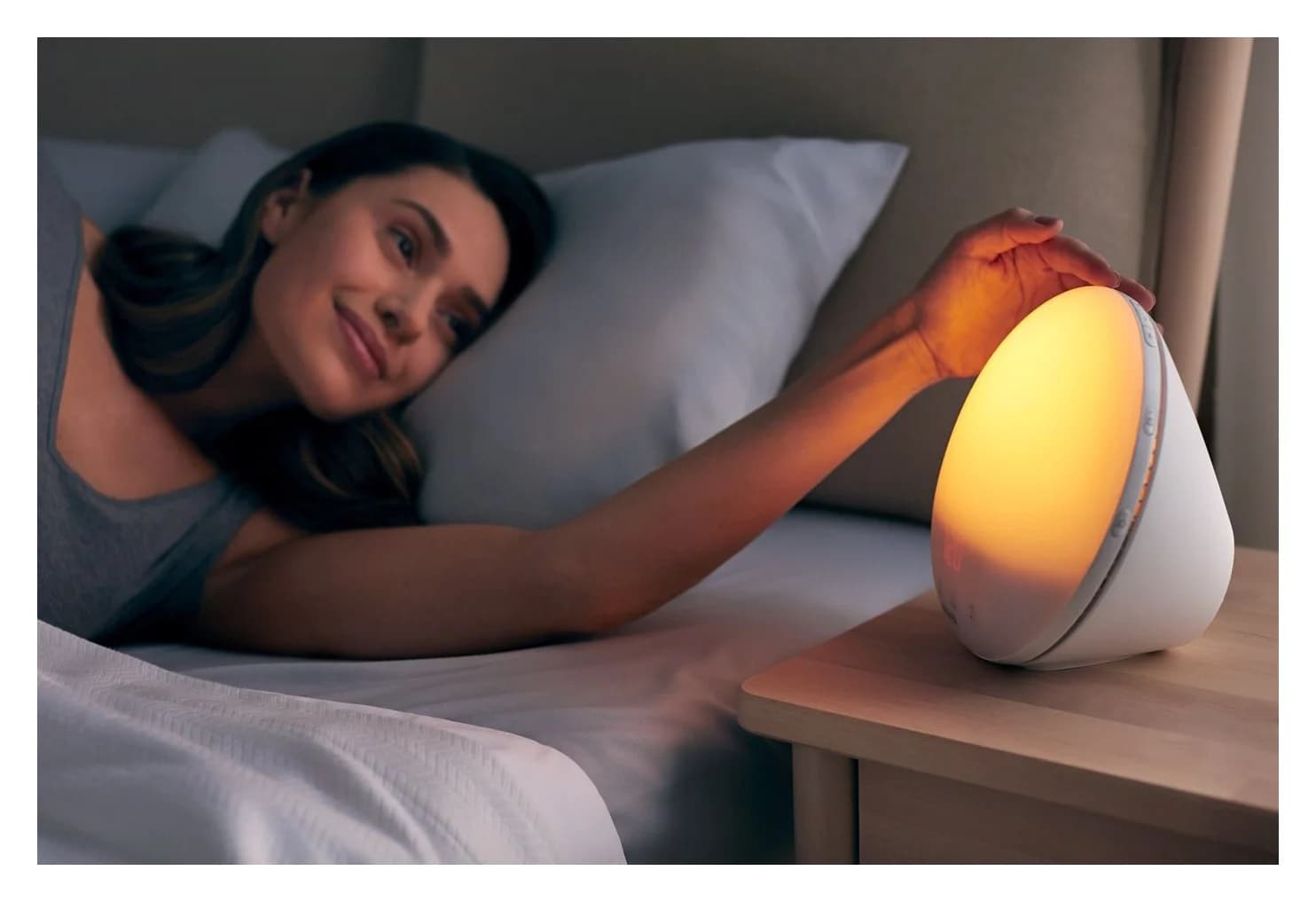
Philips SmartSleep Wake-up Light HF3520
Choose for: Best for two stored profiles
Check before buying: No app, Bluetooth or phone audio
About this guide
thisHUSH covers comfort, quiet and air-quality gear, not health. Nothing on this site is medical advice: for sleep, breathing or hearing concerns, talk to a doctor.
The Lumie Bodyclock Shine 300 is our pick for most weekly routines: you can give each day its own alarm time or turn that day off. Choose the Philips SmartSleep HF3520/60 if two stored wake-up profiles suit your routine; both have FM radio and controls on the lamp, so their documented setup needs no phone.
Quick picks
- Choose Lumie for a changing week. Its WEEKLY mode schedules individual days automatically; DAILY mode needs activating each night. Lumie's US manual explains the distinction.
- Choose Philips for two saved profiles. Enable or disable them with the separate alarm buttons. It does not provide Lumie's day-by-day scheduling in its documented controls. See the US HF3520 manual.
- For display blackout, either qualifies. The US Philips manual explicitly includes display-off; Lumie offers OFF or LOW underneath the lamp. Blackout alone is not a reason to pay for one over the other.
Comparison: the US versions
These figures come from the two US-linked manuals, Philips's HF3520/60 leaflet, and Lumie's US product details.
Philips HF3520/60
- Sunrise duration
- 20, 25, 30, 35 or 40 minutes
- Sunset timer
- 5–60 minutes
- Alarm scheduling
- Two stored profiles; individual on/off buttons
All specifications
- Included sounds and radio
- Five natural wake-up sounds; FM
- Display blackout
- Level 0 is off; touch display to reveal
- Snooze
- Nine minutes; sound stops, lamp stays on
- Clock-time memory
- Up to 8 hours in US manual; 4–8 hours in leaflet
- Dimensions, height × width × depth
- Approx. 20 × 20 × 15 cm in US manual; leaflet differs
Lumie Bodyclock Shine 300, US
- Sunrise duration
- 15–90 minutes; sunrise can also be OFF
- Sunset timer
- 15–90 minutes; dimmed starting light can shorten it
- Alarm scheduling
- DAILY: one manually activated time; WEEKLY: each day has its own time or OFF
All specifications
- Included sounds and radio
- 15 sounds, including beep, waves and white noise; FM
- Display blackout
- OFF/LOW switch in base; tap lamp cover to reveal briefly
- Snooze
- Nine minutes; manual says sunrise and any selected audio repeat
- Clock-time memory
- 30 minutes; other settings permanently saved
- Dimensions, height × width × depth
- 18 × 21 × 12 cm
Full comparison table
Swipe to compare. Row labels stay visible.
| Feature | Philips HF3520/60 | Lumie Bodyclock Shine 300, US |
|---|---|---|
| Sunrise duration | 20, 25, 30, 35 or 40 minutes | 15–90 minutes; sunrise can also be OFF |
| Sunset timer | 5–60 minutes | 15–90 minutes; dimmed starting light can shorten it |
| Alarm scheduling | Two stored profiles; individual on/off buttons | DAILY: one manually activated time; WEEKLY: each day has its own time or OFF |
| Included sounds and radio | Five natural wake-up sounds; FM | 15 sounds, including beep, waves and white noise; FM |
| Display blackout | Level 0 is off; touch display to reveal | OFF/LOW switch in base; tap lamp cover to reveal briefly |
| Snooze | Nine minutes; sound stops, lamp stays on | Nine minutes; manual says sunrise and any selected audio repeat |
| Clock-time memory | Up to 8 hours in US manual; 4–8 hours in leaflet | 30 minutes; other settings permanently saved |
| Dimensions, height × width × depth | Approx. 20 × 20 × 15 cm in US manual; leaflet differs | 18 × 21 × 12 cm |
Scroll horizontally to see every column
| Feature | Philips HF3520/60 | Lumie Bodyclock Shine 300, US |
|---|---|---|
| Sunrise duration | 20, 25, 30, 35 or 40 minutes | 15–90 minutes; sunrise can also be OFF |
| Sunset timer | 5–60 minutes | 15–90 minutes; dimmed starting light can shorten it |
| Alarm scheduling | Two stored profiles; individual on/off buttons | DAILY: one manually activated time; WEEKLY: each day has its own time or OFF |
| Included sounds and radio | Five natural wake-up sounds; FM | 15 sounds, including beep, waves and white noise; FM |
| Display blackout | Level 0 is off; touch display to reveal | OFF/LOW switch in base; tap lamp cover to reveal briefly |
| Snooze | Nine minutes; sound stops, lamp stays on | Nine minutes; manual says sunrise and any selected audio repeat |
| Clock-time memory | Up to 8 hours in US manual; 4–8 hours in leaflet | 30 minutes; other settings permanently saved |
| Dimensions, height × width × depth | Approx. 20 × 20 × 15 cm in US manual; leaflet differs | 18 × 21 × 12 cm |
The documented duration ranges are Philips sunrise 20–40 minutes, Philips sunset 5–60 minutes, and Lumie sunrise and sunset 15–90 minutes. These are timing choices, not measures of light output.
- 20–40 minPhilips sunrise range; the manual lists five selectable durations
- 5–60 minPhilips sunset timer range
- 15–90 minLumie sunrise and sunset ranges
Best for most weekly routines: Lumie Bodyclock Shine 300
Lumie's schedule is the decisive feature here. Set an early weekday alarm, a later Saturday and Sunday OFF, for example. WEEKLY mode activates scheduled alarms automatically. With DAILY, you must press the alarm button before bed each time. Cancelling a weekly alarm skips that occurrence: once its time has passed, the next alarm appears. These behaviors are set out in the US manual's alarm instructions.
To program it, press settings, select ALARM TYPE, choose WEEKLY with plus/minus and confirm with select. For each day, choose ON or OFF; an enabled day then offers SET TIME for its hour and minutes. Repeat through the week and exit settings.
The trade-off is the initial menu work. Four black buttons take their functions from the icons beside them on the display; read those icons rather than memorizing a button's position. After setup, check the next alarm shown at the top of the display.
See the US Bodyclock Shine 300 at Lumie
Best for two stored profiles: Philips SmartSleep HF3520/60
Philips stores two profiles with wake-up time, light intensity and sound settings. Its US manual describes MENU → plus/minus → SELECT navigation. Use alarm 1 or alarm 2 to enable or disable the corresponding profile, and check its icon on the display. Regard a weekday/weekend pair as two manually selected profiles, rather than a calendar that switches for you.
Philips
Philips SmartSleep Wake-up Light HF3520
Philips's classic sunrise alarm lamp: a coloured 20-40 minute sunrise up to 300 lux, a sunset mode, five wake-up sounds and an FM radio, with no app.
Check package and model options
- Coloured sunrise (red, orange, yellow) up to 300 lux; 20 brightness settings; sunset mode
The useful shortcut is sunrise duration: hold alarm 1 and alarm 2 together, then adjust the minutes with plus/minus. The US manual includes the 35-minute option as well as the other durations in the table. Menu-button backlights come on when your fingers approach. If their click feedback bothers you, hold the FM button for five seconds to disable it; the same action enables it again.
Its limitation for a changing workweek is the absence of a documented per-day schedule. Buy it because its two-profile arrangement fits, rather than assuming that “two alarms” means Lumie's weekly programming.
Buying guide: sunrise, sunset and brightness
Set the finishing time. Philips defines sunrise duration as the period before the alarm sound, during which the lamp reaches your selected light level. Lumie likewise places the optional audio alarm at the end of sunrise. Enter the time you want the sequence to finish, rather than subtracting the sunrise duration yourself. Both manuals describe a default 30-minute sunrise.
Choose the evening behavior separately. Philips's sunset control uses the fall-asleep button, plus/minus and SELECT. Start its FM radio before starting the timer if you want radio volume to fade with the light. Starting the radio afterward leaves its volume steady until the light goes out and the radio stops. These details come from the US manual's fall-asleep section.
Lumie's SUNSET menu can finish at darkness or a nightlight level, with audio ending, continuing or fading. Its support page explains a common timer surprise: starting at half brightness gives half the selected sunset time. Start at full brightness for the full duration, and set NIGHTLIGHT to OFF if you want the lamp to finish dark.
There is no verified brightness winner. Philips's US manual specifies approximately 1–300 lux at 45 cm across its light levels. We could not verify an equivalent lux-at-distance measurement for Lumie from its US page or manual. The longer Lumie sunrise range and Philips's published lux figure therefore do not establish which will look brighter on your nightstand.
Display blackout and what snooze actually does
On Philips, select display brightness 0 in the menu for off; touching the display reveals it. Lumie's OFF/LOW switch is underneath, and tapping the lamp cover briefly reveals the time when the display is off. Both automatically adjust display brightness to room light, according to their US manuals.
For Philips snooze, tap the top once the sound is playing: the sound pauses while the lamp stays lit. Pressing MENU, FM or the fall-asleep button stops that alarm instead of snoozing. Pressing the alarm button disables the alarm function, so reactivate it when needed.
Lumie describes tapping the lamp cover to repeat sunrise and any selected audio after nine minutes. Any button deactivates the current sunrise alarm; hold the light-down control to turn off the light. If tapping the cover does not register, Lumie's support advice is to try tapping near the bottom, front or back. Neither description should be read as a promise that snooze makes the room dark.
Versions, power cuts and nightstand fit
Match the exact US package. This comparison covers HF3520/60, not the HF3520/01 listed on Philips's UK site. Lumie's US page identifies SKU NBCSA-1000 in its product data. Ask an import seller to confirm the model/SKU and supplied plug; a matching “Shine 300” name is insufficient for our US recommendation.
Checked November 2, 2026: Lumie's US store displayed Add to bag and marked the US variant available in its product data. Philips maintains US product and support pages, but we did not confirm live stock. Check availability before choosing it as a gift.
Time memory is not alarm power. Philips says up to eight hours of clock-time retention in its US manual, while its leaflet says four to eight hours. Lumie specifies 30 minutes, with other settings permanently saved; its GENERAL → TIME menu resets the clock. Neither manual promises that its lamp or audible alarm operates during an outage. If that matters, keep an independently powered backup alarm.
Both manuals specify adapters with 100–240 V AC, 50/60 Hz input. Their lamp-side supplies differ: 24 V DC for Philips and 15 V DC for Lumie. Use the original/supplied adapter as each maker instructs, and check the physical plug separately from the voltage rating.
Allow clearance. Lumie lists 18 cm high, 21 cm wide and 12 cm deep. Philips's US manual gives approximately 20 × 20 × 15 cm, but its leaflet gives 19.2 × 19.9 × 14.6 cm. For planning, allow the larger Philips envelope; confirm dimensions if your shelf is tight. Philips recommends placement 40–50 cm from your head; Lumie's manual specifies a bedside table near a mains socket without an equivalent distance.
First setup on the nightstand
The manuals put clock setting before alarm setup. Philips's alarm icon and Lumie's next-alarm display provide a useful final check. Use this order:
Place and power
Follow the maker's placement guidance and connect its supplied adapter.
Set the clock
Philips needs the time; Lumie's first-use prompts also ask for language and day.
Choose your schedule
Enable the intended Philips profile, or select Lumie DAILY or WEEKLY and program its times.
Check the bedside controls
Set sunrise light and audio, choose display-off if wanted, and confirm the active alarm on the display.
How we choose
This is a comparison of manufacturer documentation, without physical testing. We prioritize the schedule and controls you will use daily, then duration choices, display settings and power behavior. The recommendation favors Lumie's weekly scheduling; it does not claim superior light output. We flag differences between Philips's US manual, multilingual manual and leaflet instead of silently combining their specifications.
See how we choose for our method, the broader best sunrise alarm clocks guide for other approaches, and sleep gifts when choosing for someone else.
Verdict
Get the Lumie Bodyclock Shine 300 US for automatic day-by-day scheduling and more sunrise, sunset and sound choices. Choose the Philips HF3520/60 when two stored profiles are enough. Both US manuals support display blackout; neither provides a basis for claiming the brighter light against the other.
Sources
Official documentation checked November 2, 2026:
- Philips: US HF3520/60 support and manual link, US manual, HF3520/60 leaflet, US product page, multilingual manual, and UK HF3520/01 page.
- Lumie: Shine 300 US product page, its US user guide, and Shine 300 support.
Frequently asked questions
Which is better: Philips HF3520 or Lumie Bodyclock Shine 300?
We would choose the Lumie Shine 300 for a routine that changes across the week: WEEKLY mode lets you set each day's time or switch that day off. The Philips HF3520/60 instead stores two alarm profiles that you enable with their buttons. Lumie also offers a wider sunrise and sunset duration range. Those features support our recommendation; they do not establish which lamp is brighter.
Can you turn the Philips HF3520 clock display completely off?
Yes, according to the manual linked from Philips's US HF3520/60 support page: display brightness runs from level 0, off, to level 4, and touching the display reveals it again. A separate multilingual HF3520 manual describes only levels 1–4. Use the booklet for your exact version rather than applying an imported model's instructions to the US unit. Lumie also has an OFF setting, selected with a switch underneath.
Do these wake-up lights need a phone, app or subscription?
Their documented sunrise, alarm, sound and radio functions are set up and operated on the lamps themselves. Philips uses MENU, plus/minus and SELECT controls; Lumie uses its settings menus and front-panel buttons. Neither setup procedure requires a phone or subscription for those functions. Choose between them by the alarm schedule and controls you want to use at the bedside.
Will Philips HF3520 or Lumie Shine 300 work in a power cut?
Their memory figures describe keeping time, not running the lamp. Philips's US manual says the clock time is saved for up to 8 hours; its leaflet says 4–8 hours. Lumie's US manual says it keeps time for 30 minutes and saves other settings permanently. Neither manual promises an operating sunrise or audible alarm without mains power. Use an independently powered backup alarm when that matters.
Can Lumie Shine 300 skip weekends automatically?
Yes. Choose WEEKLY in the ALARM TYPE menu, set the days you need to ON with their individual times, and set the other days to OFF. Weekly alarms then activate automatically. DAILY mode works differently: you set one time and must activate the alarm before bed each time. Cancelling a weekly alarm skips that occurrence; the manual says the next alarm appears after the cancelled time passes.
Related guides
Buying guide · Sunrise Alarm Clocks
Hatch Black Friday Buying Guide: Restore 3, Baby and Older Rest Models
Choose the right Hatch for Black Friday: Restore 3 or Baby, older Rest and Rest+ differences, included features, subscription terms and gift-return checks.
Comparison · Sunrise Alarm Clocks
Loftie Clock vs Hatch Restore 3: Sunrise, Offline Use and Subscriptions
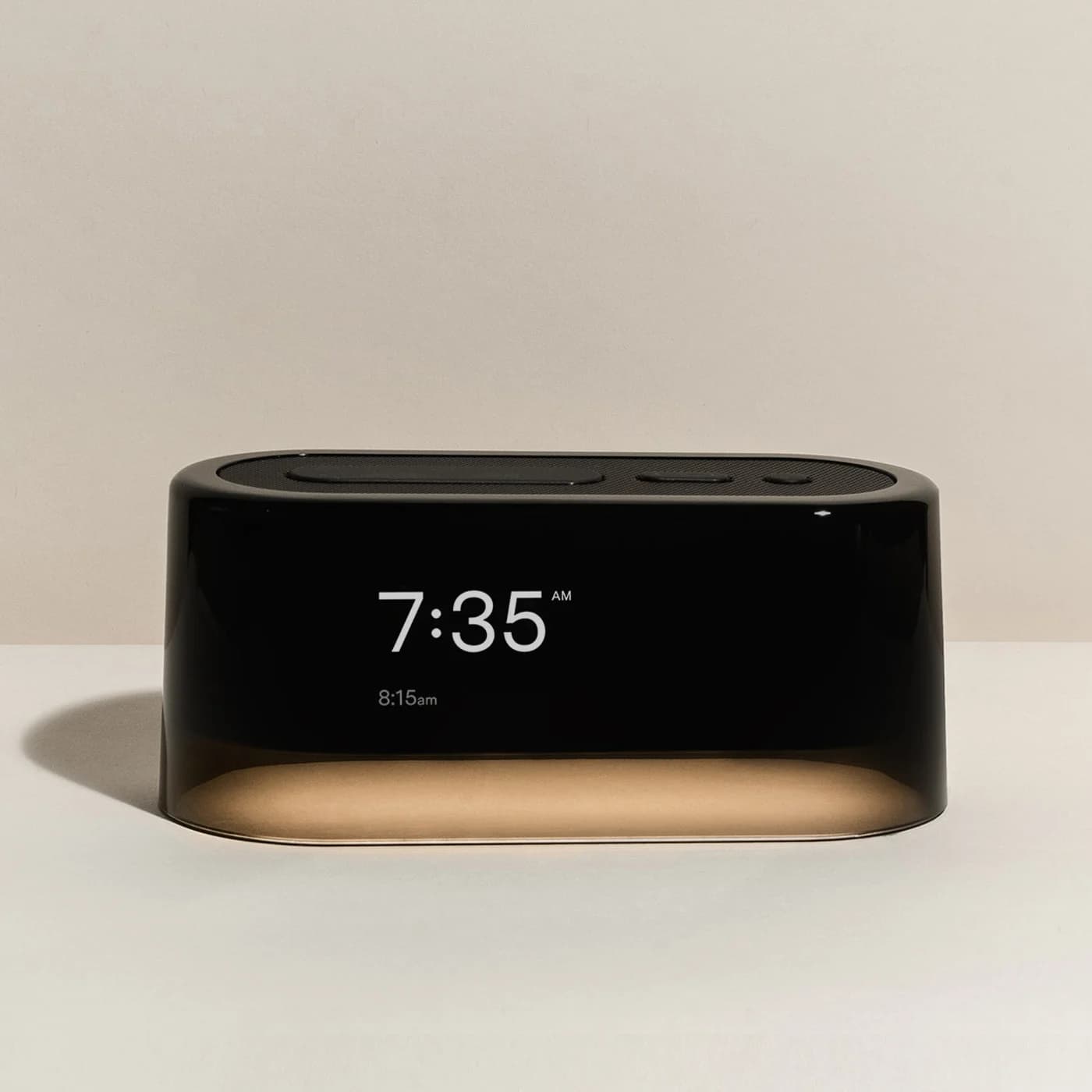
Compare the Loftie Clock and Hatch Restore 3 for sunrise light, offline use, bedside controls, included sounds, subscriptions and power cuts before you choose.
Best picks · Sunrise Alarm Clocks
Best Smart Alarm Clocks for Bedside: Apps, Voice and Offline Alarms
Choose a bedside smart alarm clock by its controls, phone setup, subscriptions and outage behavior, with clear Loftie, Hatch Restore 3 and Echo Spot guidance.