

Buying guide
PM2.5 Monitors: Room Sensor Picks, Placement and Data Logging
Choose a PM2.5 monitor for a room: compare Airthings View Plus and AirGradient ONE, understand sensor limits, and plan placement, offline use and data exports.
By thisHUSH EditorialUpdated November 3, 20267 min read1 pick
Our recommendation: Airthings View Plus
Best for an app-based room setup
Limit: No Apple HomeKit support
On this page · Our picks at a glance
Our picks at a glance
- 1
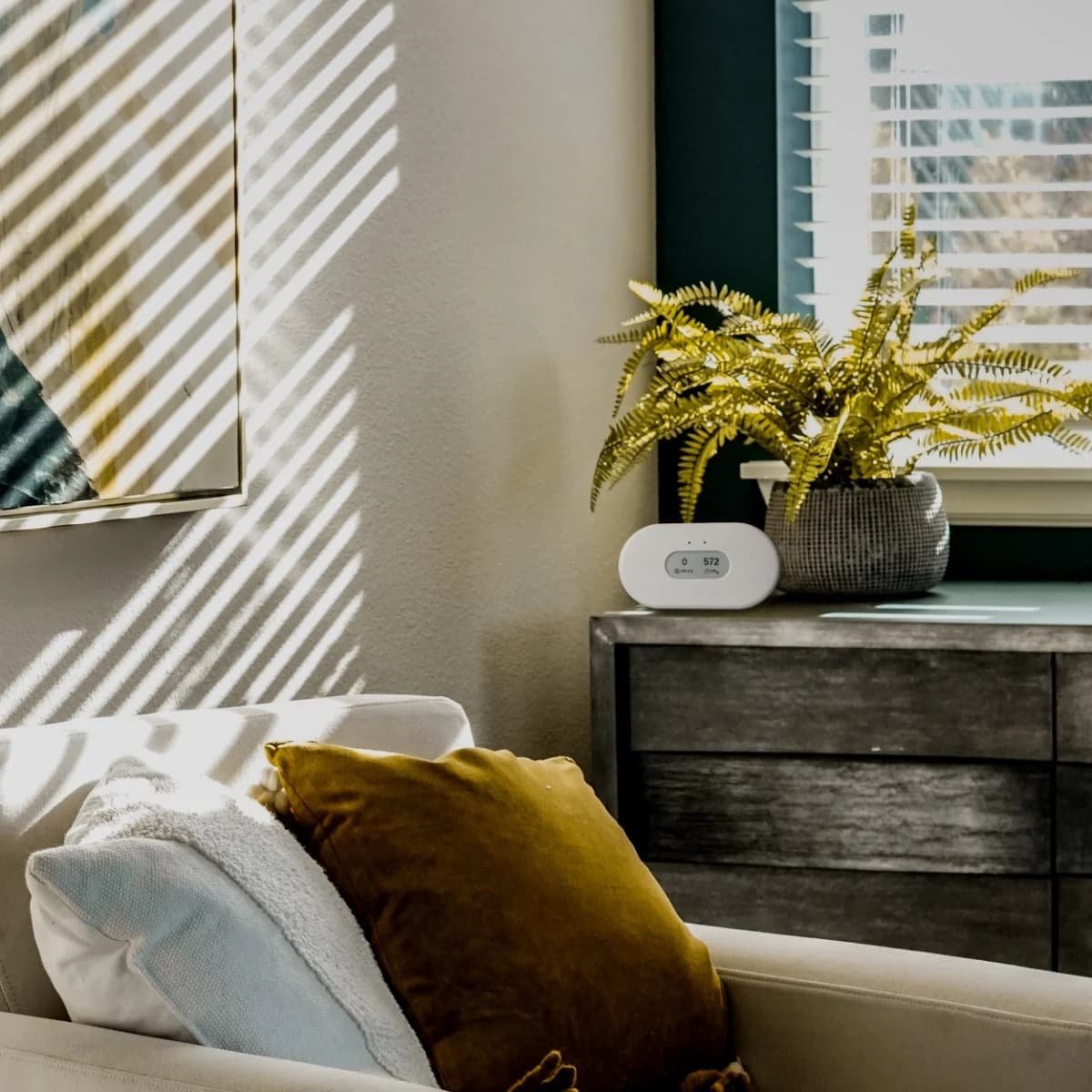
Choose for: Best for an app-based room setup
Check before buying: No Apple HomeKit support
About this guide
thisHUSH covers comfort, quiet and air-quality gear, not health. Nothing on this site is medical advice: for sleep, breathing or hearing concerns, talk to a doctor.
For an app-based room setup, our default PM2.5 monitor pick is Airthings View Plus: it combines a laser-scattering particle sensor, an e-ink display and dashboard export. Choose AirGradient ONE, fully assembled, if you want a named particle module and local access through Home Assistant or an API. Buy for the particle question first, then choose how you will view and save the readings.
Quick picks: which setup fits your room?
Compare specifications and all conditions
Our pick for
- Airthings View Plus
- An app-based setup with battery flexibility
- AirGradient ONE, assembled I-9PSL
- Local data access and documented sensor hardware
Particle sensor
- Airthings View Plus
- Laser-scattering optical particle counter
- AirGradient ONE, assembled I-9PSL
- Plantower PMS5003, laser scattering
Screen
- Airthings View Plus
- E-ink; configurable to show four values
- AirGradient ONE, assembled I-9PSL
- Small OLED plus configurable LED bar
Other measurements
- Airthings View Plus
- Radon, CO2, VOCs, temperature, humidity, pressure
- AirGradient ONE, assembled I-9PSL
- CO2, VOC/NOx indexes, temperature, humidity
Power
- Airthings View Plus
- Six AA batteries or USB-C
- AirGradient ONE, assembled I-9PSL
- USB-C; power adapter not included
History route
- Airthings View Plus
- Airthings cloud dashboard and CSV export
- AirGradient ONE, assembled I-9PSL
- AirGradient dashboard and CSV, or local Home Assistant/API
Main buying trap
- Airthings View Plus
- Battery mode changes particle sampling
- AirGradient ONE, assembled I-9PSL
- Offline display does not mean stored history
Full comparison table
Swipe to compare. Row labels stay visible.
| Buying question | Airthings View Plus | AirGradient ONE, assembled I-9PSL |
|---|---|---|
| Our pick for | An app-based setup with battery flexibility | Local data access and documented sensor hardware |
| Particle sensor | Laser-scattering optical particle counter | Plantower PMS5003, laser scattering |
| Screen | E-ink; configurable to show four values | Small OLED plus configurable LED bar |
| Other measurements | Radon, CO2, VOCs, temperature, humidity, pressure | CO2, VOC/NOx indexes, temperature, humidity |
| Power | Six AA batteries or USB-C | USB-C; power adapter not included |
| History route | Airthings cloud dashboard and CSV export | AirGradient dashboard and CSV, or local Home Assistant/API |
| Main buying trap | Battery mode changes particle sampling | Offline display does not mean stored history |
Scroll horizontally to see every column
| Buying question | Airthings View Plus | AirGradient ONE, assembled I-9PSL |
|---|---|---|
| Our pick for | An app-based setup with battery flexibility | Local data access and documented sensor hardware |
| Particle sensor | Laser-scattering optical particle counter | Plantower PMS5003, laser scattering |
| Screen | E-ink; configurable to show four values | Small OLED plus configurable LED bar |
| Other measurements | Radon, CO2, VOCs, temperature, humidity, pressure | CO2, VOC/NOx indexes, temperature, humidity |
| Power | Six AA batteries or USB-C | USB-C; power adapter not included |
| History route | Airthings cloud dashboard and CSV export | AirGradient dashboard and CSV, or local Home Assistant/API |
| Main buying trap | Battery mode changes particle sampling | Offline display does not mean stored history |
Specifications: View Plus, sampling documentation, and ONE. These picks distinguish features, without a measured accuracy ranking.
Check the sensor and units before the brand
PM2.5 is a size fraction, not a score. EPA describes particles generally 2.5 micrometers and smaller. Look for a PM2.5 concentration in µg/m³, meaning micrograms per cubic meter, rather than just an overall air-quality label. The U.S. AQI is an index for communicating outdoor air quality; do not compare its index value directly with a concentration. EPA particle definitions, AirNow AQI basics.
EPA says manufacturers determine monitor alert thresholds, so matching colors do not establish matching concentrations. Compare the units and time periods first. EPA's explanation.
A CO2 sensor cannot supply a particle measurement. Aranet's support lists CO2, temperature, humidity and pressure for Aranet4, with no PM reading. For ventilation questions, use our CO2 monitor guide. Aranet's measurement list.
Detection range is not a list of supported outputs. Airthings documents PM2.5 as View Plus's primary particle metric and also shows PM1, but explicitly does not support PM10 measurement. Do not turn a broad particle-size detection specification into a promised PM10 reading. Airthings' particle-metric explanation.
Best for an app-based room setup: Airthings View Plus
View Plus's e-ink display can show four selected values, and the monitor runs on six AA batteries or USB-C. Its measurements include radon alongside particles and CO2. Product specifications.
Airthings
A seven-sensor home monitor (radon, PM2.5, NDIR CO2, VOCs, temperature, humidity and pressure) with an e-ink display, Wi-Fi, and either battery or USB-C power.
Check package and model options
- Radon, PM2.5, CO2 (NDIR), VOC, temperature, humidity, air pressure
For following a changing particle event, use USB-C. Airthings specifies PM sampling and cloud uploads every 2.5 minutes on USB power. On batteries, PM sampling is every 10 minutes or 60 minutes, depending on the selected mode. We recommend USB for following cooking or purifier operation. Sampling and uploading are separate: the screen can be fresher than the app. Sampling and cloud timing.
There is an unresolved specification conflict: the product page lists a PM range of 0–1000 µg/m³, while the support specification lists 0–200 µg/m³ and a different error formula. Ask Airthings to confirm the applicable specification if high-range measurement decides your purchase; these pages do not justify a precision winner against ONE.
This pick covers the standalone View Plus. The maker also lists bundles with Wave Enhance or View Radon; check the added device's own particle specification rather than assuming every monitor in a bundle measures PM2.5. Check price on Amazon.
Best for local data access: AirGradient ONE
The assembled ONE I-9PSL is our choice for readers who want to understand the measurement chain. AirGradient names its Plantower PMS5003 particle module and documents native local Home Assistant operation without a cloud connection. It also provides a Local API for current measurements. ONE specifications, Home Assistant support, Local API documentation.
Assembled and DIY are materially different purchases. AirGradient says the kit uses the same hardware, but its PM calibration guide says DIY kits do not undergo factory calibration. Fully assembled monitors made from October 2025 onward receive individual PM calibration against a reference instrument, applied through the dashboard. The product table publishes different assembled and kit PM tolerances. Prefer assembled if you want that documented factory process; choose the kit because you want the assembly project. Variant specifications, calibration procedure.
Plan for USB power: the adapter is not included. The setup guide specifies 5 V, 2 A, while the product table says greater than 2 A at 5 V; a 5 V supply rated above 2 A satisfies both descriptions. ONE's Wi-Fi setup requires a 2.4 GHz network. Setup guide, product table.
The dashboard terms also conflict on the product page: it calls the service subscription-free, while its contents list says 12 months of dashboard/API access. Confirm the current entitlement if cloud history decides the purchase. Local Home Assistant support provides a separate documented route.
See the assembled ONE and kit at AirGradient.
How we choose
We researched manufacturer specifications, setup, calibration and export documentation, with EPA guidance for interpretation. We have not physically evaluated these monitors. Advertised tolerances alone do not establish a cross-brand accuracy ranking. Documentation and terms checked November 2, 2026. See How we choose.
Buying guide: make the room comparison useful
Placement comes before comparing displays
For a representative room reading, EPA recommends the occupied breathing zone, unrestricted airflow, and distance from immediate sources and drafts. A location beside a stove answers a different question from a location across the room. AirGradient similarly advises avoiding sunlight, ventilation outlets and immediate sources unless the source itself is being investigated. EPA indoor-monitor guidance, ONE placement guidance.
Keep the position fixed for a before/after comparison. Our practical placement recommendation is to keep the monitor out of a purifier's discharge stream when judging the room, and to follow the maker's clearance instructions. Airthings says to keep View Plus indoors and at least 3 feet from vents, fans, windows and doors. View Plus placement.
Define the question
Decide whether you are following a room trend or investigating a nearby source.
Fix the setup
Keep location and sampling mode consistent; note purifier setting, doors, windows and activities.
Save comparable data
Export matching periods and units; record averaging and correction settings.
Look for repeatable changes
Review several ordinary events and retain gaps as gaps rather than treating them as zero readings.
This workflow applies EPA's planning and data-quality checks.
Match averaging and correction, not just the displayed number
EPA identifies placement, temperature, humidity and processing as influences on low-cost monitor readings. When comparing devices, put them in the same location with clear airflow, align timestamps and time zones, and choose the same averaging period. Agreement is a consistency check; it does not determine accuracy against a reference instrument. EPA performance limits, quality checks.
Our practical recommendation: choose shorter averaging buckets for event detail, and longer ones for trends. A fresh display reading and an hourly average answer different time questions.
For ONE, record whether you used raw or corrected PM. Its Local Server documentation distinguishes pm02 from pm02Compensated; the dashboard also distinguishes raw and corrected exports. Do not assume the screen, local integration and exported column have identical correction settings. AirGradient warns against adding the EPA correction on top of its individual factory calibration. Local fields, calibration guidance.
Logging: what you can actually keep
View Plus dashboard
- What the maker documents
- CSV export, up to one year per export; timestamps in UTC
- Buying implication
- Use adjacent exports for longer periods and align your activity notes to UTC.
ONE dashboard, un-bucketed
- What the maker documents
- Raw, uncalibrated readings; default retention 10 days
- Buying implication
- Export promptly if you need that detail.
ONE dashboard, averaged
- What the maker documents
- Raw and corrected data; 5-, 10- and 30-minute buckets retained up to 150 days; hourly or larger currently retained indefinitely
- Buying implication
- Choose the same bucket duration for comparisons; indefinite retention is the current policy.
ONE local access
- What the maker documents
- Latest measurements as JSON on the same Wi-Fi network; no cloud API token needed
- Buying implication
- Arrange your own recorder, such as Home Assistant, before expecting a historical log.
Full comparison table
Swipe to compare. Row labels stay visible.
| Data route | What the maker documents | Buying implication |
|---|---|---|
| View Plus dashboard | CSV export, up to one year per export; timestamps in UTC | Use adjacent exports for longer periods and align your activity notes to UTC. |
| ONE dashboard, un-bucketed | Raw, uncalibrated readings; default retention 10 days | Export promptly if you need that detail. |
| ONE dashboard, averaged | Raw and corrected data; 5-, 10- and 30-minute buckets retained up to 150 days; hourly or larger currently retained indefinitely | Choose the same bucket duration for comparisons; indefinite retention is the current policy. |
| ONE local access | Latest measurements as JSON on the same Wi-Fi network; no cloud API token needed | Arrange your own recorder, such as Home Assistant, before expecting a historical log. |
Scroll horizontally to see every column
| Data route | What the maker documents | Buying implication |
|---|---|---|
| View Plus dashboard | CSV export, up to one year per export; timestamps in UTC | Use adjacent exports for longer periods and align your activity notes to UTC. |
| ONE dashboard, un-bucketed | Raw, uncalibrated readings; default retention 10 days | Export promptly if you need that detail. |
| ONE dashboard, averaged | Raw and corrected data; 5-, 10- and 30-minute buckets retained up to 150 days; hourly or larger currently retained indefinitely | Choose the same bucket duration for comparisons; indefinite retention is the current policy. |
| ONE local access | Latest measurements as JSON on the same Wi-Fi network; no cloud API token needed | Arrange your own recorder, such as Home Assistant, before expecting a historical log. |
Sources: Airthings CSV export, AirGradient export and retention, Local API.
See ONE offline mode and storage limits. Airthings specifies approximately two hours of View buffering during lost connectivity, depending on sampling interval.
What a reading can establish about a purifier
A monitor can help you follow particle changes around ordinary activities, which EPA identifies as an indoor-monitor use. Our interpretation: a falling reading is evidence of a change at that sensor, with the setup and other activities recorded; it does not establish a purifier's CADR or performance throughout the home. Portable cleaners are designed for a room or area, and cannot remove every pollutant. EPA monitor uses, air-cleaner scope.
- Yes: Track the particle metric your monitor actually reports
- Partly: Compare before and after when placement and other conditions are documented
- No: Derive a purifier CADR from a household display change
- No: Infer every room or every pollutant from one room's PM reading
For purifier and smoke-season buying, use published CADR and room sizing: CADR describes how quickly a unit delivers filtered air. Our air purifier buying guide explains the choices. Federal sizing guidance.
Verdict
Choose View Plus for an app-based room setup with an e-ink screen and battery flexibility; use USB-C when following particle changes. Choose the assembled AirGradient ONE for named sensor hardware and local data access. Before ordering either, settle where it will sit and how you will save comparable readings: those decisions make the specifications useful.
Sources
- Airthings: View Plus specifications.
- AirGradient: ONE specifications.
- EPA: Indoor-monitor limitations and placement.
Frequently asked questions
Is PM2.5 the same as AQI?
No. PM2.5 describes a particle-size fraction, and a monitor can report its concentration in micrograms per cubic meter. AQI is an index for reporting air quality; the U.S. AQI communicates outdoor conditions. Before comparing readings, check whether both show concentration or an index, then match their units and time periods. A manufacturer's colored indicator is another setting to check.
Can a CO2 monitor measure PM2.5?
Only if it also contains a particle sensor. Aranet4 measures CO2, temperature, humidity and pressure; it does not supply a PM2.5 reading. Airthings View Plus and AirGradient ONE both include a laser-scattering particle sensor as well as CO2 measurement. Choose by the pollutant you want to track rather than the words air quality monitor on the box.
Will a PM2.5 monitor work without Wi-Fi?
AirGradient ONE has an offline mode that keeps readings on its display, but it has no internal history storage for later upload. Its local API (available from firmware version 3.0.10 onward) needs Wi-Fi on the same network, although it does not need the AirGradient cloud. Airthings documents local display readings and approximately two hours of buffering during lost connectivity, depending on sampling interval; app updates need Wi-Fi.
Why do two PM2.5 monitors show different numbers?
Placement, humidity, temperature and data processing can affect readings, according to EPA. Different sampling times or correction settings add further reasons to check the comparison. Place the monitors together with clear airflow, compare the same units and timestamps, and match averaging periods. Agreement between household monitors is useful context, but it does not establish which matches a reference instrument.
Airthings View Plus
AmazonRelated guides
Comparison · Air Quality Monitors
Airthings Corentium Home 2 vs View Radon: Display, Wi-Fi and Saved Data
Choose Home 2 for standalone readings or View Radon for direct Wi-Fi. Compare displays, saved history, exports, hub requirements and exact model differences.
Comparison · Air Quality Monitors
INKBIRD IAM-T1 vs Aranet4 HOME: Logging, Calibration and the Full Kit
Compare INKBIRD IAM-T1 and Aranet4 HOME on CO2 accuracy, logging, calibration and batteries, with an interval worksheet and a complete gift-kit checklist.
Comparison · Air Quality Monitors
AirGradient ONE vs Airthings View Plus: Sensors, Local Data and Room Setup
Compare AirGradient ONE and Airthings View Plus on sensors, local data, cloud history, power and calibration, with clear picks and a complete buying checklist.