

Comparison
Airthings View Plus vs Wave Plus
Sensors, Display and Wi-Fi
Compare Airthings View Plus vs Wave Plus on sensors, display, batteries and remote access, with clear picks and a connection map for a setup across two rooms.
By thisHUSH EditorialUpdated November 3, 20267 min read1 pick
Our recommendation: Airthings View Plus
Best for most buyers
Limit: No Apple HomeKit support
On this page · Our picks at a glance
Our picks at a glance
- 1
About this guide
thisHUSH covers comfort, quiet and air-quality gear, not health. Nothing on this site is medical advice: for sleep, breathing or hearing concerns, talk to a doctor.
Buy Airthings View Plus if you want particle readings, numbers on the monitor or current data while away: it adds PM2.5, an e-ink display and Wi-Fi. Choose Wave Plus if you can forgo particles and a screen, and will sync nearby over Bluetooth or already own a compatible Airthings hub. A USB-powered View Plus can also bring a Wave Plus in another room online.
Specifications and support checked November 2, 2026. These recommendations come from documentation; we have not physically tested either monitor.
Quick picks and comparison
Our overall pick: View Plus. Its display, particle sensor and independent Wi-Fi make it the more complete starting point. Our expansion pick: Wave Plus. Consider it when you already have an Airthings hub and do not need particle readings in that room.
Compare specifications and all conditions
Measured quantities
- View Plus
- Radon, PM2.5, CO2, VOCs, temperature, humidity, pressure
- Wave Plus
- Radon, CO2, VOCs, temperature, humidity, pressure; no PM2.5
CO2 sensor
- View Plus
- NDIR; 400–5000 ppm
- Wave Plus
- NDIR; 400–5000 ppm
On-device readout
- View Plus
- 2.9-inch e-ink; up to four values; glow indicator
- Wave Plus
- Motion-activated color ring; detailed values in app
Power
- View Plus
- Six AA batteries or USB-C
- Wave Plus
- Two AA alkaline batteries
Current readings away from home
- View Plus
- Own 2.4 GHz Wi-Fi connection
- Wave Plus
- Requires a compatible internet-connected hub
Role of Bluetooth
- View Plus
- Setup and configuration, per manual
- Wave Plus
- Nearby syncing; deactivated after hub linking
Main compromise
- View Plus
- More features; larger battery requirement
- Wave Plus
- No particles or numeric display; plan the sync path
Full comparison table
Swipe to compare. Row labels stay visible.
| What changes | View Plus | Wave Plus |
|---|---|---|
| Measured quantities | Radon, PM2.5, CO2, VOCs, temperature, humidity, pressure | Radon, CO2, VOCs, temperature, humidity, pressure; no PM2.5 |
| CO2 sensor | NDIR; 400–5000 ppm | NDIR; 400–5000 ppm |
| On-device readout | 2.9-inch e-ink; up to four values; glow indicator | Motion-activated color ring; detailed values in app |
| Power | Six AA batteries or USB-C | Two AA alkaline batteries |
| Current readings away from home | Own 2.4 GHz Wi-Fi connection | Requires a compatible internet-connected hub |
| Role of Bluetooth | Setup and configuration, per manual | Nearby syncing; deactivated after hub linking |
| Main compromise | More features; larger battery requirement | No particles or numeric display; plan the sync path |
Scroll horizontally to see every column
| What changes | View Plus | Wave Plus |
|---|---|---|
| Measured quantities | Radon, PM2.5, CO2, VOCs, temperature, humidity, pressure | Radon, CO2, VOCs, temperature, humidity, pressure; no PM2.5 |
| CO2 sensor | NDIR; 400–5000 ppm | NDIR; 400–5000 ppm |
| On-device readout | 2.9-inch e-ink; up to four values; glow indicator | Motion-activated color ring; detailed values in app |
| Power | Six AA batteries or USB-C | Two AA alkaline batteries |
| Current readings away from home | Own 2.4 GHz Wi-Fi connection | Requires a compatible internet-connected hub |
| Role of Bluetooth | Setup and configuration, per manual | Nearby syncing; deactivated after hub linking |
| Main compromise | More features; larger battery requirement | No particles or numeric display; plan the sync path |
Best for most buyers: Airthings View Plus
Airthings
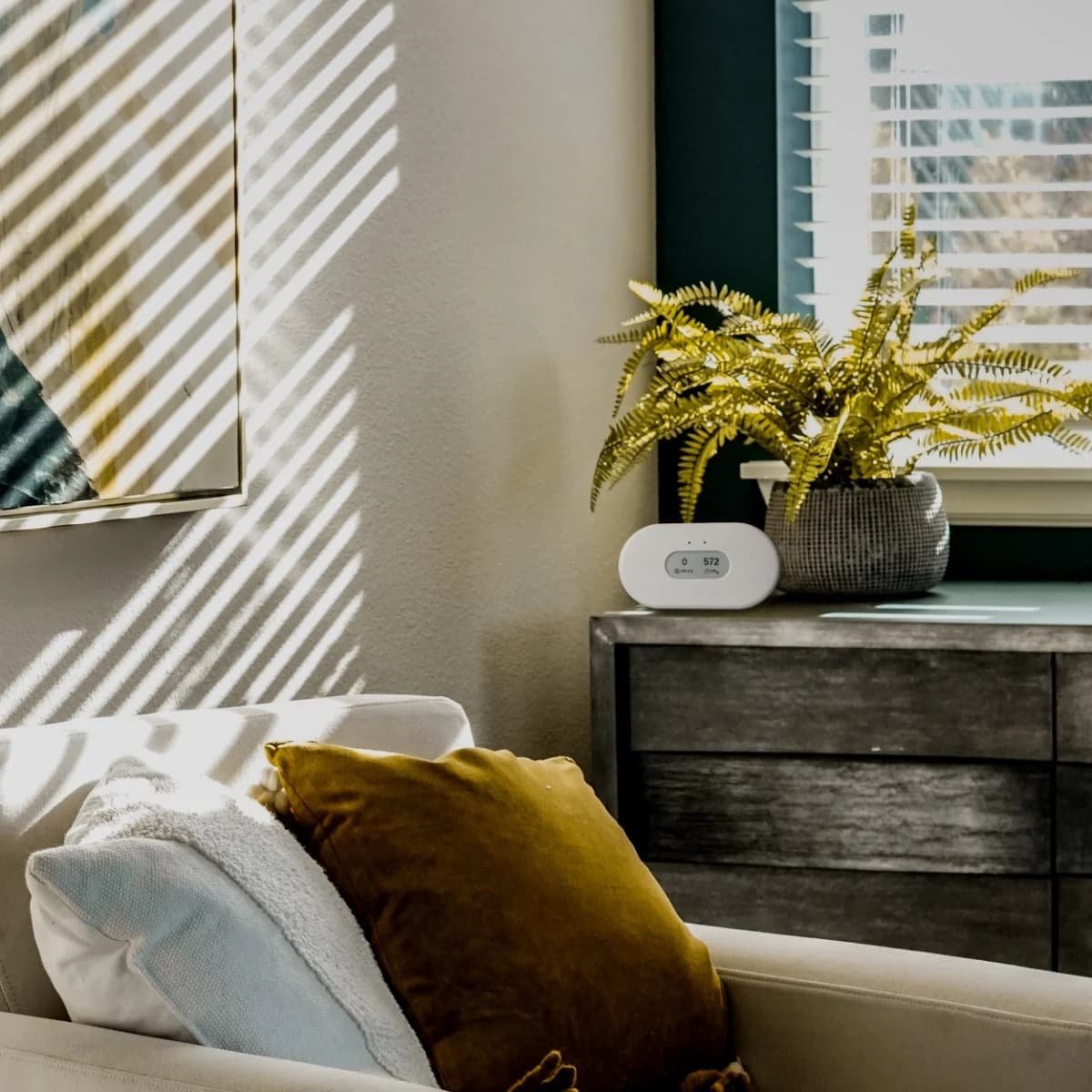
A seven-sensor home monitor (radon, PM2.5, NDIR CO2, VOCs, temperature, humidity and pressure) with an e-ink display, Wi-Fi, and either battery or USB-C power.
Check package and model options
- Radon, PM2.5, CO2 (NDIR), VOC, temperature, humidity, air pressure
View Plus suits a room where you want CO2, particles and radon in the same dashboard, with temperature, humidity, pressure and VOCs alongside them. Its display shows up to four values, so you can check selected readings without opening your phone. It handles its own internet connection on batteries; USB-C is needed when you also want it to serve as a hub.
For a quiet bedside spot, note the manual's caveat: the particle sensor has a small fan that can sometimes be heard close to your ear or in a particularly quiet room. We would not promise inaudible operation.
Best for an existing hub: Airthings Wave Plus
Wave Plus retains radon, NDIR CO2, VOCs, temperature, humidity and pressure, powered by two AA batteries. Wave a hand in front for its color ring; open the app for detailed values. The missing PM2.5 sensor is the decisive compromise if you want particle readings in both rooms.
Without a hub, it keeps measuring while your phone is away and holds up to 80 days locally; syncing uploads readings collected since the previous sync. That is useful history, but current app readings and threshold notifications depend on being nearby until you add a hub.
Room to phone: three different connection paths
Wave Plus alone: monitor → Bluetooth → nearby phone → Airthings cloud. View Plus alone: monitor → 2.4 GHz Wi-Fi → Airthings cloud → app. Wave through View: Wave → SmartLink → USB-powered View → Wi-Fi → cloud → phone anywhere. The last arrangement lets the devices measure separate rooms:
Tap a label to explore. You can also hover or use your keyboard.
Wave Plus in one room
Sends its measurements over SmartLink to the linked hub.
Sources: 1: Wave sends readings through a SmartLink hub to the cloud for access from anywhere.- Airthings SmartLink
View Plus in another roomUSB power and Wi-Fi required
Relays Wave data to the cloud. Battery-only operation stops the hub.
Sources: 1: Wave sends readings through a SmartLink hub to the cloud for access from anywhere., 2: View requires USB power and Wi-Fi to act as a SmartLink hub for Wave Plus. - Via Wi-Fi and the Airthings cloud
Your phone, wherever you are
The app retrieves current measurements from the cloud; your phone need not be near Wave.
Sources: 1: Wave sends readings through a SmartLink hub to the cloud for access from anywhere., 2: View requires USB power and Wi-Fi to act as a SmartLink hub for Wave Plus.
Source notes2 references
Wave sends readings through a SmartLink hub to the cloud for access from anywhere.
www.airthings.com — source for Wave sends readings through a SmartLink hub to the cloud for access from anywhere.The Wave monitors send their readings continuously to the hub device over SmartLink, and the hub device sends the data to your account in the cloud. Then, wherever you are, you can open your Airthings app and check the current air quality measurements taken by your home’s monitors.
View requires USB power and Wi-Fi to act as a SmartLink hub for Wave Plus.
www.airthings.com — source for View requires USB power and Wi-Fi to act as a SmartLink hub for Wave Plus.When powered over USB, and connected to WiFi, your View device will act as a SmartLink hub for other supported Airthings devices (Wave Mini, Wave Enhance, Wave Plus, or Wave Radon).
An existing Airthings Ethernet Hub offers another Wave path, using Ethernet to the router and its own power supply. When linking Wave to either hub type, keep your phone within Bluetooth range; the Wave manual allows 15 minutes to an hour and says to look for a signal-strength indicator. Hub linking then deactivates Wave's Bluetooth.
A documentation conflict: the View manual says it cannot link through another View or an Airthings Hub, while the product page lists “WiFi or Airthings SmartLink (with Hub).” Plan a direct Wi-Fi connection for each View, and ask Airthings before buying a Hub to relay one.
Accounts, history and CSV exports
Both setup manuals require the app and an Airthings account. Airthings describes the app as free; the View manual calls the dashboard a free platform, and Wave Plus includes dashboard access too. View's manual rules out local data retrieval and Bluetooth downloads: online access goes through the Airthings cloud.
For CSV, sign into the dashboard with your app credentials, choose Devices → your device → Export to CSV, then select a date range. Each export covers up to one year; use adjoining exports for longer periods, and remember timestamps are UTC. Wave's local buffer only reaches that online history after syncing.
Sensor limitations: more measurements do not prove better accuracy
Both have dedicated NDIR CO2 sensing over 400–5000 ppm. Wave Plus's support specification gives optimum accuracy as ±30 ppm ±3% at 15–35°C and 0–80% RH, after multiple settling cycles with natural indoor CO2 fluctuations.
For View Plus, Airthings publishes three CO2 accuracy figures: product page ±50 ppm ±3%; View support page ±30 ppm ±3%; product sheet ±50 ppm ±5%. Their qualifying ranges differ: the sheet limits its accuracy specification to 500–2000 ppm. Ask Airthings which applies to the supplied unit if accuracy decides your purchase; we would not rank these by sensor count or the most favorable number.
Radon also needs time: Airthings advises at least 30 days, ideally two months, for View's longer-term average; the Wave manual describes about a month of setup. This comparison covers measurement and ownership differences without setting radon action thresholds.
Buying guide: power, variants and a useful setup
Battery expectations need context. View's product page says up to two years, depending on sensor interval and router; battery support says typically eight months to a year, with about two years in low-power mode. Wave's product page specifies 16 months over Bluetooth or 18 with SmartLink; support gives roughly 1–1.5 years. These are maker estimates, and View's USB cable does not recharge installed batteries.
Choose the exact package. View Plus Duo means two View Plus monitors, each with its own Wi-Fi path. Wave Plus comes in white and Limited Edition Black; black retains the six-sensor set. Wave Enhance is different: its listed air sensors omit radon and PM2.5, and it adds ambient noise and light. For particles in both rooms, choose two View Plus units; View plus Wave leaves particles unmeasured in the Wave room.
Place, then wait. Follow the manuals' indoor placement guidance: around breathing height and at least one meter from vents or windows. Allow about seven days for CO2 and VOC calibration. View's guidance calls for fresh-air exposure at least weekly; Wave's CO2 sensor needs about seven days again after a battery change.
Choose the data path
Nearby Bluetooth syncing for Wave, or an internet-connected hub; direct Wi-Fi for View.
Leave the monitor in place
Follow the placement guidance above and allow the CO2 and VOC calibration period.
Compare the recorded history
Sync Wave before exporting, and account for UTC timestamps.
Only need CO2? Consider Aranet4 HOME: its NDIR sensor and e-ink display focus on CO2 alongside temperature and humidity, with pressure available in its Bluetooth app. See our CO2 monitor guide for that choice, or our indoor humidity and hygrometer guide if humidity is your main question.
How we choose
We compare official product pages, manuals, product sheets and support instructions for sensors, display, power and the entire data path. We flag conflicting specifications and distinguish stored history from current remote access. We have not performed physical testing or independent accuracy or battery measurements. Our research method explains the approach.
Verdict
Choose View Plus for the display, PM2.5 and independent Wi-Fi access. Choose Wave Plus when those omissions suit you and nearby syncing or an existing hub fits your routine. For two rooms, USB-powered View plus Wave is the useful expansion pairing—provided you only need particle readings in the View room.
Sources
Official documentation checked November 2, 2026:
- Airthings View Plus, product sheet and View manual.
- Airthings Wave Plus, Wave Plus manual and sensor specifications.
- Airthings battery estimates, calibration guidance and CSV export instructions.
Frequently asked questions
Does Airthings Wave Plus have Wi-Fi?
No. Wave Plus syncs with a nearby phone over Bluetooth. For current readings while away, it needs a compatible Airthings hub: a USB-powered, Wi-Fi-connected View monitor or the separate Ethernet Hub. Wave Plus sends data to that hub over SmartLink; the hub forwards it to your Airthings cloud account.
Does Wave Plus measure PM2.5?
No. Its six measurements are radon, CO2, VOCs, temperature, humidity and air pressure. View Plus adds PM2.5 and a numeric e-ink display. If particles are the reason you are shopping, choose View Plus; adding a hub to Wave Plus changes data access, rather than its sensor set.
Can View Plus work as a hub on batteries?
No. View Plus needs both USB power and Wi-Fi to relay a linked Wave monitor. It can run its own measurements on AA batteries, but switching to battery power stops the hub function. USB supplies power to View Plus; it does not recharge the batteries left inside.
Do I need an Airthings account or subscription?
Both setup manuals require the Airthings app and an account. Airthings describes its app as free and its View dashboard as a free online platform; the Wave Plus product sheet also includes app and dashboard access. For exports, log into the dashboard with the same credentials as the app. Wave Plus still needs a successful sync to upload new readings.
Airthings View Plus
AmazonRelated guides
Comparison · Air Quality Monitors
AirGradient ONE vs Aranet4 HOME: Desk Monitor or Portable CO2?
Compare AirGradient ONE and Aranet4 HOME for fixed monitoring or portable CO2 readings, with clear advice on sensors, local access, power, logging and exports.
Comparison · Air Quality Monitors
Airthings Corentium Home 2 vs View Radon: Display, Wi-Fi and Saved Data
Choose Home 2 for standalone readings or View Radon for direct Wi-Fi. Compare displays, saved history, exports, hub requirements and exact model differences.
Buying guide · Air Quality Monitors
PM2.5 Monitors: Room Sensor Picks, Placement and Data Logging
Choose a PM2.5 monitor for a room: compare Airthings View Plus and AirGradient ONE, understand sensor limits, and plan placement, offline use and data exports.