

Best picks
Best Sound Machines for Office Privacy
Picks, Placement and Limits
Choose an office sound machine by sound, controls and power. Compare LectroFan, Dohm and SNOOZ, with placement advice and limits on speech confidentiality.
By thisHUSH EditorialUpdated November 3, 20268 min read3 picks
Our recommendation: LectroFan Classic
Built-in white, pink and brown noise plus fan sounds, with physical controls.
Limit: No battery: it needs an outlet or a powered USB port.
On this page · Our picks at a glance
Our picks at a glance
- 1
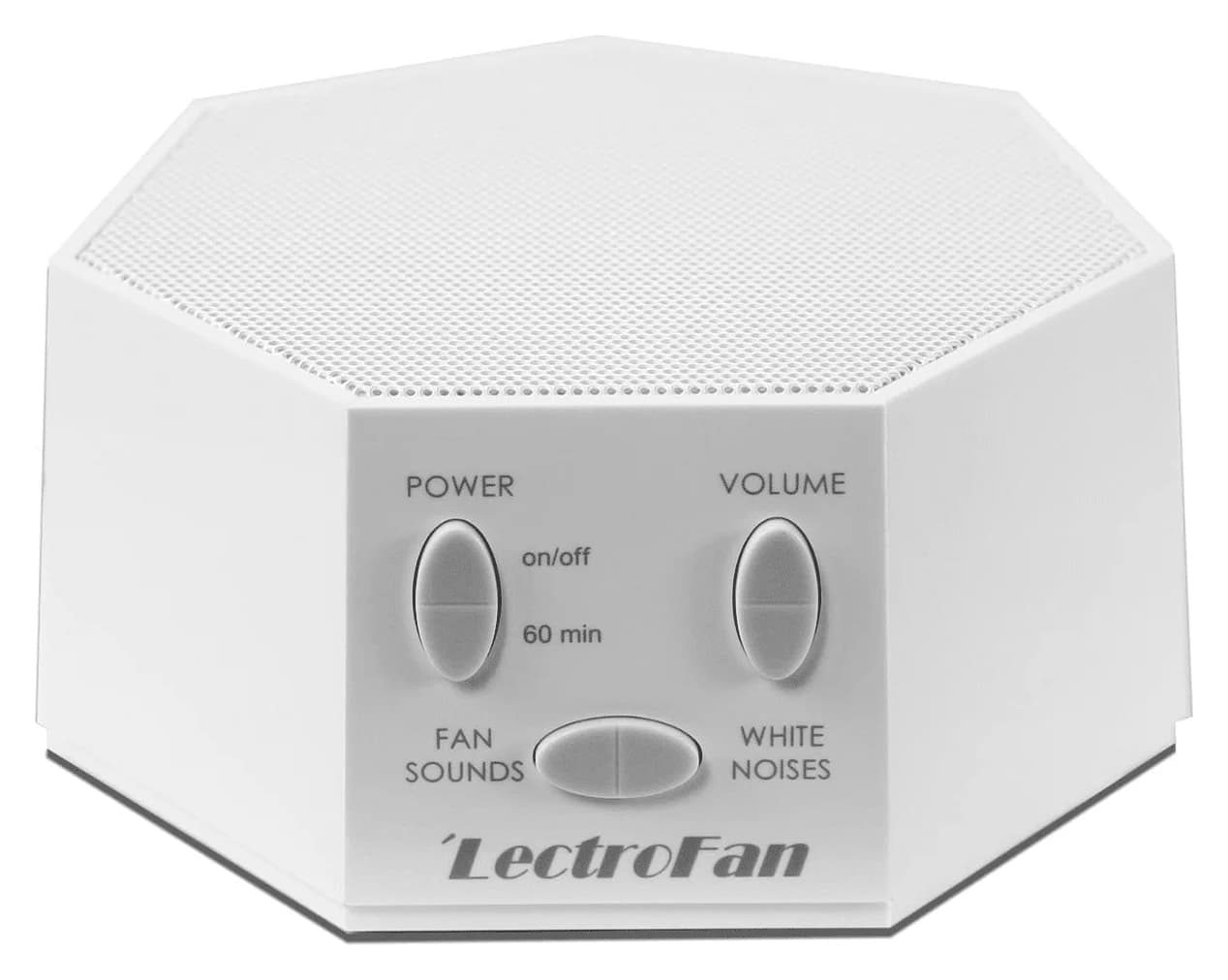
Choose for: Built-in white, pink and brown noise plus fan sounds, with physical controls.
Limit: No battery: it needs an outlet or a powered USB port.
- 2
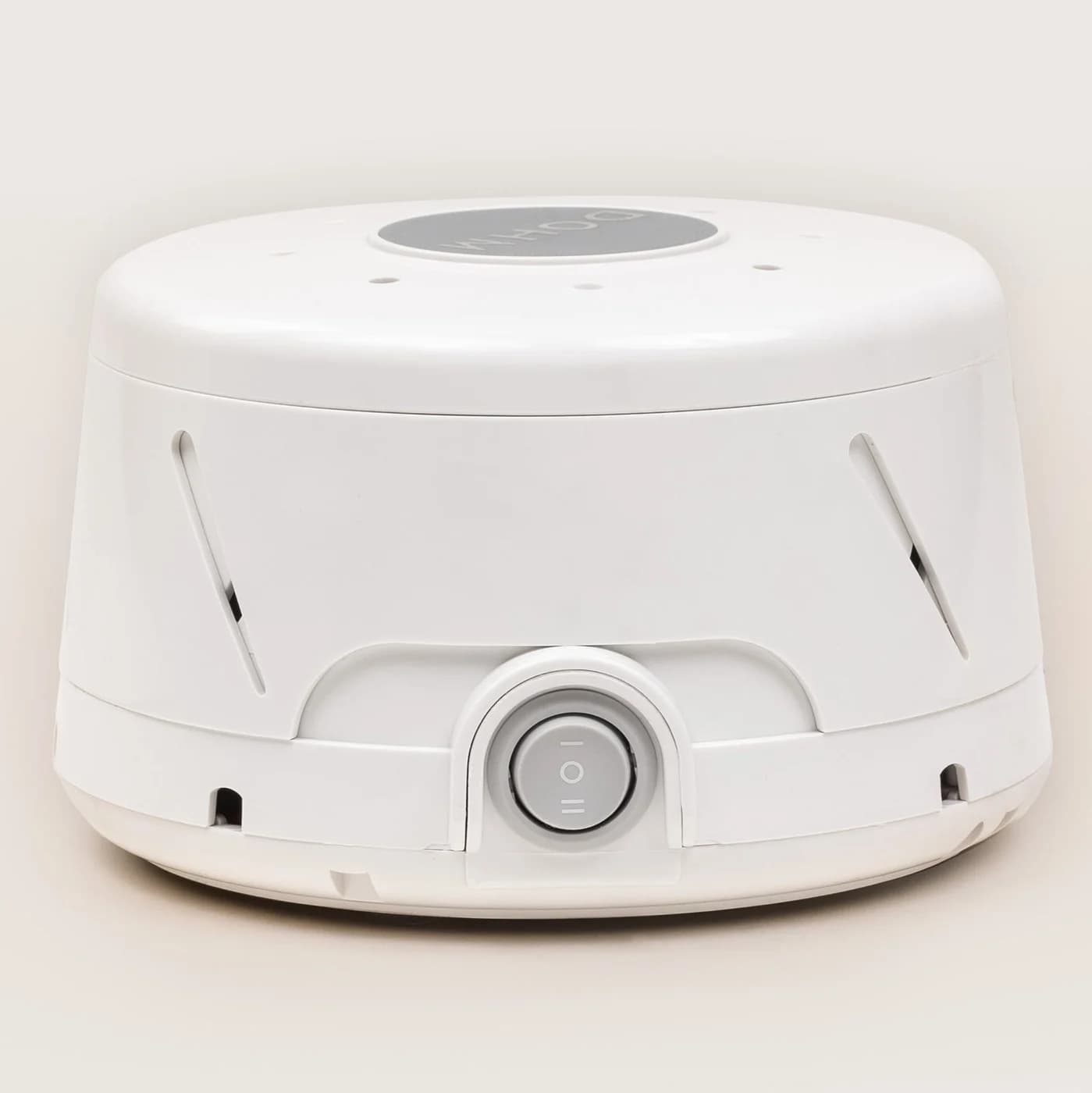
Choose for: Adjustable sound from a real fan, with no audio stream or app.
Limit: Fan sound only: it does not play digital pink or brown noise. Requires outlet power.
- 3
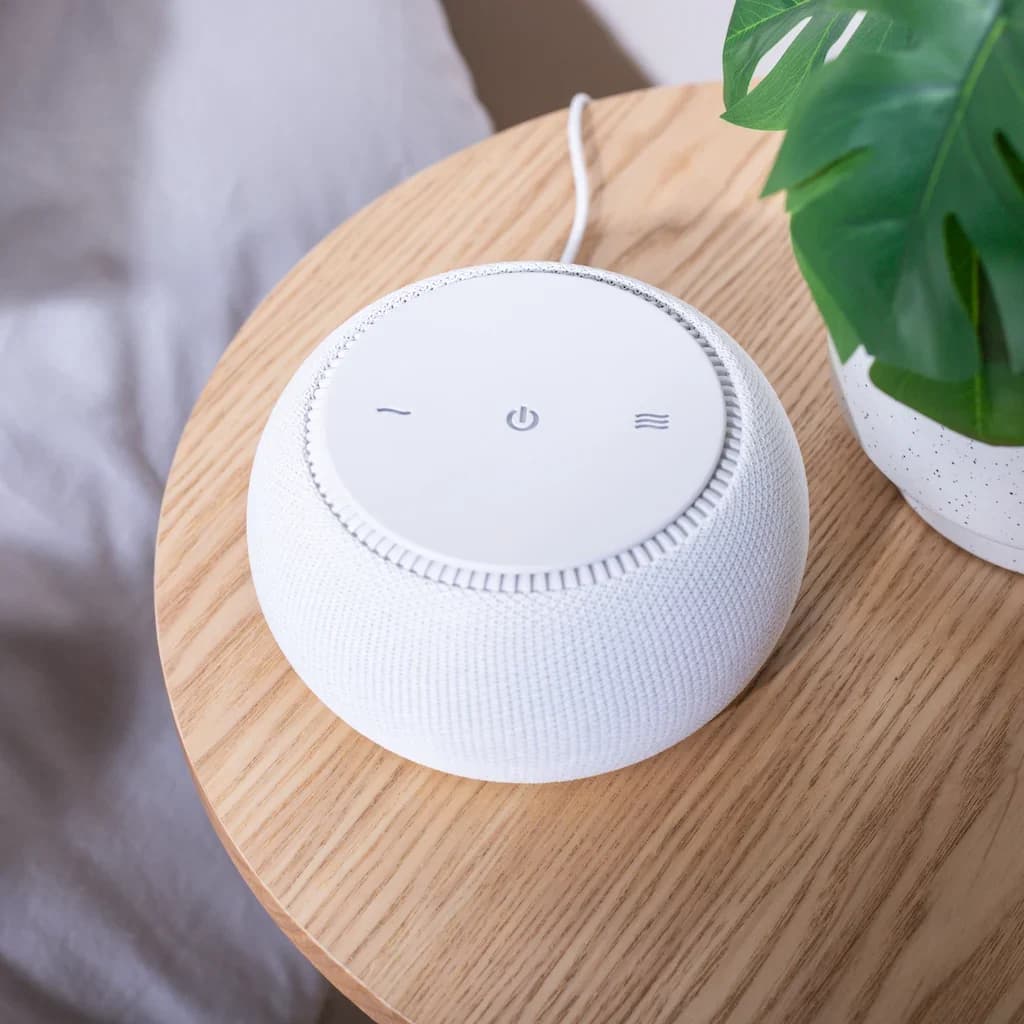
Choose for: Best real fan with office schedules
Check before buying: Fan sound only: no pink, brown or nature sounds
About this guide
thisHUSH covers comfort, quiet and air-quality gear, not health. Nothing on this site is medical advice: for sleep, breathing or hearing concerns, talk to a doctor.
For a shared office, the LectroFan Classic is our best sound machine pick for adjustable background masking: it offers digital fan sounds plus white, pink and brown noise, and runs from USB power. Choose the Yogasleep Dohm Classic for a real fan with a high/low switch, or SNOOZ Pro for a real fan with optional app schedules. Use these as local masking tools: speech confidentiality requires attention to room construction and sound at the potential listener's position.
Quick picks: compare the office essentials
Compare specifications and all conditions
LectroFan Classic
- Office fit
- Best for choosing a shared-desk sound
- Sound choices
- 20 digital sounds: 10 fan, 10 noise; includes white, pink and brown
- Physical controls
- Sound, volume, power and timer buttons
All specifications
- Power
- Included USB/AC adapter or powered USB port
- Timer and scheduling
- Continuous by default; timer adds 60 minutes per press
Yogasleep Dohm Classic
- Office fit
- Best for manual real-fan operation
- Sound choices
- Real fan; 2 speeds
- Physical controls
- High/low switch
All specifications
- Power
- US model: 120 VAC
- Timer and scheduling
- External timer supported; Connect is the app-scheduling model
SNOOZ Pro
- Office fit
- Best for real fan with office schedules
- Sound choices
- Real fan; 10 volume levels and adjustable tone
- Physical controls
- Manual volume; bottom tone knob
All specifications
- Power
- Wall adapter: 100-240 V, US plug
- Timer and scheduling
- Optional app adds on/off schedules and fades
Full comparison table
Swipe to compare. Row labels stay visible.
| Machine | Office fit | Sound choices | Physical controls | Power | Timer and scheduling |
|---|---|---|---|---|---|
| LectroFan Classic | Best for choosing a shared-desk sound | 20 digital sounds: 10 fan, 10 noise; includes white, pink and brown | Sound, volume, power and timer buttons | Included USB/AC adapter or powered USB port | Continuous by default; timer adds 60 minutes per press |
| Yogasleep Dohm Classic | Best for manual real-fan operation | Real fan; 2 speeds | High/low switch | US model: 120 VAC | External timer supported; Connect is the app-scheduling model |
| SNOOZ Pro | Best for real fan with office schedules | Real fan; 10 volume levels and adjustable tone | Manual volume; bottom tone knob | Wall adapter: 100-240 V, US plug | Optional app adds on/off schedules and fades |
Scroll horizontally to see every column
| Machine | Office fit | Sound choices | Physical controls | Power | Timer and scheduling |
|---|---|---|---|---|---|
| LectroFan Classic | Best for choosing a shared-desk sound | 20 digital sounds: 10 fan, 10 noise; includes white, pink and brown | Sound, volume, power and timer buttons | Included USB/AC adapter or powered USB port | Continuous by default; timer adds 60 minutes per press |
| Yogasleep Dohm Classic | Best for manual real-fan operation | Real fan; 2 speeds | High/low switch | US model: 120 VAC | External timer supported; Connect is the app-scheduling model |
| SNOOZ Pro | Best for real fan with office schedules | Real fan; 10 volume levels and adjustable tone | Manual volume; bottom tone knob | Wall adapter: 100-240 V, US plug | Optional app adds on/off schedules and fades |
Sound choices, fan speeds and volume levels describe different things; don't compare their counts as if they were interchangeable. The details below come from ASTI's Classic documentation, Yogasleep's support comparison and SNOOZ's Pro page.
Best overall for shared desks: LectroFan Classic
LectroFan
A compact digital sound machine from Adaptive Sound Technologies with 10 fan sounds and 10 non-repeating noise variations from brown through pink to white, powered over USB.
Check package and model options
- 20 sounds
The Classic earns our overall pick because you can choose the character of the background sound. ASTI lists ten fan sounds and ten noise variations, including pink and brown, and describes both sets as non-repeating. Start here if you want to compare several sounds with coworkers before settling on one.
Its owner's manual documents physical sound and volume buttons. Playback is continuous until you activate the timer; each timer press adds 60 minutes. For a workday, leave the timer unset rather than planning around repeated countdowns.
USB supplies power only, not computer audio. Use the included wall adapter for a fixed installation, or check that your chosen USB port remains powered when your workstation sleeps. Don't assume a laptop connection means the machine plays meeting audio.
The easily missed detail is settings memory: the manual says settings save when you switch off with the power button, not when you simply unplug it. After changing the agreed sound, switch it off and back on with that button before relying on a switched power strip. The manual explicitly recommends this procedure for external power switching.
Choose something else if: the sound of an actual fan is your priority. This is a digital sound generator.
Best for manual real-fan operation: Yogasleep Dohm Classic
Yogasleep
Yogasleep's original fan-based sound machine: a real fan motor inside an adjustable housing makes a steady, non-looping rush of air, with two speeds, a rotating cap for volume and a collar for tone.
Check package and model options
Choose the Dohm Classic for fan-based sound and a high/low switch. Yogasleep's model comparison confirms those two speed options. Our reason to pick it is straightforward manual operation; choose LectroFan instead if you want explicitly listed pink or brown presets.
Placement has a mechanical constraint: Yogasleep says the Dohm belongs upright on a flat surface, such as a desk or table, and advises against mounting it on a wall. Plan shelf or desk space before buying it for a doorway.
For automatic power switching, Yogasleep documents using an external timer with the switch preset to high or low; follow its timer requirements. It specifically says not to use a dimmer switch. For a shared desk, our preference is to keep operation manual unless everyone agrees on the schedule.
Check the regional version: Yogasleep specifies 120 VAC for the US Dohm Classic and advises against using that version abroad with a universal travel converter. A different plug alone is not the buying decision here.
Best real fan with office schedules: SNOOZ Pro
SNOOZ
A fan-based sound machine with a real fan inside, 10 volume levels, a tone knob, a travel case and an optional, subscription-free app for schedules and remote control.
Check package and model options
SNOOZ Pro combines a real internal fan with ten volume levels and a tone knob on the bottom. The maker describes its sound as continuous and non-looping. Manual volume and tone adjustment work without the app; the optional app adds remote control, on/off schedules and fades, with no subscription. App terms checked November 2, 2026.
That makes it our pick for a desk area with an agreed daily routine. Before relying on a schedule, review every automatic off time and any smart-plug automation: SNOOZ also supports smart plugs. Decide who can change those settings.
SNOOZ publishes 46-87 dBA measured at the device. That is not a sound level measured at your chair or an office volume target. We would not choose a shared-office machine by its maximum loudness.
The Pro includes a travel case and power adapter; its adapter accepts 100-240 V and has a US plug. Buy it for the fan controls and optional scheduling. If you want named pink or brown noise choices, the Classic is the better fit on its published sound list.
Check the model and bundle before ordering
- LectroFan Classic versus EVO: ASTI says EVO adds ocean sounds and an audio connector. Those are EVO features; this pick is Classic.
- Dohm Classic versus Uno or Connect: Classic has two speeds; Uno has one. Yogasleep points to Connect for app scheduling. Match the full model name before attributing those controls to a listing.
- SNOOZ Pro versus Original: SNOOZ says both have the same sound quality and volume range. Pro adds the bottom tone knob, expanded app functionality and an included case. A case is already part of the Pro package; check whether a bundle adds anything you need.
For the sound-generation differences, see the fan-versus-digital comparison in our wider sound-machine guide. Our white, pink and brown noise guide explains the noise-color choices.
How we choose
These recommendations are based on manufacturer product pages, manuals and support documents. No product testing was performed for this guide. We prioritize sound selection, physical operation, power arrangements and automatic stopping behavior because those are the decisions a shared office needs to settle.
For the acoustic limits, we use GSA's guidance on absorbing, blocking and covering sound, plus the RCMP's explanation of speech intelligibility at the listener's position. The awards are editorial judgments about documented features, not measured privacy rankings. Our full research approach is on How we choose.
Buying guide: placement depends on whose listening matters
If coworkers' voices distract you: Yogasleep recommends putting a Dohm closer to you than to the talker. Its office guidance notes that trying to drown out a loud talker near the source can encourage louder speech. For SNOOZ Pro, the maker suggests placement between you and the noise, 3-6 feet from your head. Follow the relevant maker's guidance rather than treating the space between desks as a mandatory position.
If your conversation leaks into a corridor: assess the potential outside listener's position. The RCMP explains that intelligibility depends on speech relative to background sound there. Our practical starting suggestion is an approved location on that listening side of the doorway, followed by a speech check; it is not an instruction to put a machine beside every door. Keep shared passageways clear and ask facilities before placing equipment there.
Use this setup sequence as a practical check, without treating it as a confidentiality assessment:
Agree on the goal
Decide whether you are masking coworkers at your desk or reducing overhearing outside a room.
Place before turning up
Follow the maker's placement guidance; keep a Dohm upright on a flat surface.
Check ordinary speech
Listen at the neighboring desk and outside the closed door; adjust placement and sound together.
Check calls and automatic stops
Rehearse with your normal microphone, then review timers, schedules and the chosen power source.
Start low, agree on the sound with nearby coworkers, and check from their seats as well as yours. If the arrangement makes ordinary collaboration awkward, change the position or lower the level. Don't keep increasing volume to chase disappearing voices.
Before a call, record a short sample with your usual microphone, with the machine on and off. Listen back for voice clarity and ask the remote participant whether the arrangement works. If needed, move the machine, reduce it or pause it. Recheck the neighboring workspace after any change rather than assuming the previous arrangement still applies.
Power continuity deserves its own check. Run through a laptop sleep/wake cycle if using USB power, check any switched strip, and review automatic shutoff settings. The Classic's settings-save procedure matters here. Agree who may change the controls, and leave a short note recording the chosen sound and routine.
What masking changes, and where it stops
Masking adds background sound; it does not supply the building's sound isolation. GSA describes absorb, block and cover as separate parts of acoustic design. It identifies wall and ceiling assemblies, openings and service penetrations as issues in sound transmission, and recommends phone rooms for personal or sensitive conversations.
A desktop unit is therefore a local option to try, not proof of confidentiality or a whole-office design. GSA says engineered masking works best with uniform coverage and needs commissioning by an acoustician or trained technician. For sensitive discussions, use a room chosen for that purpose and involve facilities or an acoustic professional. The RCMP likewise calls for an acoustical consultant where speech security is required.
Full-kit buying checklist
Check these before ordering, especially for a shared doorway or workstation:
- Yes: Exact model and regional power version match the intended workspace
- Yes: The specified power cable or adapter and a suitable power point are accounted for
- Yes: An agreed location leaves the Dohm upright on a flat surface
- Partly: App schedules or an external timer are useful only if the office agrees on automatic stopping
- No: Proof of speech confidentiality from a desktop machine alone
Verdict
Choose LectroFan Classic for the broadest explicitly listed noise choices among these picks and continuous USB-powered operation. Choose Dohm Classic for a manually switched real fan, or SNOOZ Pro for a real fan with optional schedules. Buy around the listening position, power source and shared routine; move sensitive conversations to an appropriate room.
Sources
- ASTI: LectroFan Classic, owner's manual, timer FAQ and EVO differences.
- Yogasleep: Classic/Uno comparison, office placement and coverage, power specifications, external timers and regional versions.
- SNOOZ: Pro controls, app terms, power and Original comparison.
- GSA: Acoustic comfort guidance.
- RCMP: Speech privacy principles and room assessment.
Frequently asked questions
What is the best white noise machine for office privacy?
Our starting pick is the LectroFan Classic: its 20 digital sounds include fan sounds and white, pink and brown noise, with continuous playback by default. Choose Dohm Classic for a real fan with a high/low switch, or SNOOZ Pro for optional app schedules. These are feature-based recommendations; they do not certify that conversations will be confidential.
Where should I put a sound machine in an office?
For a loud coworker bothering your desk, Yogasleep recommends placing the Dohm closer to you than to the talker, upright on a flat surface. For conversations leaking out of a room, evaluate the sound where an outside listener could stand. Try an approved position on that side and check ordinary speech. Sensitive conversations belong in an appropriately designed room.
Does a white noise machine soundproof an office?
It adds background sound for masking. Sound isolation also depends on the building: GSA distinguishes absorbing, blocking and covering sound. The RCMP explains that speech intelligibility depends on speech relative to background noise at the listener's position. A machine on a desk therefore does not establish confidentiality; use a suitable room and involve facilities when speech security matters.
Should I choose white, pink or brown noise for office focus?
Choose a sound you and nearby coworkers accept rather than treating a noise color as a productivity promise. LectroFan Classic explicitly lists white, pink and brown noise variations; Dohm Classic and SNOOZ Pro generate fan sound. Try the setting at your desk and check the neighboring workspace too. Judge whether the arrangement suits the work, including calls and collaboration.
How many sound machines do I need for an open office?
Yogasleep's support estimate for Dohm Classic is about 300-500 square feet, or about every four to six workstations, with a warning that open industrial-style ceilings are more challenging. Consider that a maker estimate, not a coverage guarantee. GSA recommends uniform coverage and commissioning for engineered masking systems. Ask facilities for a layout assessment before buying machines for an entire floor.
LectroFan Classic
AmazonRelated guides
Comparison · White Noise Machines
Yogasleep Dohm Classic vs Uno: Controls, Sound and Power
Choose between Yogasleep Dohm Classic and Uno with a comparison of fan speeds, tone controls, US power, placement and what to check before giving one as a gift.
Comparison · White Noise Machines
LectroFan Classic vs EVO: Sounds, Audio Jack, Timers and Power
Compare LectroFan Classic vs EVO for brown noise, wired headphones, ocean sounds, timer limits and USB power. Choose the right bedside model or keep yours.
Comparison · White Noise Machines
SNOOZ Breez 2 vs SNOOZ Pro: Airflow, Sound and Winter Use
Choose SNOOZ Breez 2 for airflow plus real fan sound, or SNOOZ Pro for sound alone. Compare winter settings, controls, size, power and generation checks.