

Comparison
Soundcore Sleep A20 vs A30
ANC, Audio Modes and Battery Tradeoffs
Compare Soundcore Sleep A20 and A30 by ANC, stored audio, alarms and battery mode. Identify A30 Special and decide whether to keep, upgrade or buy the A20.
By thisHUSH EditorialUpdated November 3, 20268 min read1 pick
Our recommendation: Soundcore Sleep A30 Noise-Cancelling Sleep Earbuds (Moonlit White)
Best upgrade for ANC
Limit: 8 to 10 hours per charge, less than the Ozlo Sleepbuds 2's 14
On this page · Our picks at a glance
Our picks at a glance
- 1
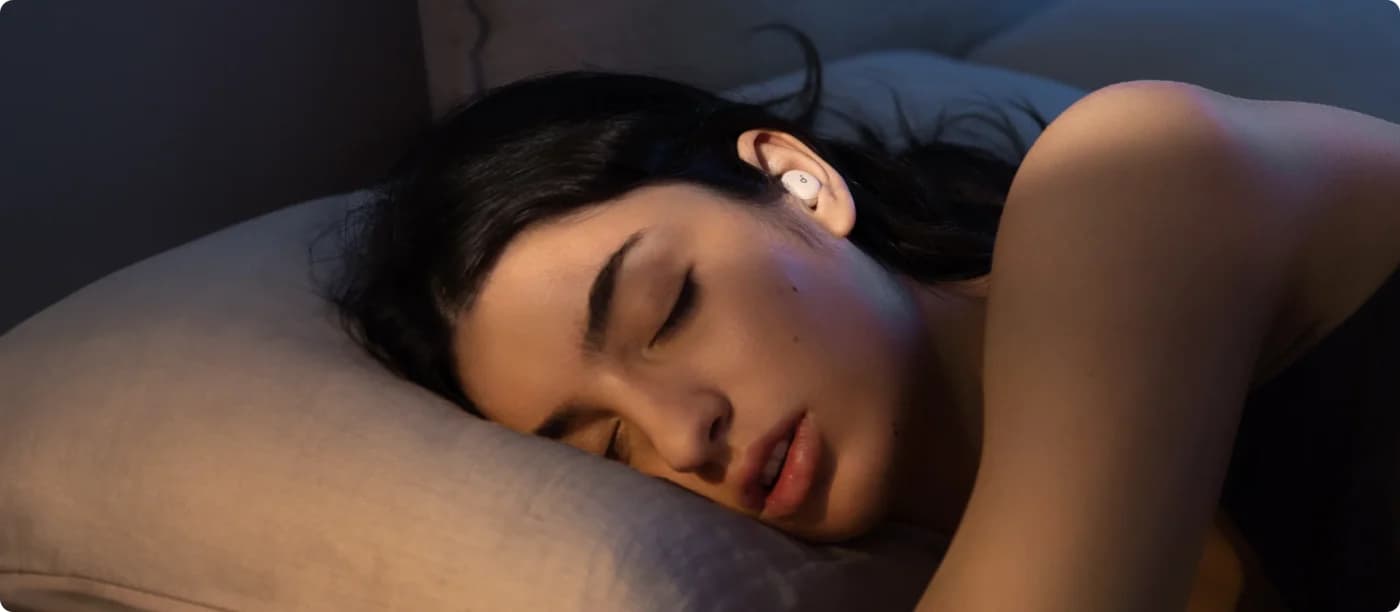
Soundcore Sleep A30 Noise-Cancelling Sleep Earbuds (Moonlit White)
Choose for: Best upgrade for ANC
Check before buying: 8 to 10 hours per charge, less than the Ozlo Sleepbuds 2's 14
About this guide
thisHUSH covers comfort, quiet and air-quality gear, not health. Nothing on this site is medical advice: for sleep, breathing or hearing concerns, talk to a doctor.
Choose Soundcore Sleep A30 if you want ANC for traffic or appliance hum; keep or choose Sleep A20 if its passive seal is enough and you want downloaded masking sounds without ANC. A20 is rated for 14 hours in Sleep mode or 10 hours over Bluetooth, while A30's current 8–10-hour headline allows playback to pause or switch modes. Check the exact A30 version before buying: Soundcore's current US sales copy and model-specific support documents disagree on some specifications.
Quick picks
- Upgrade to A30 for ANC: active cancellation, passive isolation and case-guided adaptive snore masking. This is the feature upgrade to consider if your A20's passive approach is insufficient.
- Keep or choose A20 for stored audio: four downloadable mixes and no ANC. A comfortable A20 already doing its job is a good reason to skip an upgrade.
For other brands and shapes, start with our best sleep earbuds. This comparison focuses on the Soundcore purchase and upgrade decision.
Compare specifications and all conditions
Sleep A20
- Noise control
- Passive seal, masking audio, Smart Volume
- Stored audio
- Four mixes; up to three sounds per mix
- Your music or podcasts
- Bluetooth from a connected device
All specifications
- Calls
- Not supported
- Published earbud weight
- 3.1 g
- Controls
- Firm taps; customizable in the app
Regular Sleep A30
- Noise control
- ANC, passive isolation, adaptive snore masking
- Stored audio
- One white-noise track in regular A30 support
- Your music or podcasts
- Bluetooth from a connected device
All specifications
- Calls
- Supported; enable in the app
- Published earbud weight
- About 3 g
- Controls
- Firm taps; customizable in the app
Buying consequence
- Noise control
- Choose A30 when ANC is the missing feature
- Stored audio
- A20 offers more saved choices
- Your music or podcasts
- Local storage is not a personal music player
All specifications
- Calls
- Check the call setting before relying on A30
- Published earbud weight
- These figures cannot establish which fits your ear
- Controls
- Configure controls before using them in bed
Full comparison table
Swipe to compare. Row labels stay visible.
| Feature | Sleep A20 | Regular Sleep A30 | Buying consequence |
|---|---|---|---|
| Noise control | Passive seal, masking audio, Smart Volume | ANC, passive isolation, adaptive snore masking | Choose A30 when ANC is the missing feature |
| Stored audio | Four mixes; up to three sounds per mix | One white-noise track in regular A30 support | A20 offers more saved choices |
| Your music or podcasts | Bluetooth from a connected device | Bluetooth from a connected device | Local storage is not a personal music player |
| Calls | Not supported | Supported; enable in the app | Check the call setting before relying on A30 |
| Published earbud weight | 3.1 g | About 3 g | These figures cannot establish which fits your ear |
| Controls | Firm taps; customizable in the app | Firm taps; customizable in the app | Configure controls before using them in bed |
Scroll horizontally to see every column
| Feature | Sleep A20 | Regular Sleep A30 | Buying consequence |
|---|---|---|---|
| Noise control | Passive seal, masking audio, Smart Volume | ANC, passive isolation, adaptive snore masking | Choose A30 when ANC is the missing feature |
| Stored audio | Four mixes; up to three sounds per mix | One white-noise track in regular A30 support | A20 offers more saved choices |
| Your music or podcasts | Bluetooth from a connected device | Bluetooth from a connected device | Local storage is not a personal music player |
| Calls | Not supported | Supported; enable in the app | Check the call setting before relying on A30 |
| Published earbud weight | 3.1 g | About 3 g | These figures cannot establish which fits your ear |
| Controls | Firm taps; customizable in the app | Firm taps; customizable in the app | Configure controls before using them in bed |
Sources: A20 specifications, A20 manual, A20 FAQ, A30 storage support and A30 manual.
Identify the exact model first
Sleep A20
- Identification in official documents
- A6611; US Solo selection uses A6611Z21
- Scope of this guide
- Passive isolation and stored sounds
Sleep A30
- Identification in official documents
- D1301; Moonlit White or Mist Green on the US page
- Scope of this guide
- The existing Moonlit White product card below
Sleep A30 Special
- Identification in official documents
- D1301S; Mist Lilac or Lunar White on the US page
- Scope of this guide
- Separate mode-specific figures below
Anker soundcore Sleep Earbuds 4
- Identification in official documents
- D1303 in its own support documentation
- Scope of this guide
- A separate product, outside this comparison
Full comparison table
Swipe to compare. Row labels stay visible.
| Name | Identification in official documents | Scope of this guide |
|---|---|---|
| Sleep A20 | A6611; US Solo selection uses A6611Z21 | Passive isolation and stored sounds |
| Sleep A30 | D1301; Moonlit White or Mist Green on the US page | The existing Moonlit White product card below |
| Sleep A30 Special | D1301S; Mist Lilac or Lunar White on the US page | Separate mode-specific figures below |
| Anker soundcore Sleep Earbuds 4 | D1303 in its own support documentation | A separate product, outside this comparison |
Scroll horizontally to see every column
| Name | Identification in official documents | Scope of this guide |
|---|---|---|
| Sleep A20 | A6611; US Solo selection uses A6611Z21 | Passive isolation and stored sounds |
| Sleep A30 | D1301; Moonlit White or Mist Green on the US page | The existing Moonlit White product card below |
| Sleep A30 Special | D1301S; Mist Lilac or Lunar White on the US page | Separate mode-specific figures below |
| Anker soundcore Sleep Earbuds 4 | D1303 in its own support documentation | A separate product, outside this comparison |
The documentation conflict matters. The current US sales page says A30 and Special now share features and specifications. Yet the regular FAQ lists 38 mAh per earbud and the Special FAQ lists 42 mAh; their runtime profiles also differ. Confirm the printed model and relevant documentation when choosing older stock.
There is a Bluetooth discrepancy too: the regular FAQ says 5.3, while the regular manual specifies 5.4 and notes that device limitations may make it display as 5.3. We retain those qualifications rather than promising that every A30 listing describes identical hardware.
Best upgrade for ANC: Soundcore Sleep A30
The reason to upgrade is noise control. Soundcore describes ANC for low-frequency sounds such as traffic and appliance hum, a physical seal for passive isolation, and adaptive audio for snoring. It explicitly says snoring is masked by audio, rather than cancelled by ANC.
Soundcore
Soundcore Sleep A30 Noise-Cancelling Sleep Earbuds (Moonlit White)
Anker's Soundcore sleep earbuds that combine active noise cancelling with a passive seal and snore-masking audio, with Calm sleep stories and a white-noise library in the app.
Check package and model options
- 10 h battery
The case detects snoring and the earbuds play masking audio in response. Soundcore's US FAQ advises placing the case within 5 ft (1.5 m) of the snorer, so case placement belongs in your setup.
The current A30 manual confirms Bluetooth playback from other apps, local playback without your device, and calls that must first be enabled in the app. That makes A30 worth considering for those features, but do not read its headline battery figure as uninterrupted podcast playback with ANC.
Best for stored sounds without ANC: Soundcore Sleep A20
A20 remains a sensible choice when passive blocking is enough. Its manual allows four saved tracks, each mixing up to three white-noise sounds. Sleep mode plays the downloaded sounds without needing another device for playback; Bluetooth mode handles audio from other apps.
The important exception is Smart Volume. It uses your phone's microphone to adjust masking volume, requires a smartphone connection and an active app, and works only in Sleep mode. The earbuds themselves have no microphones for this function. Switch it off if your priority is standalone stored playback.
The maker rates Sleep mode at 14 hours per charge and 80 hours with the case. That rating is relevant to local masking without ANC; it is not an ANC endurance advantage. A20 support also says third-party audio cannot be imported and calls are unsupported.
Battery: compare the mode, not the headline
These are manufacturer claims from the linked, separately named support documents. A20's ratings use 50% volume, with Smart Volume off for Sleep mode. The regular A30 battery article and Special FAQ also specify 50% volume for the continuous-playback figures below.
A20, Sleep mode, no ANC, Smart Volume off
- Claimed per charge
- About 14 hours
A20, Bluetooth, no ANC
- Claimed per charge
- About 10 hours
Regular A30, Bluetooth, ANC on
- Claimed per charge
- Up to 6.5 hours
Regular A30, Local, ANC on
- Claimed per charge
- About 9.5 hours
A30 Special, Bluetooth, ANC on
- Claimed per charge
- 7 hours
A30 Special, Local, ANC on
- Claimed per charge
- 9 hours
A30 Special, Local, ANC off
- Claimed per charge
- 16 hours
Full comparison table
Swipe to compare. Row labels stay visible.
| Exact model and playback condition | Claimed per charge |
|---|---|
| A20, Sleep mode, no ANC, Smart Volume off | About 14 hours |
| A20, Bluetooth, no ANC | About 10 hours |
| Regular A30, Bluetooth, ANC on | Up to 6.5 hours |
| Regular A30, Local, ANC on | About 9.5 hours |
| A30 Special, Bluetooth, ANC on | 7 hours |
| A30 Special, Local, ANC on | 9 hours |
| A30 Special, Local, ANC off | 16 hours |
Scroll horizontally to see every column
| Exact model and playback condition | Claimed per charge |
|---|---|
| A20, Sleep mode, no ANC, Smart Volume off | About 14 hours |
| A20, Bluetooth, no ANC | About 10 hours |
| Regular A30, Bluetooth, ANC on | Up to 6.5 hours |
| Regular A30, Local, ANC on | About 9.5 hours |
| A30 Special, Bluetooth, ANC on | 7 hours |
| A30 Special, Local, ANC on | 9 hours |
| A30 Special, Local, ANC off | 16 hours |
Sources: A20 FAQ, regular A30 battery article and Special FAQ.
Source: soundcore Sleep A30 Special FAQ; manufacturer figures, not a thisHUSH measurement
The regular A30 FAQ's 9 h / 45 h with case uses a different test: ANC stays on overnight, but Bluetooth audio plays for 1 hour, then stops after detection. Special's 10 hours / 50 hours with case profile uses 1.5 hours of Bluetooth with ANC on, followed by 8.5 hours of Local audio with ANC off.
The current combined US page and the regular A30 single-charge article instead headline 8–10 hours and up to 5 nights with the case. Those statements do not resolve the different named support profiles. Case totals describe replenishing the earbuds, not continuous playback from one charge.
Streaming, local audio, alarms and setup
Downloaded masking audio and downloaded podcasts are different. Both models support soundcore audio stored on the earbuds. A20 and regular A30 support reject importing third-party audio into that storage; your own audio needs Bluetooth playback from another device. Our white vs pink vs brown noise guide can help you choose a masking sound.
The current US FAQ also says both versions include free Calm content in the app, with previously played stories cached for 15 days. Check that phone-side content access separately from transferring masking audio to the earbuds.
Check what happens after detection. A20's Smart Switch pauses Bluetooth and starts Sleep-mode audio. The regular A30 manual says Stop Audio keeps ANC on by default, Play Local Audio turns ANC off after detection, and disabling that automatic action keeps audio and ANC running with higher power use. Special's manual describes corresponding Pause Audio, Play Local Audio/ANC Off and Keep Audio choices.
Pair and update
Pair in Bluetooth settings, add the earbuds in the soundcore app and check firmware there.
Transfer your masking sound
A20 transfers mixes from My Library; the A30 manuals use Audio Library and a download control for local audio.
Choose the automatic action
Decide whether Bluetooth should continue, pause or change to stored audio; check the matching ANC behavior on A30.
Configure taps and alarms
Set controls and alarms in the app, then check the selected playback mode before bed.
Both models offer app-set alarms through the earbuds. Their support pages allow up to five alarms, and A20's FAQ warns that enabling an alarm reduces its playback rating. For A30 clock drift, Soundcore recommends reconnecting to the app to calibrate the clock.
On A20, a firm left double-tap changes modes. On A30, the default left double-tap changes modes and the right double-tap toggles ANC; triple-taps lower volume on the left and raise it on the right. Controls can be customized, and the A30 FAQ allows tapping to be disabled by mode.
Tips, wings and replacement parts
Fit is a reason to keep a satisfactory A20. Its manual distinguishes sealed tips for noise blocking from breathable tips for airflow without noise blocking. A30's manual recommends trying different tips and wings; neither its shape nor its published weight proves a better fit for your ear.
Buy replacements by their stated compatibility. The A20 parts page separates Earwings and Eartips selections; its tip selection lists three breathable sizes and four sealed sizes. The regular A30 silicone replacement kit lists four sizes, XS/S/M/L; the Special kit lists five, XXS/XS/S/M/L. These are replacement-kit specifications, not a promise about every retail box or cross-model interchangeability.
If in-ear fit is the problem you want to solve, consider a different form factor in our sleep masks with headphones guide before choosing another earbud.
How we choose
This is a document-based comparison of official US sales pages, manuals, battery FAQs and model-specific accessory pages. We prioritize the noise mechanism, playback path and exact battery conditions. Figures remain attributed to the manufacturer; fit and sound quality require a personal assessment. Read our research method.
Availability checked November 2, 2026: the US A20 sales page was readable with Add to Cart and Buy Now controls, and its A6611 support guide was accessible. That provides a maker purchase path in this snapshot; it does not verify Amazon stock. Recheck the selected model, bundle and replacement parts before ordering.
Verdict
Choose A30 for ANC and case-guided snore masking. Keep or choose A20 for its passive approach and four stored mixes. For A30 Special, use the separately labelled mode figures above. A newer name alone does not establish longer runtime in your preferred mode or a better fit.
Sources
Official documents checked November 2, 2026; links alongside the tables identify the applicable mode and model. The A30 manuals are available from Soundcore's support download service:
Frequently asked questions
Does Soundcore Sleep A20 have noise cancelling?
Sleep A20 has passive noise isolation and sound masking, but no active noise cancellation. Its sealed tips provide the physical barrier; its downloaded sounds cover residual noise. The breathable tips allow airflow and do not provide the sealed tips' noise blocking. Choose A30 if you specifically want ANC for low-frequency traffic or appliance noise, while remembering that its snore masking uses audio rather than ANC.
Is Soundcore Sleep A30 worth upgrading from A20?
Upgrade when you want ANC or the A30's case-guided adaptive snore masking. Keep a comfortable A20 if passive isolation and its stored sounds already meet your needs. A20 stores four mixes, whereas regular A30 support documents one stored white-noise track. Compare the playback mode you actually use: an A30 rating that pauses audio or turns ANC off cannot establish longer continuous Bluetooth playback.
Can A20 and A30 play my own audio without my phone?
Their local modes play soundcore audio transferred to the earbuds. A20 support and regular A30 support say third-party audio cannot be imported into that storage. Your own music or podcasts play through Bluetooth from a connected device instead. A20's Smart Volume is a separate exception to phone-free local playback: it requires the phone microphone, a connection and an active app.
What is the difference between Sleep A30 and A30 Special?
The current US sales page identifies regular A30 as Moonlit White or Mist Green and Special as Mist Lilac or Lunar White, and says both versions now share specifications. However, the separately named D1301 and D1301S manuals and FAQs retain different battery figures. Confirm the exact model and its playback conditions before ordering older stock; neither the color nor a generic A30 battery headline resolves those documentation differences.
Soundcore Sleep A30 Noise-Cancelling Sleep Earbuds (Moonlit White)
AmazonRelated guides
Comparison · Sleep Headphones & Earbuds
Ozlo Sleepbuds 2 vs Soundcore Sleep A30: Masking, ANC and Streaming
Choose between Ozlo Sleepbuds 2 and Soundcore Sleep A30 with mode-specific battery claims, ANC and masking differences, case placement, fit and return advice.
Comparison · Sleep Headphones & Earbuds
Bedphones Wireless vs SleepPhones Wireless: On-Ear Speakers or a Headband?
Compare Bedphones Wireless and SleepPhones Wireless sleep headphones by fit, sizing, controls, charging and care, with clear picks and key version checks.
Comparison · Sleep Headphones & Earbuds
SleepPhones Wireless vs Effortless: Charging, Fabrics and Gift Fit
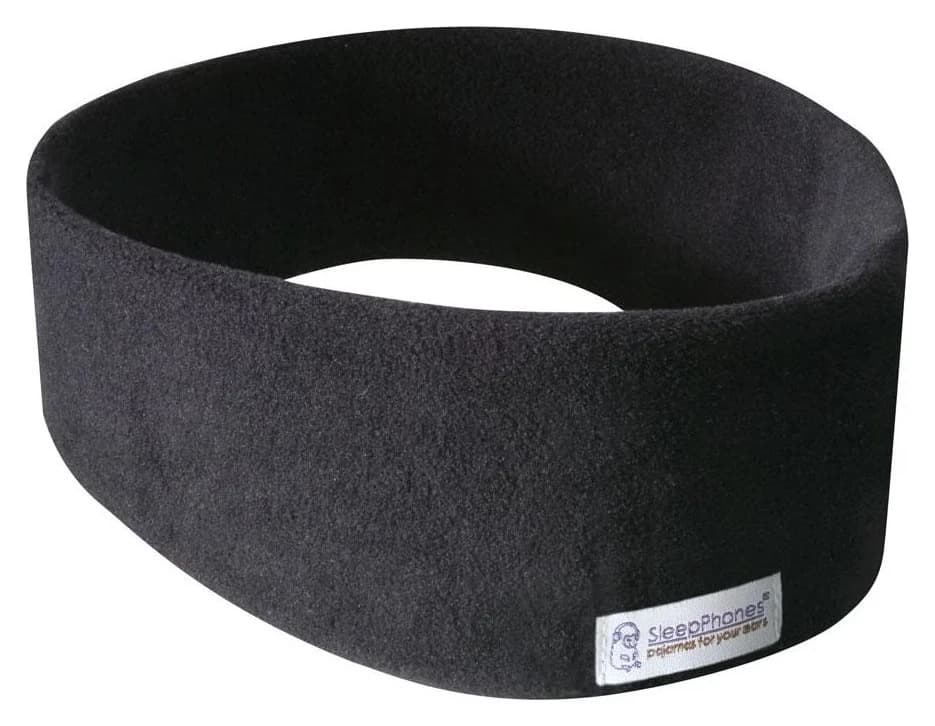
Compare SleepPhones Wireless and Effortless by charging system, current battery version, fabric, measured head size and gift returns before choosing your kit.