

Comparison
TempPro TP50 vs Govee H5075
Display or Bluetooth History?
Choose between the TempPro TP50 and Govee H5075 with clear advice on humidity accuracy, Bluetooth limits, app permissions, CSV export, batteries and pack sizes.
By thisHUSH EditorialUpdated November 3, 20268 min read
On this page · Quick picks
About this guide
thisHUSH covers comfort, quiet and air-quality gear, not health. Nothing on this site is medical advice: for sleep, breathing or hearing concerns, talk to a doctor.
Choose the TempPro TP50 for a simple room humidity display; choose the Govee H5075 if you want history and CSV export on a nearby phone. The H5075 adds Bluetooth rather than built-in Wi-Fi, so the sensor alone is a poor choice if your main requirement is an alert while you are away from home.
Quick picks
- Best for checking the room in person: TempPro TP50. A local display, a published 10-second response time and one AAA battery make this our straightforward pick.
- Best for looking back at changes: Govee H5075. Govee advertises a 20-day temperature and humidity history view and CSV export through Govee Home.
- Need away-from-home monitoring? Choose a setup with an explicitly documented internet connection and alert path before buying either standalone monitor.
Looking for the best hygrometer across other formats? Our indoor humidity and hygrometer guide covers the broader choice and ideal indoor humidity.
TP50 vs H5075: the useful differences
These are manufacturer claims. RH means relative humidity; the table preserves the makers' accuracy units.
Where do you read it?
- TempPro TP50
- Local display; the support specification lists wireless range as N/A
- Govee H5075
- LCD on the unit, or Govee Home over Bluetooth
Published humidity accuracy
- TempPro TP50
- ±2–3% RH in the support specification
- Govee H5075
- ±3% RH on the US product page
Published temperature accuracy
- TempPro TP50
- Support specification: ±1°F; separate TP50 accuracy article: ±2°F
- Govee H5075
- US hero: ±0.5°F / ±0.32°C; manual: ±0.54°F / ±0.3°C; single-pack US spec table also says ±0.54°F
Reading update claim
- TempPro TP50
- 10-second response time in the support specification
- Govee H5075
- 2-second response claim on the US page
Phone history and export
- TempPro TP50
- No wireless connection listed
- Govee H5075
- Advertised 20-day history view; CSV export
Alerts away from the standalone sensor
- TempPro TP50
- No wireless connection listed
- Govee H5075
- Bluetooth range required for phone notifications; no built-in Wi-Fi
Batteries
- TempPro TP50
- One AAA
- Govee H5075
- Two AAA; about six months, according to Govee's FAQ
App requirements
- TempPro TP50
- Local display workflow
- Govee H5075
- Govee Home; Bluetooth and location permissions in the maker's instructions; account needed for export
Full comparison table
Swipe to compare. Row labels stay visible.
| Buying question | TempPro TP50 | Govee H5075 |
|---|---|---|
| Where do you read it? | Local display; the support specification lists wireless range as N/A | LCD on the unit, or Govee Home over Bluetooth |
| Published humidity accuracy | ±2–3% RH in the support specification | ±3% RH on the US product page |
| Published temperature accuracy | Support specification: ±1°F; separate TP50 accuracy article: ±2°F | US hero: ±0.5°F / ±0.32°C; manual: ±0.54°F / ±0.3°C; single-pack US spec table also says ±0.54°F |
| Reading update claim | 10-second response time in the support specification | 2-second response claim on the US page |
| Phone history and export | No wireless connection listed | Advertised 20-day history view; CSV export |
| Alerts away from the standalone sensor | No wireless connection listed | Bluetooth range required for phone notifications; no built-in Wi-Fi |
| Batteries | One AAA | Two AAA; about six months, according to Govee's FAQ |
| App requirements | Local display workflow | Govee Home; Bluetooth and location permissions in the maker's instructions; account needed for export |
Scroll horizontally to see every column
| Buying question | TempPro TP50 | Govee H5075 |
|---|---|---|
| Where do you read it? | Local display; the support specification lists wireless range as N/A | LCD on the unit, or Govee Home over Bluetooth |
| Published humidity accuracy | ±2–3% RH in the support specification | ±3% RH on the US product page |
| Published temperature accuracy | Support specification: ±1°F; separate TP50 accuracy article: ±2°F | US hero: ±0.5°F / ±0.32°C; manual: ±0.54°F / ±0.3°C; single-pack US spec table also says ±0.54°F |
| Reading update claim | 10-second response time in the support specification | 2-second response claim on the US page |
| Phone history and export | No wireless connection listed | Advertised 20-day history view; CSV export |
| Alerts away from the standalone sensor | No wireless connection listed | Bluetooth range required for phone notifications; no built-in Wi-Fi |
| Batteries | One AAA | Two AAA; about six months, according to Govee's FAQ |
| App requirements | Local display workflow | Govee Home; Bluetooth and location permissions in the maker's instructions; account needed for export |
Response time is not a promised app logging or notification interval. These claims do not establish accuracy across all operating conditions.
Sources: TempPro support specification, TP50 accuracy guidance, Govee US product page and H5075 manual.
Best for a simple room display: TempPro TP50
The TP50 suits someone who wants to read the room humidity before adjusting an appliance. TempPro's support specification lists a display, a 10-second response time and one AAA battery, with no wireless range.
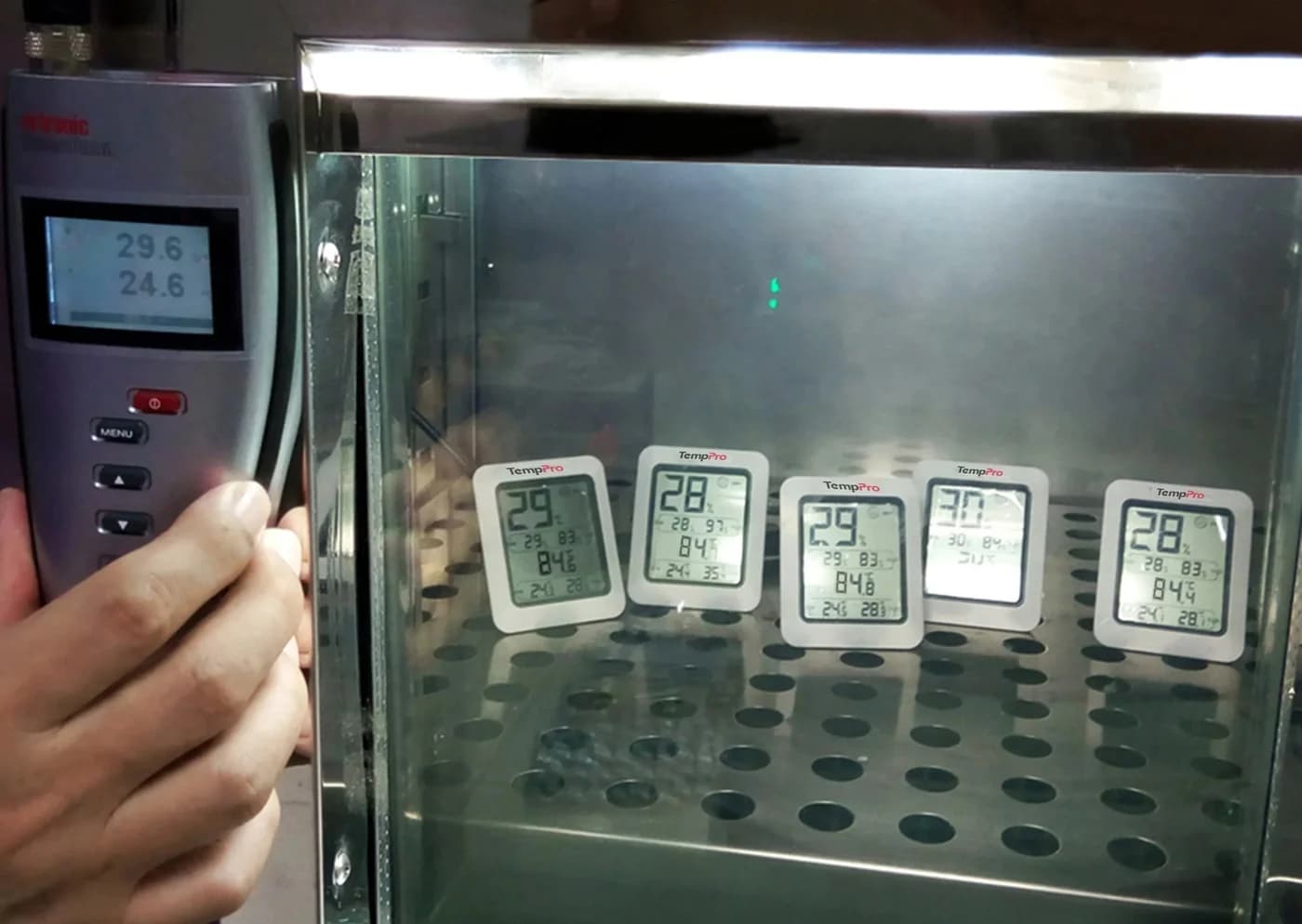
TempPro
A basic battery-powered thermo-hygrometer (sold for years as the ThermoPro TP50) with an LCD showing high and low records, a comfort indicator and three ways to place it.
Check package and model options
- Temperature, relative humidity
Choose it when a reading in the room answers your question, the recipient does not want app setup, or you want a separate humidity reference while adjusting a humidifier. Choose the Govee instead when reviewing a graph or saving a file is part of the task.
TempPro's own support documents disagree on temperature tolerance: the specification says ±1°F, while its TP50 accuracy article says ±2°F and ±3% RH. That is a documentation conflict, not evidence of two verified hardware versions. We would not buy a particular package expecting the tighter temperature claim without checking with TempPro.
Calibration needs care. TempPro's TP50 accuracy support article says the device cannot be calibrated. Check user adjustment against the instructions for the exact unit you receive; do not assume a button sequence or an adjustable offset. A comparison against another instrument can check agreement without changing either instrument.
Best for nearby phone history: Govee H5075
The H5075 is worth choosing when your question is, “What happened while I wasn't looking?” Govee's US page advertises a 20-day history view, CSV export and a large-number LCD. The manual also documents on-screen maximum and minimum temperature and humidity records, cleared by holding the unit's button for three seconds.
The useful upgrade is history, rather than a demonstrated humidity-accuracy advantage: Govee lists ±3% RH. Its temperature figures conflict as shown above; the single-pack US specification table also says ±0.54°F. The two-second response claim is not a stated CSV recording interval.
The manual documents app calibration, also explained in Govee's support FAQ. Keep the original readings until you have a useful reference for any offset.
Govee lists a stand and hanging hole. Its FAQ estimates about six months from two AAA batteries.
Operating limits conflict too. The manual specifies 0–50°C (32–122°F) and 0–99% humidity. The single-pack US specification table instead lists 10–90% relative humidity and an upper temperature of 140°F. Use this comparison for indoor room monitoring; confirm the exact operating limits with Govee before choosing it for a more demanding location.
See the H5075 single-monitor option at Govee
Bluetooth, range and the alerts you actually get
For the standalone H5075, the connection is sensor → Bluetooth → nearby phone running Govee Home. Govee explicitly says it has no Wi-Fi. Its support instructions require Bluetooth sensors to be within phone range for notifications, with Bluetooth and GPS/location enabled.
Govee's range claims conflict. The US page advertises up to 60 m / 196 ft; its FAQ specifies 50 m / 164 ft in open, unobstructed conditions. The manual also gives 50 m / 164 ft without obstacles. Neither establishes coverage through your walls. Check reception where you expect to use your phone.
Tap a label to explore. You can also hover or use your keyboard.
H5075 sensorNo built-in Wi-Fi
Govee says the H5075 supports Bluetooth only, rather than joining your home Wi-Fi directly.
Sources: 1: The H5075 has Bluetooth connectivity and no built-in Wi-Fi.- Bluetooth
Nearby phone: Govee HomeCheck range and permissions
Govee's notification troubleshooting requires the phone to be in Bluetooth range with Bluetooth and GPS/location enabled.
Sources: 2: Govee's Bluetooth-sensor notification instructions require phone range and enabled Bluetooth and GPS/location.
Source notes2 references
The H5075 has Bluetooth connectivity and no built-in Wi-Fi.
us.govee.com — source for The H5075 has Bluetooth connectivity and no built-in Wi-Fi.No. The product only supports Bluetooth connection with a maximum connection range of 50 meters (164 feet) in open, unobstructed environments.
Govee's Bluetooth-sensor notification instructions require phone range and enabled Bluetooth and GPS/location.
eu.govee.com — source for Govee's Bluetooth-sensor notification instructions require phone range and enabled Bluetooth and GPS/location.For the Bluetooth temperature sensor, ensure you are in Bluetooth range and Bluetooth, GPS/location is enabled on your smartphone.
A gateway is a separate decision. Govee's official compatibility table lists H5075 as compatible with its H5151 Wi-Fi hub. That does not put Wi-Fi inside the H5075 or establish that a sensor multipack includes a hub. Confirm a gateway's exact package, setup and alert behavior separately if remote access is the reason for buying.
App permissions, history and CSV export
Govee's instructions name Govee Home for iOS and Android. The H5075 manual tells Android users to enable Location and iOS users to select Location Always; the general support FAQ also asks for Bluetooth and location access. Check the prompts on the recipient's current phone before choosing this as a gift, and allow notifications if alerts are wanted.
For export, Govee's manual requires signing up and logging in. Its support FAQ describes the following sequence:
Connect and load the graph
Stay within Bluetooth range, open the sensor in Govee Home and let the graph finish loading.
Choose Export Data
At the bottom of the graph page, choose the data interval and a date range that already contains data.
Send the CSV
Enter the receiving email address or choose the account email, then use the send control.
What happens when the phone is out of range? It cannot be relied on for live readings or immediate Bluetooth alerts. The product page promises a 20-day history view, but does not clearly specify in that statement the offline recording interval or exactly how much missing history reconnecting will recover. Reconnect, let the graph load and check the dates you need before exporting. Do not turn that history claim into a promise of an uninterrupted away-from-home log or a delayed alert for every excursion.
Exact models, packs and gift checks
TP50 means this TP50. We use the TempPro name shown by the maker's support center. Check the model code and the included quantity on the package; a similar-looking monitor or a different model code needs its own specifications.
For Govee, select the pack deliberately. The US page offers one, two and three H5075 monitors. Its page data identifies the single as SKU H5075001 and the multipacks as repeated H5075001 units. Those are quantity choices, not upgrades to built-in Wi-Fi. The single-monitor link above selects the maker's one-pack option.
The H5075 manual's single-unit package table lists one monitor, two AAA batteries, a manual and a service card. Its two-unit package lists two monitors and four AAA batteries. Check the current seller's included-items list, especially when buying a gift; do not assume a gateway or a humidifier is part of a sensor pack.
Before ordering, check the recipient's appetite for app setup, email export, number of displays and night-time readability. Pick the TP50 for shelf readings or H5075 for phone records.
Placement, checking readings and humidifier use
TempPro recommends allowing a newly unpacked TP50 to acclimatize for a couple of hours before comparing it with another instrument, and keeping it indoors. Govee's support FAQ also specifies indoor use for its sensors. For a useful comparison, put the monitors together in the room, let readings settle, and keep a note of the difference before attempting an adjustment. Agreement between them alone is not proof that either one is correct.
A separate humidity display informs an adjustment; it is not a replacement humidistat that automatically controls an arbitrary humidifier. EPA advises against humidifying above 50% RH. Use our humidifier buying guide to choose the appliance and its controls, or the dehumidifier guide when moisture removal is the task.
Humidifier white dust is a separate water issue. EPA describes minerals dispersed by ultrasonic and impeller humidifiers and suggests distilled water when white dust is a problem. A humidity reading does not measure those minerals. Our evaporative vs ultrasonic guide explains the appliance choice.
How we choose
We compared official specifications, the H5075 manual and manufacturer support instructions, checked November 2, 2026. No physical testing has been performed. We weigh reading workflow, export requirements, connection limits and included parts, identifying conflicting documentation. See How we choose.
Verdict
Get the TP50 when you want to read humidity in the room. Get the H5075 when phone history and CSV export are useful enough to justify app setup. If an alert while you are away is the deciding requirement, verify a complete internet-connected setup before buying: the H5075's built-in Bluetooth connection alone does not supply that path.
Sources
- TempPro: TP50 support specifications, accuracy and calibration guidance and acclimatization guidance.
- Govee: US H5075 page, single-pack specifications, official manual, thermometer support FAQ and hub compatibility table.
- EPA: Use and Care of Home Humidifiers.
- National Weather Service: relative humidity terminology.
Frequently asked questions
Is the TempPro TP50 or Govee H5075 more accurate?
There is no measured winner in this comparison. TempPro's support specification lists humidity accuracy of ±2–3% RH; Govee's US page lists ±3% RH. Temperature figures differ between each maker's documents, as explained below. Choose for the reading and history workflow you need, rather than treating small differences in published tolerances as proof that one individual sensor is better.
Will the Govee H5075 alert me when I am away from home?
The standalone H5075 has Bluetooth connectivity and no built-in Wi-Fi. Govee's troubleshooting says Bluetooth sensors need the phone within Bluetooth range for push notifications, with the relevant permissions enabled. Its compatibility table separately lists H5151 hub compatibility, but that is a different setup. A standard H5075 sensor pack should not be bought on the assumption that it includes an internet gateway or away-from-home alerts.
Can I use the Govee H5075 without the app?
You can read its LCD, including maximum and minimum temperature and humidity records, on the unit. The Govee Home app adds phone history and CSV export. Govee's manual says to sign up and log in before exporting data; its support instructions describe sending the CSV to an email address. Choose the TP50 if reading a local display is all you want.
Will either hygrometer fix humidifier white dust?
Neither is a white-dust remedy: these are temperature and humidity monitors. EPA links white dust from ultrasonic and impeller humidifiers to minerals in their water and recommends distilled water as an option. Use the hygrometer to inform humidity adjustments, then follow the humidifier's water and maintenance instructions. Changing the sensor does not change the water going into the humidifier.
Related guides
Comparison · Air Quality Monitors
AirGradient ONE vs Airthings View Plus: Sensors, Local Data and Room Setup
Compare AirGradient ONE and Airthings View Plus on sensors, local data, cloud history, power and calibration, with clear picks and a complete buying checklist.
Comparison · Air Quality Monitors
INKBIRD IAM-T1 vs Aranet4 HOME: Logging, Calibration and the Full Kit
Compare INKBIRD IAM-T1 and Aranet4 HOME on CO2 accuracy, logging, calibration and batteries, with an interval worksheet and a complete gift-kit checklist.
Comparison · Air Quality Monitors
Aranet4 HOME vs PRO: Logging, Bluetooth and Which Model to Buy
Choose Aranet4 HOME or PRO with a clear comparison of Bluetooth, logging, export and remote access, plus regional variants and the base station you may need.